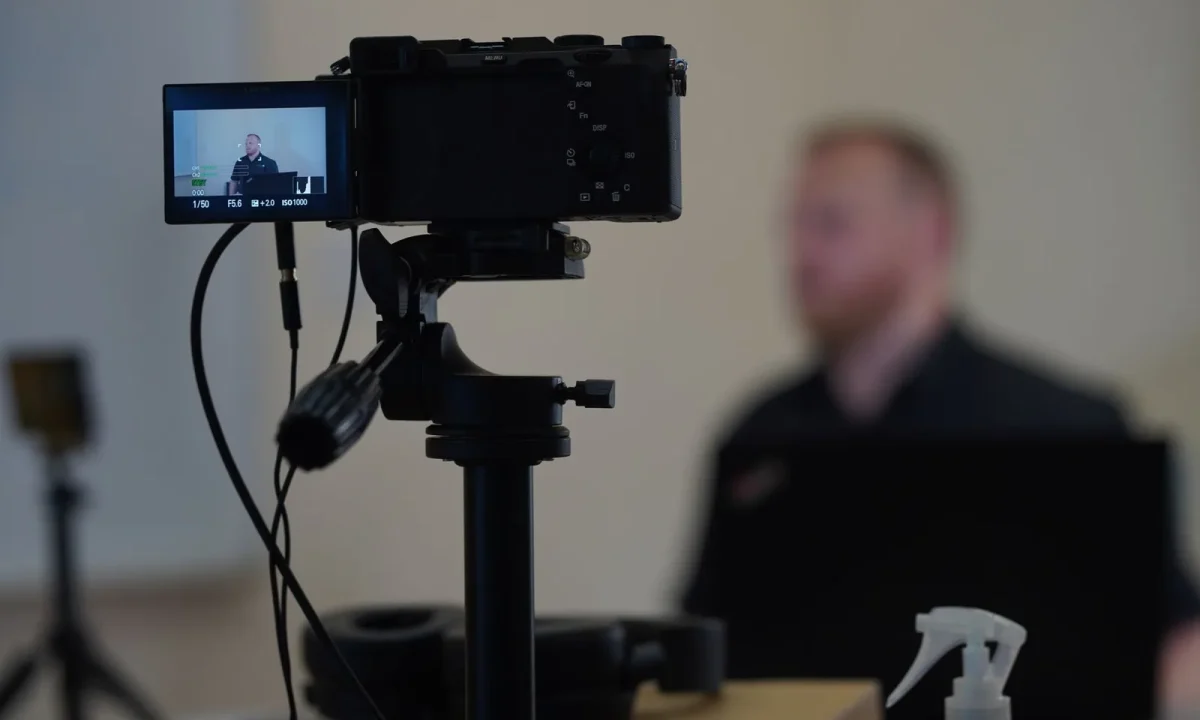
Knowing teleprompter best practices on paper is one thing; applying them while you are on set, under time pressure, is another. This guide turns teleprompter tips for beginners and teleprompter efficiency techniques into a practical workflow you can repeat in every recording session. You will move from setup to review with a clear sequence of decisions, so nothing is improvised once the camera is already rolling.
Why Teleprompter Best Practices Matter in Real Sessions
Most struggling recordings are not caused by weak material or poor equipment; they are caused by a missing routine. When a session has no fixed order of operations, every small choice — where the lens sits, how fast the text scrolls, whether notifications are silenced — becomes a decision you make under pressure, and rushed decisions create retakes. A documented routine converts those choices into defaults you simply verify, which is why production teams treat process as seriously as performance. If you want the underlying theory before you build your routine, start with Mastering Teleprompter Usage, then return here to put each step into motion.
Common mistakes that surface when practice stops at theory
When you only read about technique, the errors that appear on camera are predictable: eyes drift to the lens instead of the text, sentences are delivered in one unbroken breath, and the scroll runs slightly faster than the speaker can comfortably follow. These problems rarely announce themselves during rehearsal because they emerge from the pressure of the take and the fatigue of a long session. Recognizing them as symptoms of an under-practiced routine — rather than as personal shortcomings — is the first step toward fixing them systematically.
How a repeatable routine reduces on-camera stress
A routine works because it removes open questions. If your checklist always begins with room setup, moves to script formatting, then to a single test take, you never pause to wonder what comes next, and your attention stays on delivery. Over a few sessions, the sequence becomes automatic, which measurably lowers the mental load you carry into a take. Performers who follow the same order report feeling more settled, because the only variable left is the content itself.
Linking efficiency techniques to faster edit cycles
Efficiency on set shows up later in the timeline. Clean takes with consistent pacing mean fewer splices, fewer awkward joins, and fewer moments where a stumble forces you to stitch two halves of a sentence together. When your formatting, speed, and camera placement are stable across takes, the editor’s job shifts from repair to polish. That connection between preparation and post-production is what makes teleprompter efficiency techniques worth the extra ten minutes before you record.
Set Up Your Space Before the Camera Rolls
The physical arrangement of your recording area determines more of your on-camera comfort than any software setting. Position the prompter so the text sits as close to the lens as your equipment allows, because the further the text drifts from the camera, the more obviously your eyes appear to wander. Check the frame at seated and standing heights, confirm that the light falls evenly across your face without spilling onto the screen, and remove anything reflective behind you. A short setup checklist covering these points prevents the classic mid-session reshuffle, and Essential Tips for Mastering Teleprompter Usage Effectively expands on the equipment side of this preparation.
Placement, eye line, and lighting basics for teleprompter best practices
Eye line is the single most visible detail in a recorded read. Aim for the lens or the glass directly in front of it so viewers experience steady eye contact rather than a drifting gaze, and adjust the height before you settle into your chair. Lighting should illuminate your face while leaving the prompter text readable, so avoid placing a bright window or key light behind the screen. Finally, test the setup from the actual recording position, not from standing beside the camera, because a few inches of change can alter both your frame and your reading angle.
Choosing the right scroll speed and font size for beginners
Beginners tend to compensate for nervousness with small text and fast scrolling, which produces a tense, rushed delivery. Choose a font large enough to read with relaxed eyes at your working distance, then set the scroll speed to match your natural speaking pace rather than your reading speed. Record a fifteen-second test, watch it back, and adjust in small increments until the text arrives just ahead of your voice. The correct setting is the one that lets you pause for emphasis without falling behind the moving line.
Silencing notifications and prepping your device
An unexpected banner or a low-battery warning in the middle of a take costs you the take. Before every session, enable a focus or do-not-disturb mode, close background applications, plug in power, and confirm that your microphone and prompter app are both using the correct devices. Keep the phone or tablet off the network if your app works offline, and disable auto-lock so the screen does not sleep between takes. This one-minute sweep removes a whole category of avoidable interruptions.
Turn Your Script Into a Teleprompter-Friendly Format
A script written for the page rarely works on a screen. Prompter text needs short lines, generous line spacing, and punctuation placed where you actually need to breathe, because the reader cannot scan ahead the way a listener follows a conversation. Rewrite longer sentences into shorter ones, break paragraphs at natural topic shifts, and keep each visual line within a comfortable horizontal span. If your drafting habits need a clearer structure, Essential Tips for Effective Teleprompter Best Practices walks through a formatting routine you can reuse for every video.
Short lines, natural pauses, and breathing points
Short lines keep your eyes moving in small, predictable jumps instead of long sweeps that make your gaze obvious to the viewer. Place commas and periods where you intend to pause, and add an occasional blank line between thoughts to create a visual rest. These gaps give you permission to slow down, which is exactly what an audience needs in order to absorb a point. When the punctuation matches your intended rhythm, the read stops sounding recited and starts sounding spoken.
Marking emphasis and ad-lib moments while staying on track
Emphasis marks — bold text, capitals, or a simple caret symbol — tell you which words to lean into when you reach them at speed. Use them sparingly, though, because a page full of markers becomes harder to scan than one with a few deliberate highlights. For planned ad-libs, insert a bracketed cue such as [pause for example] so you know a departure is allowed without losing your place. The goal is a script that guides you without turning into a map you have to decode mid-sentence.
Reading aloud as a final script check
The last step before recording is always vocal. Read the entire script aloud at your intended pace, and mark any phrase that forces you to rush, hold your breath, or stumble over an unfamiliar construction. Those marked lines are rewrites waiting to happen, and fixing them on paper costs seconds compared with fixing them in retakes. A single aloud pass also confirms that your emphasis marks and pauses feel natural rather than mechanical, so the final take matches the intent behind the words.
Applying Teleprompter Best Practices While Recording
Setup and formatting earn their value the moment recording begins, because they let you focus entirely on delivery. Your attention should be split between the moving text and the point you are making, not divided among the text, the camera, and the app controls. Keep your hands away from the device once the take starts, settle into a comfortable stance, and treat the first take as a pacing reference rather than a performance to defend. For a sequenced approach to the recording phase, see Practical Application of Essential Tips for Teleprompter Use.
Pacing techniques that keep delivery natural
Pacing is where teleprompter best practices become visible to an audience. Slow down slightly at the start of each new idea, because viewers need a beat to register the shift, and allow a short silence after key statements rather than filling every gap with words. If you notice yourself accelerating, use the punctuation in the script as a cue to reset your tempo on the next sentence. A steady pace with deliberate variation sounds confident; a uniformly fast pace sounds like someone racing the screen.
Recovery moves for a stumble without breaking flow
Stumbles happen to every presenter, and the recovery matters more than the error. When you misread a word, pause for a breath, repeat the entire sentence from its beginning, and continue — never try to repair the sentence mid-line. Editors can remove the flawed version in seconds, while a visibly flustered recovery cannot be edited out at all. Treat the pause as intentional; most viewers will read it as composure rather than a mistake.
Using remote control or app cues without looking away
Scroll control should never require you to glance down at a keyboard or reach for the screen. Prefer a handheld remote, a foot pedal, or a voice-activated app cue so your hands and eyes stay where the audience expects them. Practice the control gesture until it becomes automatic, and set a default speed that works for most of the script so you only adjust at section breaks. With control handled invisibly, your delivery reads as continuous and your eye line remains locked to the lens.
Teleprompter Efficiency Techniques for Busy Creators
Once the basics are stable, the biggest gains come from removing repeated work rather than performing each step faster. Efficiency is structural: it lives in your templates, your batch habits, and your knowledge of the software, not in rushing through setup. Creators who publish on a schedule usually find that the same session structure reused week after week produces both faster output and more consistent quality. If you want a condensed set of changes you can apply this week, Teleprompter Efficiency: Essential Tips You Can Apply Now is the natural next read.
Building reusable templates for recurring video formats
If you produce the same kind of video repeatedly — a weekly update, a lesson, a product walkthrough — each format deserves a saved template. A template stores your line length, font size, scroll speed, emphasis conventions, and section headings, so a new script is ready the moment the text is pasted in. Start with one template for your most frequent format and refine it after every few sessions rather than building five at once. Over time, these templates become the backbone of a fast, predictable production rhythm.
Batch scripting and preloading multiple takes
Batching separates writing from performing, which protects both activities from interruption. Draft and format several scripts in one sitting, load them into the prompter app in advance, and queue them in the order you plan to record. When the camera is set, you can move from one take to the next with only a brief reset instead of a full reconfiguration. This approach also reveals shared needs — a missing intro, an inconsistent closing — while there is still time to fix them across all scripts at once.
Shortcuts in popular apps that cut setup time
Most prompter applications include keyboard shortcuts for speed changes, scrolling control, and take markers that many creators never discover. Learn the handful you use repeatedly — start, pause, nudge speed, jump to section — and keep a printed card beside your setup until they become automatic. Custom dictionaries for names and technical terms also prevent mispronunciations that would otherwise cost a retake. Ten minutes spent exploring settings once typically saves far more time across the next month of recordings.
Practice Routines for Beginners and Educators
Skills that hold up under pressure are built through short, repeated practice rather than occasional long sessions. A structured routine gives beginners a safe place to make mistakes and gives educators a framework they can hand to students on day one. Keep the exercises small enough to complete in a few minutes, because frequency matters more than duration when the goal is muscle memory. For a sequenced learning path, Essential Tips, Step by Step, for Teleprompter Success builds skills in a deliberate order.
A five-minute warm-up drill before every session
A warm-up should activate the three things a take demands: your breath, your eyes, and your pacing. Spend one minute breathing low and steady, one minute reading a short passage while deliberately blinking and pausing, and one minute reading your opening paragraph at target speed. Finish by checking your framing and scroll settings aloud, so any problem is caught before recording starts. This brief ritual signals your brain that the session has begun, which shortens the shaky first take.
Progressive drills: from mirror to full camera
Confidence grows when the stakes increase gradually. Begin by reading from the prompter into a mirror to watch your own eye movement, then progress to recording on a phone with no audience in mind, and only then move to a full camera setup with lighting and audio. At each stage, keep the same script so you can compare delivery rather than content. This ladder prevents the overwhelm that comes from attempting a polished production before the basic read feels comfortable.
Tracking improvement across a week of recordings
Improvement is hard to feel in real time, so give yourself a way to see it. Record the same thirty-second passage once a day for a week and keep the clips together, noting one observation per day — pace, eye line, recovery, or breath. At the end of the week, watch the first and last side by side. The comparison usually reveals steady gains that daily self-criticism would have hidden, and it tells you which skill deserves the next round of attention.
Review and Refine After Each Session
The session is not finished when you stop recording; the review is where habits actually improve. Watching your takes with a specific checklist turns vague dissatisfaction into concrete, fixable observations. Limit yourself to two or three points per session, because a long list of faults is impossible to act on and discouraging besides. Creators who make this a fixed closing step tend to improve faster than those who rely on memory, and Boost Your Presentations with Effective Teleprompter Techniques offers a broader set of delivery improvements to draw from.
What to watch for when reviewing your takes
Watch once for content and once for delivery, because combining both passes hides errors in each. On the second pass, note where your eyes drift, where your pace accelerates, where a breath lands badly, and where a stumble was poorly recovered. Pay attention to silence too: dead air at the start or end of a take is invisible in the moment but obvious in the edit. Keep the notes brief and timestamped so you can jump directly to the moment during your next session.
Turning feedback into two or three concrete adjustments
Feedback only helps when it becomes an instruction you can perform. Convert “I sound nervous” into “start my opening sentence half a second after the scroll begins,” and convert “my eyes wander” into “recenter the prompter two inches higher before the next take.” Choose the two or three adjustments with the greatest effect, and apply them deliberately in the next session rather than all at once. Focused change compounds; scattered change resets your progress.
Keeping a simple log of what worked
A plain log — date, script length, settings used, what felt good, what failed — is enough to preserve what you learn. Over several weeks, patterns emerge: a scroll speed that always works, an intro structure that flows, a time of day when your energy is highest. That evidence lets you make decisions from data instead of guessing, and it gives you a reliable starting point whenever a session goes badly. Store it wherever you already keep your scripts so the habit costs almost nothing to maintain.
Common Mistakes and How to Avoid Them
Even experienced creators drift back into a few recurring traps, usually when a deadline tightens or confidence dips. The useful response is not self-criticism but a corrective step built into the routine, so the mistake is caught by the process rather than by the audience. Each of the errors below has a simple countermeasure you can add to your checklist today. For a deeper look at why familiar advice so often fails in practice, read Why Essential Tips Fail: Common Teleprompter Mistakes.
Reading too fast or too close to the lens
Speed creeps upward as nerves rise, and the result is a read that sounds hurried even when the script is excellent. Counter it by setting the scroll slightly slower than comfortable and consciously holding each sentence until the punctuation invites a pause. Distance from the lens creates a different problem: staring at the screen rather than the camera makes your eye line visibly offset in the final frame. Mount the prompter as close to the lens as your gear allows and verify the alignment in a test shot instead of trusting your memory of the setup.
Overloading the script with complex sentences
Long, nested sentences are difficult to read at speed and even more difficult for an audience to follow when heard once. Break them into two or three shorter statements, keep each line to a handful of words, and replace abstractions with concrete examples wherever possible. If a sentence cannot survive being read aloud without a stumble, it will not survive being spoken on camera either. Simplifying the prose improves comprehension for the listener and reduces the cognitive load on you at the same time.
Skipping rehearsal because the app feels reliable
Software stability is not a substitute for preparation; a reliable app simply delivers an unrehearsed read more efficiently. Always complete at least one full run-through aloud before recording, even when the script is short, because that pass exposes pacing problems and awkward phrasing that silent reading misses. Reserve extra time for rehearsal when a script contains unfamiliar terminology, names, or figures. The few minutes spent in rehearsal are almost always cheaper than the retake they prevent.
Conclusion
Teleprompter best practices only pay off when they become habits. Start with a small set of teleprompter tips for beginners, layer in teleprompter efficiency techniques as you grow, and review each session so your next recording is smoother than the last. Pick one change from this guide — a faster device check, a shorter line length, a five-minute warm-up — and apply it to your very next recording, then add a second once the first feels automatic.
Frequently asked questions
How should I format a teleprompter script so it sounds natural instead of read?
Write short, conversational sentences with contractions and one idea per line, the way you would actually talk. Use all caps for key words you want to stress and slashes or ellipses to mark pauses. Long paragraphs force you to rush and flatten your tone, so break everything into lines that fit on one or two screen rows.
What speech rate should I set the teleprompter scroll speed to?
Aim for roughly 130-150 words per minute, which matches a natural presentation pace rather than the fast rate of casual reading. Start the scroll a little slower than you think you need and let the operator match your rhythm as you settle in. Rehearse at the final speed at least twice so your phrasing and breathing land on the same beat as the text.
How do I keep eye contact with the camera instead of looking like I am reading?
Mount the prompter glass as close to the lens as possible and position your text in a narrow column directly under or behind the lens, so your eyes barely move. Pick one fixed spot rather than tracking the words as they scroll. Practicing with the equipment is the only way to train this, because reading a scrolling line produces a telltale side-to-side eye movement.
Should I memorize the opening and closing lines?
Yes, deliver the first and last 15-30 seconds off the prompter while looking straight at the lens. Those are the moments viewers judge most for authenticity, and starting from memory also gives you a smooth handoff if the scroll has not started yet. Keep the prompter running underneath as a safety net in case you lose your place.
What font size and layout work best on a teleprompter screen?
Use a large, high-contrast font (typically 28-44 point depending on reading distance) with generous line spacing so you can find the next line at a glance. Keep lines short, about 30-40 characters, so your eyes do not have to sweep across the screen. A single moving line or a highlighted current line beats a full block of scrolling text.
What should I do if I lose my place or stumble mid-sentence?
Do not apologize or restart from the beginning; paraphrase the idea in your own words and cue the operator to pause the scroll while you recover. This is why script rehearsal matters: familiarity lets you improvise a bridge instead of freezing. If the setup allows it, agree on a hand signal or keyword for ‘hold’ and ‘resume’ before you start recording.
Recording with a script? Try Lumi.
Keep your script near the camera and out of your final video. Try free for 3 days.
Learn more


