
Artificial intelligence is moving from a buzzword to a daily working tool for anyone who reads from a script on camera, and AI in teleprompters is one of the clearest examples of that shift. In this guide we break down how AI actually behaves inside smart teleprompters and modern teleprompter apps, and how content creators, video producers, public speakers, and educators can put it to work in real projects without a steep learning curve.
The goal here is practical clarity rather than hype. You will see what these tools genuinely automate, where they still need your judgment, and how to build a workflow you can repeat every week. If you are brand new to the category, it also helps to read our companion piece, Smart Teleprompters: Your Complete Guide to Enhancing Presentations, for a broader orientation before diving into the mechanics below.
What AI in Teleprompters Actually Means in Practice
When people say a teleprompter is “AI-powered,” they usually mean a mix of language assistance and reading assistance bundled into one product. The language side drafts, rephrases, shortens, or reformats your script; the reading side watches how you speak and adjusts scroll speed, highlights, or cues so the text keeps pace with you. Neither side replaces your ideas — it removes the small frictions between writing a script and delivering it smoothly on camera. Understanding that split is the fastest way to stop expecting magic and start extracting real value.
Core AI features found in today’s teleprompter apps
The most common features you will encounter in teleprompter apps include script generation from a brief outline, automatic tone and reading-level adjustments, sentence shortening for tighter pacing, and smart scrolling that adapts speed to your measured speaking rate. Some apps also flag overly long sentences, suggest pause markers where you would naturally breathe, and estimate a total read time so you can plan your edit before you roll camera. In practice these features behave like a fast, slightly impersonal assistant: excellent at structure and repetition, weaker at nuance and lived detail. The more precisely you describe the audience and goal, the more useful the output becomes on the first pass.
Smart teleprompters vs. traditional scrolling scripts
A traditional scrolling script moves at a fixed speed you set by hand, and any change in your delivery means stopping to nudge the control. Smart teleprompters attempt to follow you instead, tracking your voice and adjusting the scroll so the current line always sits where your eyes expect it. The result is fewer stumbles, less visible line-hunting, and a delivery that reads as conversational rather than recited. If you are comparing options, our overview of Innovations in Teleprompter Technology explains the broader hardware and software changes driving these improvements.
Where AI helps and where a human still decides
AI reliably handles the mechanical work: reformatting, counting, rephrasing, and keeping text in sync with your mouth. You still decide what is true, what is worth saying, what tone fits your brand, and what story only you can tell. Think of the machine as a production assistant who types fast but has never met your audience — it will happily produce a confident paragraph that is factually wrong or tonally off if you let it. Keeping a human decision point after every AI suggestion is what separates a credible video from a polished mistake.
Setting Up Your First AI-Assisted Teleprompter Workflow
Your first session should be about removing unknowns rather than chasing perfection. Set aside thirty minutes, choose a single short script of two hundred to three hundred words, and treat the run as a calibration exercise. You are learning how the app responds to your voice, your reading distance, and your natural pace, and you will repeat the process with more confidence the second time.
Preparing your script before AI touches it
Write or paste your script first, in plain language, before invoking any AI rewriting tools. Give the assistant a clear brief — audience, desired length, tone, and the one point the viewer must remember — because vague prompts produce generic text that sounds like everyone else. Ask for a restructure rather than a full rewrite at the beginning, since your own phrasing already carries your voice. Once the AI returns suggestions, read them aloud once and delete anything you would never say in conversation. This order matters: your script stays the source of truth, and the AI becomes an editor rather than an author.
Choosing device, mirror, and display settings
Decide whether you will prompt from a phone on a small stand, a tablet clamped to a beam-splitter rig, or a laptop just below your lens, and lock that choice before the test. Mirror the text if you are shooting through glass, keep the font large enough to read from your actual seating distance, and darken the interface so it does not reflect onto your face. If you are still weighing hardware versus app-only setups, The Complete Guide to Choosing the Best Teleprompter Apps walks through the trade-offs in detail. Consistency here is what makes the AI pacing features trustworthy, because the tool can only calibrate to a stable reading environment.
Running a short test take and checking results
Record a sixty-second test take and watch it once with the sound on. Look for three things: whether the scroll ever ran ahead of or behind you, whether any AI-reworded sentence made you stumble, and whether your eye line drifted toward the screen instead of the lens. Note the scroll speed that felt comfortable and set it as your baseline, then adjust your script rather than fighting the app. A single deliberate test take usually saves several wasted full takes later in the day.
Practical Uses for Content Creators and Video Producers
For creators, the biggest return comes from the tasks that repeat every week: writing, trimming, and re-purposing. AI compresses the blank-page phase and the reformatting phase, which are the two places most recording days lose momentum. Used this way, it does not change what you make — it changes how quickly you get to a usable take. For more context on where these tools fit in a modern production pipeline, see What Emerging Teleprompter Technologies Mean for Creators.
Drafting and revising scripts with AI suggestions
Treat AI drafting as a way to break inertia, not to finish the job. Ask it for three alternate openings, then keep the one that sounds most like you and rewrite it in your own words. On the revision side, request specific changes — “shorten this to two sentences,” “make this warmer,” “cut jargon” — because targeted instructions produce cleaner edits than a vague request to improve the script. Over time you will notice the tool repeating certain phrasings; actively rewriting those keeps your videos from sounding templated.
Matching reading speed to your edit and pacing
Every platform rewards a different rhythm, and a script that works as a three-minute YouTube explainer will feel rushed as a sixty-second short. Use the app’s word count and estimated read time to decide what to cut before you record, then tune the scroll speed to the pace you intend to edit. Faster delivery demands tighter sentences, while a keynote-style talk benefits from deliberate pauses marked directly in the text. If pacing is a recurring struggle, How Emerging Teleprompter Technologies Improve Your Videos offers concrete adjustments worth trying.
Adapting one script into multiple video formats
One well-researched script can become a long-form video, a short, a newsletter section, and a live talk with far less effort than starting from zero. Ask the AI to produce a vertical cut, a bullet-point outline, and a spoken summary, then paste each version back into your teleprompter as a separate prompt file. Keep the core claims identical across formats so your audience never hears conflicting versions of the same fact. This multi-format habit is where AI assistance tends to pay for itself within a single production week.
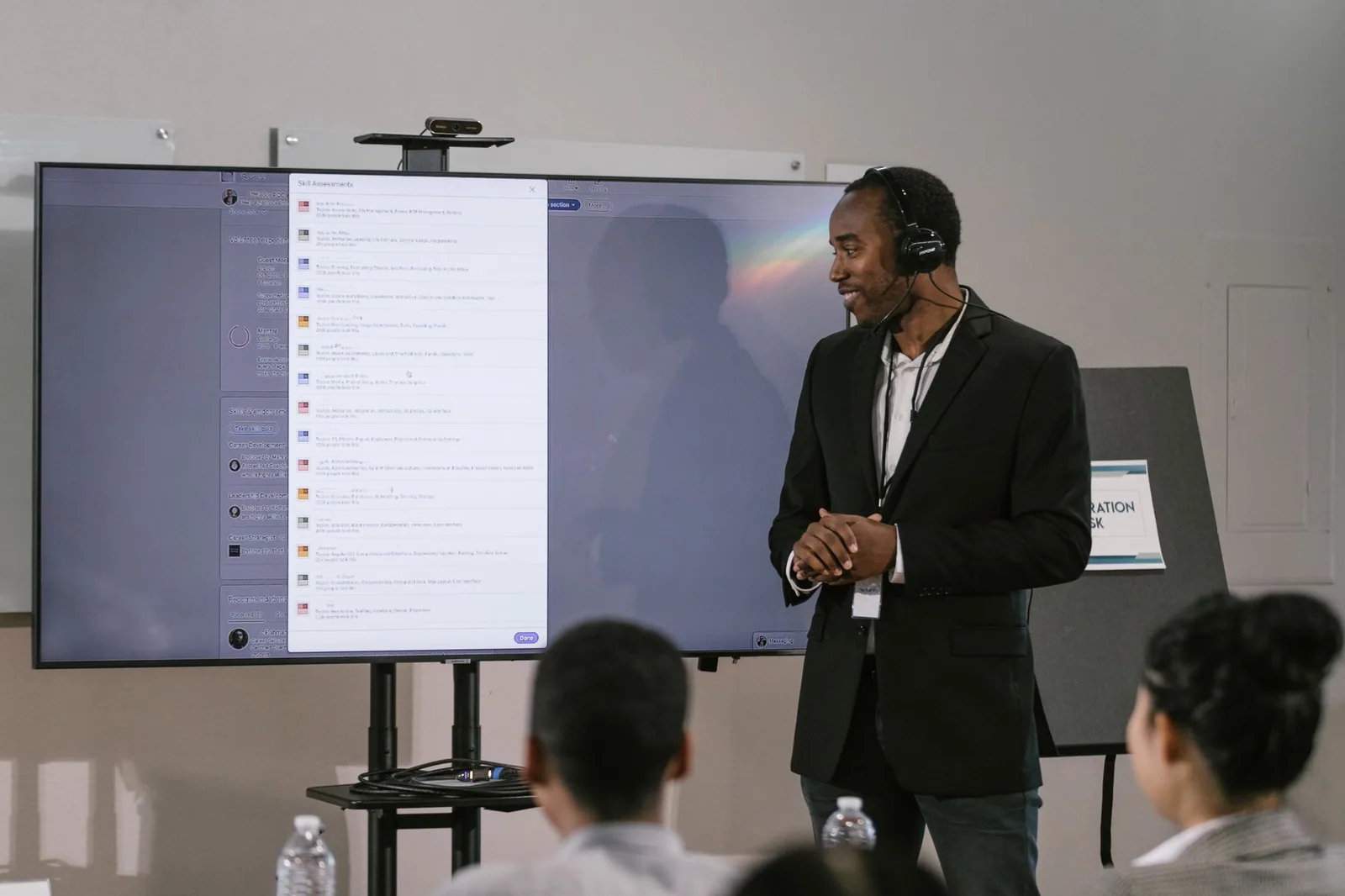
How Public Speakers and Educators Can Apply AI Prompting Tools
Speakers and teachers work under a different constraint than YouTubers: the room responds in real time and you cannot re-record. AI prompting tools are most useful in the preparation phase here, helping you shape structure and clarity before you ever stand up. The objective is a script that supports eye contact and natural gestures, not one you are afraid to deviate from. For a deeper look at the mechanics behind these aids, read Understanding AI in Teleprompters: Transforming Presentations.
Structuring lectures and talks for natural delivery
Start by asking the tool to convert your notes into a clear arc: opening hook, three main points, and a closing call to action. Then insert transition sentences and explicit pause markers so the script reads with the cadence of speech rather than the density of a document. AI is particularly good at spotting structural gaps, such as a point that is introduced but never resolved, and at estimating whether your material fits the allotted time. A structure you can glance at and instantly resume from is what lets you look up at your audience instead of down at the screen.
Simplifying complex material for live audiences
For classroom or conference settings, ask the AI to rewrite a technical paragraph at a specific reading level or to replace specialist terms with plain equivalents, then verify every simplification yourself. Simplification risks distortion, so check that a shortened explanation still preserves the underlying meaning rather than just sounding smoother. You can also request a one-sentence analogy for each concept and test which ones actually land with a colleague before using them live. The best simplifications sound obvious afterward — which is exactly the point.
Rehearsing with AI feedback before the real room
Run a full rehearsal on camera and use the app’s pacing and timing reports to find where you rush, stall, or repeat filler phrases. Those measurements are far more useful than a vague sense that the talk “went okay,” because they point to specific lines that need rewording or a breath that needs to be written into the script. Practice the opening minute several times until it is automatic; nerves concentrate in the first thirty seconds, and a confident start buys you tolerance for a mid-talk recovery. Repeat until the script feels like a conversation you have already had.
Getting Better Results from Smart Teleprompter Apps
The difference between a frustrating AI experience and a smooth one usually comes down to habits rather than features. Small disciplines in how you prompt, how you configure the display, and how you review output compound quickly across a week of recording. If you want a structured starting point, our checklist of Best Practices to Leverage Emerging Teleprompter Technologies condenses the most reliable routines into one place.
Prompting habits that keep your voice intact
Feed the tool real samples of your past scripts or transcripts, and instruct it to match that register rather than defaulting to generic marketing prose. Ask for one option at a time when you are refining a key sentence, because multiple competing drafts make it easy to drift away from your natural phrasing. Always review the output aloud — sentences that look elegant on screen often turn out to be unpronounceable at speaking pace. The prompt is a drafting instrument, and your voice is the final quality check.
Adjusting scroll speed, fonts, and cue markers
Set your scroll speed from a recorded test rather than a guess, then increase it slightly if you notice yourself waiting on the text and decrease it if lines pass before you finish them. Choose a high-contrast theme, a font size you can read from where you actually sit, and cue markers at paragraph boundaries so your eye has a reliable anchor after each pause. Line spacing matters more than most people expect: cramped lines cause eye fatigue and visible scanning, while generous spacing keeps your gaze steady. Treat these settings as part of your performance, not as cosmetics.
Common mistakes that make AI output unusable
The usual failures are predictable: accepting a first draft without editing, packing the script with words you would never say, and letting the scroll run much faster than your comfortable speaking rate. Another trap is pasting unverified claims straight from the model into the teleprompter, which turns a production shortcut into a credibility risk. A useful companion read is Avoiding Common Mistakes with Emerging Teleprompter Technologies, which catalogues the errors that most often derail a first session. Most of these are corrected by slowing down and reviewing before you record.
Ethics, Accuracy, and Trust When AI Writes Your Script
Credibility is the one asset a presenter cannot repair mid-sentence, which is why the ethical layer deserves as much attention as the technical one. Audiences forgive a stumble far more readily than a fabricated statistic or a misattributed quote. Building verification into your workflow takes minutes and protects the trust you have spent months earning. For the wider principles at stake, Emerging Teleprompter Technologies: Innovations and Insights surveys the responsible-use landscape in more depth.
Fact-checking claims generated by AI
Verify every number, date, quotation, and named source against an original or reputable reference before it goes anywhere near your prompter. Public sources consistently advise treating model output as a starting draft rather than an authority, especially for statistics and citations that tend to be confidently stated but occasionally invented. Keep a running list of the claims in your script and check them once, deliberately, rather than assuming you will catch errors while reading aloud. If you cannot source a claim, cut it — a shorter accurate script always beats a longer questionable one.
Staying transparent with your audience
Transparency does not require a disclaimer at the start of every video; it requires that your content be true and that you stand behind it. Where AI materially shaped the material — a rewritten passage, a summarized study, a generated example — you are still the person accountable for it, and that accountability should be obvious in how carefully you present it. If your audience asks how a video was made, a straightforward answer builds more trust than evasion. Disclosure norms vary by platform and context, so check the expectations for yours.
Keeping your personal style and credibility
Your style is built from specific vocabulary, recurring jokes, the pace of your asides, and the way you open a video — details a generic model will not supply unless you give them. Periodically rewrite a full script by hand and compare it with the AI-assisted version to make sure the machine is not slowly flattening your voice into something safe and forgettable. Your credibility ultimately rests on being recognizably you and on being right. AI should support both, and it should never be the reason either one slips.
Measuring Whether AI in Teleprompters Is Worth Your Time
Adoption should be justified by evidence from your own workflow rather than by feature lists. The measurement does not need to be sophisticated — a simple tally across one production week is usually enough to show where time goes. If the tool saves you effort without degrading quality, keep it; if the overhead outweighs the benefit, scale it back. The framework in Practical Ways to Use Emerging Teleprompter Technologies Effectively offers additional ways to evaluate results over time.
Tracking time saved across a recording week
Note how long drafting, reformatting, and pacing setup take with AI assistance versus your previous manual process, then compare the totals at the end of the week. Most creators find the largest gains in adaptation work — turning one script into three formats — rather than in the original writing itself. Also track the softer costs: time spent correcting awkward rewrites or re-recording after a scroll-speed problem. A tool that saves an hour of drafting but adds thirty minutes of correction is still a win, but only if you can see both numbers.
Comparing takes with and without AI assistance
Record the same short segment twice, once with AI pacing and once with a manually controlled scroll, and review them back to back. Watch for eye-line stability, the number of visible pauses to catch up, and how confident the delivery sounds. Viewers rarely articulate why one take feels better, but the difference is usually measurable in these details. The Exploring Emerging Teleprompter Technologies for Creators resource covers additional side-by-side evaluation methods worth adopting.
When a simpler manual workflow still wins
For very short clips, unscripted formats, or one-off announcements, the setup and prompting overhead may exceed the benefit, and a plain script with manual scrolling will be faster. The same applies when your delivery is highly personal and improvisational, since a tightly written AI-assisted script can actually constrain you. Keep the option of a lightweight workflow in your toolkit; the aim is fit, not fidelity to a particular method. Knowing when to switch is itself a skill that improves with practice.
Conclusion: Putting AI in Teleprompters to Work for You
AI in teleprompters is not about handing your voice over to a machine — it is about removing friction between your idea and your delivery. The practical path runs through clear script preparation, deliberate display and pacing settings, targeted prompting that preserves your phrasing, and honest verification of anything factual before it reaches the lens. Start with one smart teleprompter feature, apply it to a single script, and judge the result by how much smoother your take feels. Build from there, keep your judgment in the loop, and let the technology support your presentation skills rather than replace them.
Frequently asked questions
How does voice-following auto-scroll actually work in an AI teleprompter?
The app uses speech recognition to match what you are saying against your script and advances the text in real time, so you never have to touch a speed control. It works best when you read close to the written wording; if you improvise heavily, it may pause or drift and you will need to nudge it manually. For short takes and unscripted tangents, keep a hand near the manual scroll as a fallback.
Can AI rewrite my script to sound more natural before I read it?
Yes — most AI teleprompter tools include a rewrite step that turns dense, formal copy into short spoken sentences with contractions, pauses, and simpler vocabulary. Feed it your raw draft and ask for a target tone and reading time, then read the result aloud once to catch anything that sounds unlike you. Always edit the output for accuracy, since AI rewriters can subtly change numbers, claims, or product details.
What’s the practical difference between an AI teleprompter and a simple scrolling text app?
A basic app scrolls at a fixed rate and gives you one feature: speed. AI versions add script cleanup, voice-driven pacing, filler-word detection, delivery feedback (pace, pauses, eye contact), and sometimes live translation or subtitle generation. If you only present occasionally from a memorized script, the extra features may not justify the subscription.
How do I keep eye contact natural when reading from an AI teleprompter?
Mount the device as close to the camera lens as possible — ideally a beam-splitter glass or a tablet holder clipped around the lens — because physical proximity matters more than any software setting. Then use larger text, shorter line lengths, and the tool’s pace guidance so your eyes do not dart back and forth. Practice once with recording playback; that reveals drift faster than any AI score.
Do AI teleprompters work reliably offline or during live broadcasts?
Most voice-following and rewriting features need a network connection, so an offline rehearsal may fall back to manual scrolling. For live events, test on the actual venue network, cache your script locally, and have a printed or static backup on screen. Latency spikes are the usual failure mode, so keep delivery settings conservative and rehearse the fallback.
How much should I edit the AI-generated script before using it on camera?
Treat it as a first draft: verify every statistic, name, price, and claim against your source material, then read it aloud to fix phrasing that a writer would never say. Shorten sentences that run past one breath and mark intentional pauses with line breaks rather than punctuation alone. The goal is a script that sounds like you on your best day, not like polished copy.
Recording with a script? Try Lumi.
Keep your script near the camera and out of your final video. Try free for 3 days.
Learn more


