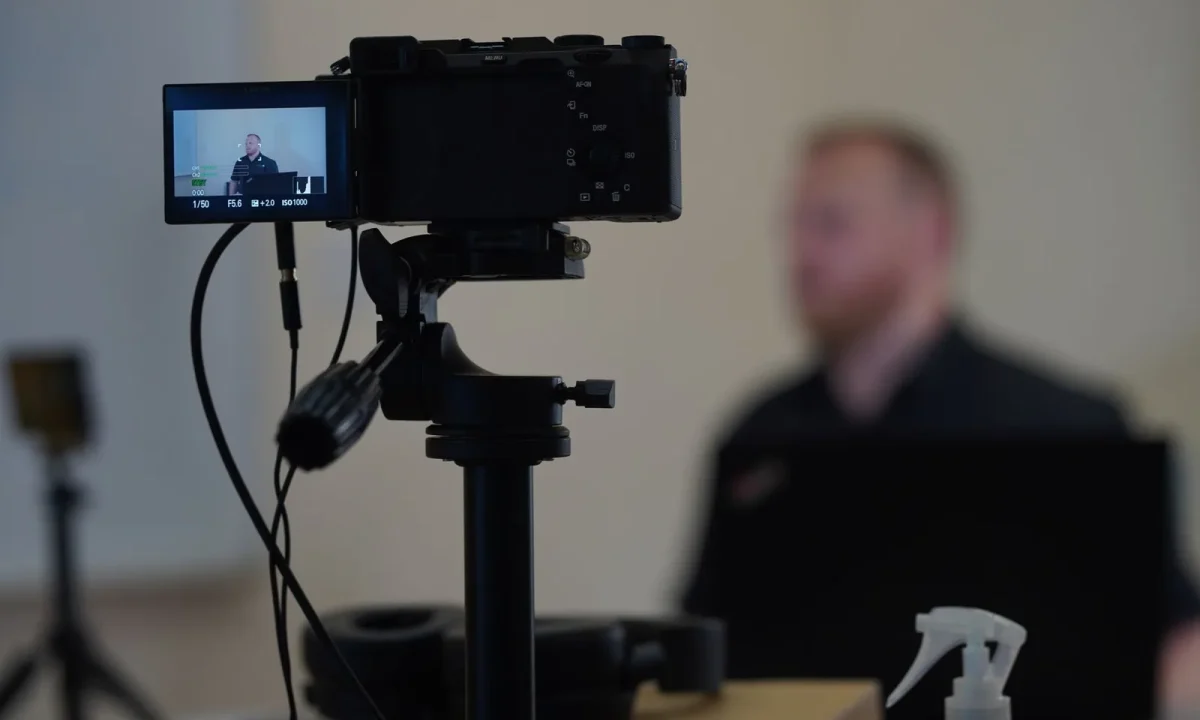
Writing for video is a different craft than writing for the page. When a teleprompter is part of your setup, the way you structure sentences, pace ideas, and format your script decides whether your delivery feels natural or forced. This guide gathers practical teleprompter script tips that content creators, video producers, public speakers, and educators can apply immediately, along with effective script formats that keep both you and your audience in sync.
Why Script Quality Drives On-Camera Delivery
The camera is unusually honest about hesitation. A sentence that looks fine on paper but stacks three dependent clauses will make you stall on air, and the audience reads that stall as uncertainty even if your content is solid. Script quality is therefore not a cosmetic concern — it is the foundation of presence. When the wording matches the way you actually talk, you can stop monitoring the screen and start connecting with the lens, which is where credibility is built. In that sense, teleprompter script tips are really performance advice disguised as writing advice.
How a teleprompter exposes weak writing fast
A teleprompter is a ruthless editor because it converts every vague phrase into a visible problem. If a sentence has no clear subject, your eyes wander looking for one, and the scroll keeps moving while your voice stalls. Long strings of adjectives force you to breathe in the middle of a thought, which fractures the meaning for anyone listening. Because the text moves at a fixed speed, you cannot compensate the way you might when reading from a page at your own pace. In practice, weak writing shows up as repeated line skips, audible restarts, and a delivery that sounds read rather than spoken — problems that disappear almost entirely once the prose is rewritten to match speech.
The link between sentence structure and breathing
Every sentence you write is really a set of breathing instructions. A clause of twenty-five words with no natural break point forces an inhale somewhere awkward, usually right before the payoff, which drains the emphasis you were building toward. Shorter constructions give you places to rest without losing momentum, and they let you land key words on an exhale rather than a gasp. This is one of the most useful teleprompter script tips to internalize: if you cannot comfortably say a sentence in one breath, split it into two on the page. You will find your shoulders relax and your pitch stops climbing as you reach the end of each line.
Common mistakes that break eye contact
Most broken eye contact traces back to formatting rather than nerves. Punctuation that requires interpretation — nested parentheses, em-dash asides, or abbreviations you have to decode — pulls your attention away from the lens and into the glass. Line breaks that fall in the middle of a phrase force you to scan ahead to understand what you are saying, and scanning ahead is exactly what makes delivery sound mechanical. Dense blocks of text have the same effect: your peripheral vision can’t preview what’s coming, so you read reactively instead of confidently. Keep the eye-line steady by writing in short, complete thoughts and breaking lines at natural breath points rather than at arbitrary character counts.
Core Teleprompter Script Tips for Any Format
The habits below apply whether you are recording a course lesson, a product demo, or a live keynote. They are format-agnostic because they address the mechanics of speaking rather than the layout of the page. Adopt them one at a time and you will notice the difference in your very next session — fewer takes, fewer restarts, and a delivery that sounds like a person rather than a narrator.
Write the way you speak, then tighten it
Start by writing exactly as you would explain the topic to a colleague across a desk. That first draft will be loose, repetitive, and full of filler, and that is the point: it captures your natural rhythm and vocabulary. Only in the second pass do you tighten — removing hedges, replacing wordy constructions, and cutting anything that does not earn its airtime. What you never do is write formal prose first and then try to talk it into shape, because spoken language and written language have different skeletons. For more on shaping a draft from rough notes to a clean read, see Creating Engaging Content with Teleprompters.
One idea per sentence, one beat per line
A sentence should carry a single claim or image, and a line on screen should correspond to one delivery beat. This alignment gives your eye an easy target and your voice a clear starting point for each phrase. When you pack two ideas into one sentence, you create a fork in the road: you either rush the first to reach the second, or you pause awkwardly between them and lose the thread. Line-by-line alignment also helps whoever operates the scroll, since they can anticipate where you will naturally stop. Treat each line as a small unit of meaning rather than a fragment of a paragraph, and the whole read becomes predictable in the best way.
Flag pauses and emphasis directly in the text
Do not expect yourself to interpret punctuation while performing. Instead, mark pacing decisions explicitly with simple, consistent notation: ellipses for deliberate pauses, capital letters for stressed words, and bracketed notes like [PAUSE] or [SLOWER] for structural beats. These markers function like stage directions, letting you glance at the screen and know instantly how to shape the phrase without decoding meaning mid-sentence. Pick a notation system and keep it identical across every script so it becomes reflexive. Over time, the markers fade into habit and you will find yourself pausing in the right places even when the notation is absent.
Read your draft aloud before it hits the screen
No script is finished until it has been spoken. Reading aloud reveals tonguetwisters, ambiguous phrasing, and sentences that look elegant but take too long to say — problems that are invisible during silent editing. Stand up, hold your phone or printed page, and deliver the script at the pace you intend on camera, noting every place you stumble or have to reread. Those notes are your revision list, and they are far more valuable than any grammatical rule. This single habit is probably the highest-return practice in this entire set of teleprompter script tips, because it converts an abstract concern about quality into concrete, fixable lines.
Effective Script Formats That Read Well on Screen
Format matters as much as wording. The right layout keeps your eyes moving in a predictable rhythm, gives the operator clear cues, and adapts to the production style — whether that is a tightly scripted webinar, a conversational interview, or a lesson recorded in one take. Below are the four layouts that cover most situations, with guidance on when each one earns its place.
Block paragraphs vs. line-by-line scripts
Block paragraphs pack a full thought into two or three lines, which works well for short videos under a minute where you want continuous flow and the operator is scrolling manually. The tradeoff is preview: you cannot see what comes next, so any stumble costs you time as you reacquire your place. Line-by-line scripts break every phrase onto its own line with generous leading, and they are the safer default for anything longer, faster-paced, or live. They make scroll speed easier to judge and reduce misreads because your eye always knows where the next thought begins. When in doubt, choose line-by-line — it is the format most productions settle on after trying alternatives.
Numbered beats for multi-part tutorials
When your video walks through a sequence — three steps, five mistakes, seven settings — numbering each beat gives both you and the audience a map. On screen, each number becomes a visual anchor that you can find instantly if your eyes drift, and it signals to the viewer that a new segment has started. Numbering also simplifies b-roll planning, since every beat can correspond to a specific shot or graphic. Educators and product trainers benefit especially from this structure because it lets viewers scrub the timeline later and find the step they need.
Cue-in-caps markers for emphasis and b-roll
Production notes embedded directly in the script keep you from having to consult a separate sheet. Writing cues in capital letters — [SHOW CHART], [CUT TO B-ROLL], [LOWER THIRD] — makes them visually distinct from spoken copy so you never accidentally read them aloud. This works particularly well in recorded video where you can afford to glance down at a cue and then return to the lens. It also reduces coordination errors between you and the editor, since the intent is documented at the exact point it occurs. Keep cues short and place them on their own line above the sentence they affect.
Bullet scripts for unscripted hybrid videos
Some videos need structure without sounding rehearsed. Bullet scripts give you a handful of key points per section and let you phrase them naturally each time, which suits founders, interviews, and thought-leadership content where authentic delivery outweighs precision. The prompter then acts as a safety net rather than a cage: you glance at the bullet, deliver your thought in your own words, and move on. This hybrid approach keeps pacing consistent while preserving conversational energy. For a fuller treatment of the underlying craft, explore Mastering Effective Script Formats for Teleprompters.
Writing for Video: Adapting Tone and Structure
Good writing for video anticipates how information is received — sequentially, aurally, and without the ability to reread. That constraint changes everything about openings, transitions, and calls to action. Because a viewer cannot scroll back on a whim, every sentence has to earn attention in the moment it is spoken, and every shift in topic has to be announced rather than implied.
Opening hooks that survive the first three seconds
Before: “In this video, we’re going to talk about several different techniques that you might find useful when it comes to improving your lighting.” After: “Your lighting is wrong — and it’s probably one setting.” The first version buries the value under preamble and a pile of qualifiers; the second names a problem, implies a fix, and gives the viewer a reason to stay. Effective openings state the stakes or the outcome immediately, ideally in under fifteen words, and they avoid throat-clearing phrases like “welcome back” or “before we begin.” On a teleprompter, a short hook also lets you lift your eyes early and establish contact before the video’s retention curve starts working against you.
Transitions that sound spoken, not written
Written transitions tend to be connective tissue — “Furthermore,” “With that in mind,” “It is worth noting.” Spoken transitions are shorter and directional: “Here’s the part people miss,” “Second,” “That’s the theory — now watch it fail.” The difference is that spoken versions tell the audience exactly where they are in the argument, which compensates for the fact that listeners cannot see headings or bullet points. Write transitions as signposts in your own voice, and place each one at the start of a fresh line so the pause before it feels deliberate rather than accidental.
Closing calls to action that land naturally
A call to action fails when it feels bolted on. To avoid that, write it as the logical conclusion of what you just taught: “Try this on your next recording and compare the first take with the last.” That framing makes the request feel like useful guidance instead of an advertisement. Keep it to one action only — subscribing, downloading, commenting, or booking — because multiple asks dilute all of them. And deliver it at a slightly slower pace with a direct look into the lens, which means the closing line should be short enough to say without glancing down. If you want to strengthen this part of your process further, Script Writing for Teleprompters: Mistakes You Should Avoid catalogs the patterns that most often sink a final take.
Formatting Rules That Keep the Prompter Flowing
Formatting is the plumbing of a script: invisible when it works, catastrophic when it fails. The rules below govern the physical layout of the text on screen, and they apply whether you use dedicated hardware, a tablet app, or software running on a laptop beside the lens.
Line length, margin width, and scrolling speed
Keep lines short enough that your eyes move naturally between them without skipping; most creators find that breaking thoughts every few words keeps scrolling smooth and reduces misreads. Wide margins matter because they let you track the current line with peripheral vision while still previewing the next one. Scroll speed should follow your natural speaking pace rather than forcing you to accelerate — set it during a dry run, not in the middle of a recording. If the text regularly outruns you, shorten the lines or slow the rate rather than speeding up your delivery, since rushing is the fastest way to make a script sound written.
Marking numbers, names, and tricky pronunciations
Anything you might mispronounce deserves a phonetic hint written directly into the text — “NVIDIA (en-vid-ee-uh)” or “$2.4 million (two point four)”. Figures should be written the way you will say them, so “35%” becomes “thirty-five percent” and “2024” becomes “twenty twenty-four.” This eliminates the half-second of mental translation that otherwise creates a visible stumble on camera. The same applies to names of people, companies, and places you encounter for the first time. Treat these as standing rules in your template so they never get skipped under time pressure.
Version control: naming and dating each draft
Nothing derails a session faster than reading from the wrong file. Adopt a strict naming convention that includes the project, the date, and the revision number — “Q3-launch_v4_2024-06-12” — and delete superseded drafts from your prompter folder after each session. Keep one master copy in a separate location so on-set edits never overwrite the source. This discipline also makes it easy to compare what you changed between takes, which is invaluable when you are diagnosing why one read felt better than another.
Testing and Iterating Your Script Before Recording
Testing is where good scripts become reliable ones. Treat a draft as a hypothesis that has to survive contact with your voice, your timing, and another person’s ear before the camera rolls.
The read-aloud timing test
Perform the full script at your intended pace and time it. If the result runs longer than your slot, trim whole sentences rather than shaving words, because clipped phrasing sounds breathless. If it runs short, you have room to slow down and add a pause after key points instead of padding with filler. Repeat the test after every substantive edit, since removing one line can shift your rhythm enough to change the total by several seconds. A timed read is also the most honest way to discover that a section you love is simply too long for the format.
Getting feedback from a partner or producer
A second listener catches what you cannot: unclear antecedents, abrupt jumps between ideas, and sentences that sounded clear in your head but confused someone hearing them cold. Ask a colleague to listen once without the video and flag every moment they had to replay mentally. Their confusion points are your rewrite list, and they will almost always cluster around transitions and technical terms. If you work with an editor or producer, share the script early so they can flag b-roll needs and timing issues before you are locked into a read. Their perspective often surfaces structural problems that no amount of line editing would fix.
Revising after the first take, not during it
It is better to stop, revise, and restart than to edit mid-take. Changing words while recording creates mismatched pacing, forces you to re-find your place on screen, and usually produces a take that is unusable from the point of change onward. Record the take to the end, note what felt wrong while it is fresh, then make one consolidated edit pass. This keeps your takes clean and gives you a reliable baseline for comparison. For a structured approach to that revision cycle, Script Writing for Teleprompters: A Creator’s Roadmap walks through the stages from outline to final draft.
Applying Teleprompter Script Tips Across Settings
The principles hold across contexts, but the emphasis shifts. A corporate livestream has no second take, a classroom video has to survive repeated viewing, and a short-form clip has to hook before the viewer’s thumb moves. Adjust the same fundamentals rather than reinventing your process for each channel.
Classroom and educational videos
Educational content benefits most from numbered beats and explicit transitions, because learners need to know where they are in an explanation to retain it. Write definitions in full sentences rather than fragments, since students often replay and transcribe those lines. Keep each concept on its own line and allow a visible pause after it, giving the audience time to absorb before you move on. If you are building a longer course, the guidance in Mastering Script Writing for Teleprompters: Tips and Formats covers structuring multi-lesson scripts consistently.
Corporate presentations and livestreams
Corporate settings usually combine a scripted opening with unscripted Q&A, which makes bullet scripts the natural fit: a precise opening paragraph on the prompter, then key points you can riff from. Practice the handoff between the two modes so the transition does not sound like a switch being thrown. For live events, the underlying advice — short sentences, clear formatting, spoken tone — remains the same, but scroll-speed control and rehearsal timing matter far more. Always do a full technical rehearsal at final scroll speed with the actual hardware, since a screen that behaves differently on stage than in rehearsal will undo hours of preparation.
Short-form social content with fast pacing
Short-form video compresses everything: the hook lands in the first line, transitions are nearly unnecessary, and the call to action has to be woven into the final sentence. Write in fragments if needed — “Stop doing this. Do this instead.” — because brevity is the format’s native language. Keep the whole script on one screen where possible so there is no scrolling to manage while you hold attention. These teleprompter script tips translate directly here; the difference is simply that you have fewer words to get right and less margin for error. Related techniques for this environment are covered in Essential Tips for Writing for Video: Enhance Your Script Skills.
Conclusion
Strong teleprompter script tips all point to the same principle: the screen should serve your voice, not the other way around. By writing for the ear, choosing an effective script format, and testing every draft out loud, you give yourself room to focus on presence instead of recovery. The supporting practices — clear line breaks, marked pauses, consistent versioning, and a single consolidated revision pass — are small individually but decisive in aggregate, because they remove the small failures that compound into a bad take.
Start with one format, apply a few of these techniques to your next recording, and refine from there — each take will get noticeably smoother. If you want to keep building, Script Writing for Teleprompters: Techniques and Insights and Better Writing for Teleprompters: Script Tips for Video extend these ideas, while Practical Tips for Script Writing for Teleprompters in Use and Better Videos Start with Script Writing for Teleprompters show how they play out on set.
Frequently asked questions
How many words per minute should a teleprompter script be paced at?
A natural presentation pace is roughly 130-160 words per minute, with slower delivery for emphasis or complex material. Write to about 150 wpm as a baseline, then adjust the prompter scroll speed during rehearsal so it matches your speaking rhythm rather than forcing you to speed up.
Should a teleprompter script be written word-for-word or as bullet points?
Use full sentences when you need exact wording, such as legal disclaimers, product names, or live broadcasts, because improvised phrasing carries risk. For interviews, keynotes, or videos where authenticity matters, short bullet prompts keep delivery conversational and let you recover naturally if you lose your place. Many presenters combine both: polished sentences for the opening and closing, bullets for the middle sections.
How do I stop sounding robotic when reading from a teleprompter?
Robotic delivery usually comes from script style, not the device: long sentences, formal vocabulary, and written punctuation all sound read-aloud. Write the way you talk, use contractions, break sentences into short chunks of 8-12 words, and add explicit pause and emphasis marks so the script cues your pacing instead of just your words.
What font size and formatting works best on a teleprompter screen?
Set the text large enough to read comfortably at your eye-line distance, typically 56-72 point on a standard prompter, with generous line spacing so lines are easy to track. Use a clean sans-serif font in high contrast, all-caps sparingly for emphasis only, and avoid dense paragraphs since a single unreadable line can derail the whole take.
How close should the teleprompter be to your eyes for a natural read?
Place the prompter as close to the camera lens as possible so your eye-line stays near the audience, and keep a distance where the text stays sharp without squinting, usually several feet for full-size glass rigs. If you find your eyes darting or losing the line, the text is too small or the scroll speed is mismatched rather than the distance being wrong.
How much rehearsal time does a teleprompter script actually need?
Budget at least two to three full read-throughs with the prompter running at delivery speed before recording, because reading aloud reveals phrasing problems that look fine on paper. Rewrite any section you stumble on twice, since those stumbles are almost always script problems, then mark adjustments directly on the script rather than trying to compensate in the moment.
Recording with a script? Try Lumi.
Keep your script near the camera and out of your final video. Try free for 3 days.
Learn more


