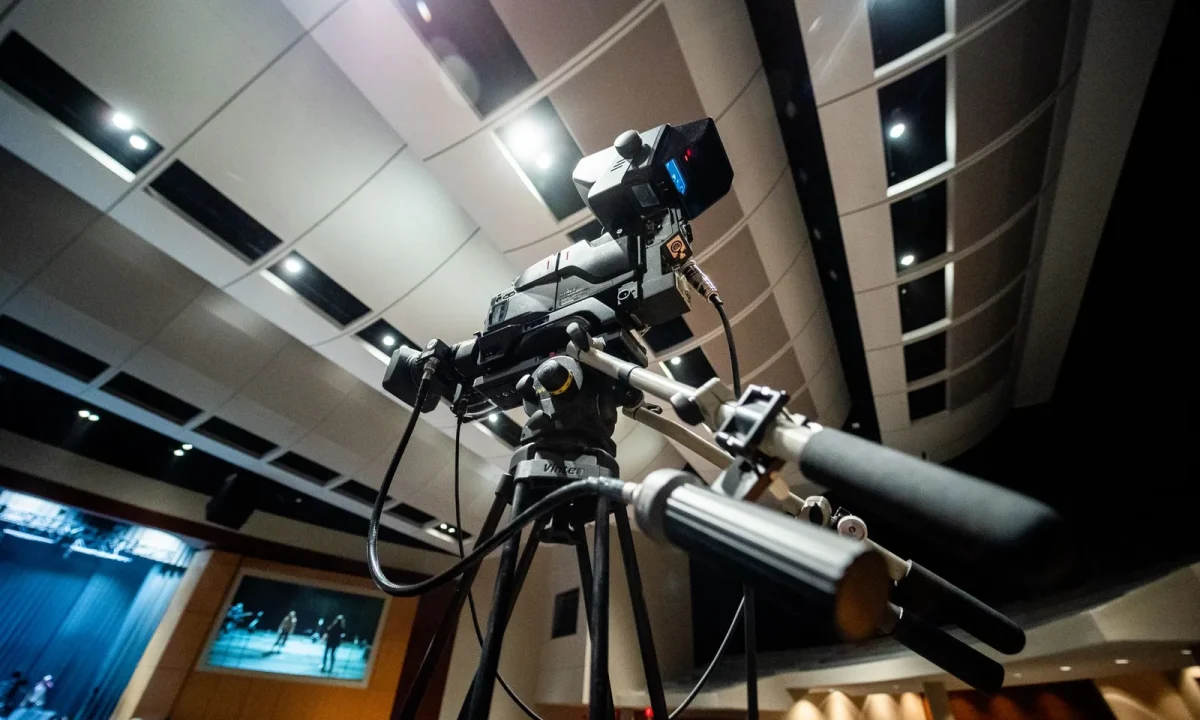
Teleprompter technology is evolving quickly, and the trends in teleprompter technology shaping the industry today are already changing how creators, producers, speakers, and educators plan their recordings. This guide breaks down the biggest shifts, from AI-assisted scripting to mobile-first workflows, and shows how they apply to real-world use cases such as teleprompters in education and teleprompters in corporate training.
Where Teleprompter Technology Stands Today
A decade ago, prompting was largely mechanical: a script roller, a mirror, and a camera pointed at glass. Today the same job is handled by software that syncs across devices, listens to the speaker, and adjusts scroll speed in real time. The center of gravity has clearly moved from hardware toward integrated workflows.
That shift matters because it lowers the barrier to entry considerably. Solo creators, university lecturers, and corporate trainers can now build professional delivery habits without renting a studio, which is why interest keeps climbing across industries. For a broader survey of the landscape, see our roundup of the Exploring the Latest Trends in Teleprompter Technology Today.
From mechanical scrolls to software-driven prompts
Hardware still exists, but most day-to-day prompting now happens in apps and cloud services. A phone propped behind a lens can do what once required a dedicated rig, and script updates propagate instantly instead of demanding a re-print. The practical result is less setup time and fewer technical surprises on shoot day.
Why adoption keeps growing across industries
Adoption grows because the payoff is immediate and visible: fewer retakes, steadier eye contact, and more consistent messaging. When a presenter can focus on tone rather than memorization, production quality rises even on modest budgets. That dynamic explains steady interest from media, education, and enterprise teams alike.
What “modern teleprompter” really means now
Modern prompting is less about glass and more about an end-to-end workflow. It encompasses script drafting, pacing control, remote direction, captioning, and clean handoff to an editor. The practical definition is any tool that shortens the distance between a rough draft and a polished final take.
AI and Automation: The Biggest Trend in Teleprompter Technology
If one headline stands out among current trends in teleprompter technology, it is automation powered by machine learning. Systems can draft copy, estimate reading pace, and adapt scroll speed to a speaker’s natural rhythm, often within the same session. None of this removes editorial judgment; it removes the mechanical friction around it.
The result is that teams spend more time refining messages and less time fighting the tool. Writers still decide what matters, but the software handles the tedious alignment between text, timing, and delivery. That division of labor is where most of the measurable efficiency gains appear.

Auto-generated scripts and smart pacing
Generative tools can turn a rough outline into a teleprompter-ready draft in seconds, complete with short sentences and clear breath points. Pacing engines then estimate words per minute and flag sections that run long for the allotted segment. The script fits the slot before anyone steps on set.
Voice-following and scroll automation
Voice-following prompting uses microphone input to track where the speaker actually is, so the script advances even when delivery drifts from the outline. This helps non-native speakers and presenters handling dense technical material. It also reduces the classic panic of losing your place mid-sentence.
How AI editing tools pair with prompting
Transcription, silence removal, and highlight detection now feed back into the prompting workflow. When an editor cuts a paragraph, the revised script syncs to the prompter so future takes stay consistent. For a deeper look at where this is heading, read our pillar on Innovations in Teleprompter Technology.
Mobile and Cloud-First Prompting Workflows
Mobile and cloud-first prompting has quietly become the default for independent producers. Scripts live in one place, edits appear everywhere, and the recording device doubles as the prompt display. That architecture suits a workforce recording in home offices, hotel rooms, and borrowed studios rather than fixed broadcast suites.
It also removes the version-control problems that plagued file-based workflows, where three copies of a script circulated and nobody knew which was current. A single cloud source means everyone reads the same lines at the same moment, whether they are in the room or not.
Cross-device syncing for solo creators
For a solo creator, syncing means starting a script on a laptop, refining it on a phone during a commute, and launching the take from a tablet on set. Nothing gets re-typed, and version confusion disappears entirely. The workflow becomes one continuous session instead of a chain of file transfers.
Remote collaboration for video teams
Cloud prompting gives remote directors real-time control over the read. A producer in another city can push copy changes, mark a line for another take, and review the performance without being physically present. Distributed teams gain the oversight that once required a shared control room.
Using a phone or tablet as a portable prompter
A phone mounted behind beam-splitter glass delivers surprisingly credible results for interviews, social clips, and internal updates. Larger tablets suit longer-form presentations where reading distance matters more. This flexibility is why portable rigs now appear in classrooms, clinics, and conference backstages as often as in studios.
Teleprompters in Education: Trends Reshaping the Classroom
Among the most consequential applications, teleprompters in education are moving from novelty to routine. Students use them for presentations, teachers use them for recorded lessons, and both benefit from reduced anxiety and cleaner delivery. Prompting becomes a teaching aid rather than a gimmick when it is tied to clear learning goals.
For classroom-specific strategies and lesson ideas, see our guide on Unlocking the Potential of Teleprompters in Education. The strongest outcomes come when scripting and speaking are treated as one combined exercise rather than two separate tasks.
Student presentations and media literacy
When students script and read from a prompter, they learn structure, brevity, and the discipline of writing for the ear. They also gain hands-on experience with tools used in journalism and digital media. That combination turns a speaking assignment into genuine media literacy.
Lecture capture and blended learning
Recorded lectures benefit from prompting because instructors deliver a consistent explanation without halting to check notes. The resulting videos are cleaner, easier to caption, and simpler to repurpose across terms. In blended programs, that consistency is what makes asynchronous material feel intentional rather than improvised.
Accessibility benefits for diverse learners
Prompting supports learners who benefit from predictable pacing, including those with anxiety, reading difficulties, or language barriers. Adjustable scroll speed and larger type reduce cognitive load during delivery. Accessibility here is not an add-on feature; it is the core reason the format works for diverse classrooms.
Teleprompters in Corporate Training at Scale
In enterprise settings, teleprompters in corporate training are being used to standardize high-stakes messaging across many presenters and locations. The appeal is efficiency: one approved script becomes many consistent videos, and updates roll out without re-shooting every module. Compliance and brand teams gain a level of control that rehearsal alone cannot deliver.
For implementation patterns and rollout advice, see our article on How Teleprompters Enhance Corporate Training Effectiveness. The organizations seeing the best results treat prompting as part of their content governance, not just a production convenience.
Standardizing messaging across teams
A single approved script ensures that safety notices, product claims, and brand language stay identical whether the presenter is in headquarters or a regional office. Regional leads can adjust tone without altering substance. Consistency at that scale is difficult to achieve through briefing documents alone.
Onboarding and compliance video production
Onboarding and compliance content is repetitive by nature, which makes it ideal for prompting. New hires receive the same polished explanation every time, and compliance teams can revise a single line when regulations change. The prompter turns a scripted obligation into a repeatable production asset.
Integrating prompting with webinar platforms
Prompting increasingly runs alongside live webinar and conferencing tools, letting presenters read prepared framing while still engaging with chat and questions. Integrations keep the script visible without covering shared screens or participant windows. That balance between prepared and spontaneous delivery is what separates convincing webinars from stiff ones.
Hardware Trends: Cameras, Glass, and Compact Rigs
Hardware has not stood still while software advanced. Beam-splitter glass, lighter mounts, and compact rigs have made professional prompting practical in far smaller spaces than a traditional studio. The equipment is quietly adapting to the same distributed, space-constrained reality as the software.
For a broader view of where equipment and systems are heading, read our overview of Exploring the Future of Teleprompters: Trends and Insights. What follows are the three hardware shifts worth watching most closely.
Beam-splitter glass and compact mounts
Modern beam-splitter assemblies are thinner, less reflective, and designed to sit closer to the lens, which reduces parallax noticeably. Compact mounts attach to tripods and cages without the bulk that once discouraged smaller crews. These refinements make prompter placement feel like part of the camera rather than an accessory.
Autocue setups for home studios
Home studios benefit from compact autocue kits that fit on a desk and pair with a webcam or mirrorless body. Setup takes minutes, and the footprint stays small enough for a spare room or corner. That practicality has made prompters a normal part of creator workstations rather than specialty equipment.
Pairing prompters with teleprompter apps
Hardware increasingly ships with companion apps that handle scrolling, remote control, and script import. The pairing matters because a well-matched app prevents jitter, font scaling problems, and sync lag. Buying glass and software separately often creates friction that a matched kit simply avoids.
How to Adopt New Teleprompter Trends Without Overhauling Everything
Not every trend deserves immediate investment, and chasing all of them at once usually disrupts the delivery you are trying to improve. The sensible approach is incremental: keep what works, test what might help, and discard what adds complexity without measurable benefit. Restraint is a strategy, not a sign of falling behind.
For a fuller planning framework, see Preparing for the Future of Teleprompters: A Creator Guide. The three steps below are enough to get a defensible adoption decision on the table.
Audit your current workflow first
Map where time actually goes: script writing, setup, retakes, and post-production. You will usually find that one or two steps dominate, and those are where a new tool earns its keep. An audit prevents you from buying capability you will never exercise in practice.
Start with one pilot project
Choose a single recurring format, such as a weekly update or a training module, and run it with one new tool. Compare takes against your previous standard before and after the change. A controlled pilot gives you evidence rather than impressions, and it limits downside if the tool disappoints.
Measure what actually improves delivery
Track concrete signals like number of retakes, time to final cut, and viewer completion rather than subjective comfort alone. If those metrics move, the trend was worth adopting. If they do not, you have learned something valuable at a very low cost.
What’s Next for Trends in Teleprompter Technology
Looking forward, the next wave of trends in teleprompter technology will likely center on live, multilingual, and deeply integrated experiences. Several of these ideas already appear in pilot use, so the practical question is less whether they arrive than when they become dependable enough for daily work. Planning now keeps you from re-buying later.
The tools worth tracking are those that remove a real
Frequently asked questions
How is AI changing the way creators use teleprompters?
AI is shifting teleprompters from passive scrolling text to active coaching tools. Modern apps can auto-generate scripts from bullet points, adapt scroll speed to your natural speaking pace in real time, detect filler words or missed lines, and flag sections where you drifted off-script. The practical effect is less time rehearsing and fewer retakes, since the script now bends to the speaker rather than forcing the speaker to keep up with a fixed scroll rate.
Do I need expensive hardware to benefit from modern teleprompter technology?
No. The biggest gains over the last few years have landed in software — voice-responsive scrolling, script generation, and eye-contact correction — and most of that runs on a phone or tablet you already own. A sub-$100 clamp-on or tabletop glass unit paired with a free app gets most solo creators through. Hardware spend only starts to pay off when you need broadcast-grade beam splitter glass, studio-stand mounting, or multi-camera compatibility.
Can a teleprompter app really replace a full glass prompter setup?
For talking-head videos, reels, and video calls, yes — an app placed near the camera lens works well and eye line is close enough to read as natural. A dedicated glass prompter still wins for professional studio work because it lets you look directly into the lens through reflected text, and because the reader distance matches the camera’s focus plane. The deciding factor is usually eye contact quality, not feature set.
Are teleprompters useful in education, or just for teachers?
They are increasingly used on the student side, especially for presentation skills, language learning, and accessibility. Reading a paced script helps anxious or non-native speakers maintain fluency, and adjustable scroll speed gives students with dyslexia or reading difficulties a steadier delivery. Critics argue that overuse can encourage recitation over understanding, so most educators pair it with scripted practice rather than assessment.
How are teleprompters typically used in corporate training?
Mostly for internal video production: onboarding modules, compliance explainers, exec all-hands messages, and product walkthroughs where the presenter needs to hit specific legal or technical wording. The newer trend is asynchronous — L&D teams record scripted modules from a laptop with a prompter app instead of booking studio time. Some companies also embed prompters into virtual instructor-led sessions to keep live trainers aligned without sounding rehearsed.
Which trend should small content creators prioritize first?
Voice-locked auto-scrolling. It removes the single biggest time sink — retakes caused by falling out of sync with the script — and it is available in inexpensive apps. Once delivery is consistent, adding an AI script-tightening pass before recording is the next cheapest upgrade, since most creators lose more time to bloated scripts than to camera gear.
Recording with a script? Try Lumi.
Keep your script near the camera and out of your final video. Try free for 3 days.
Learn more


