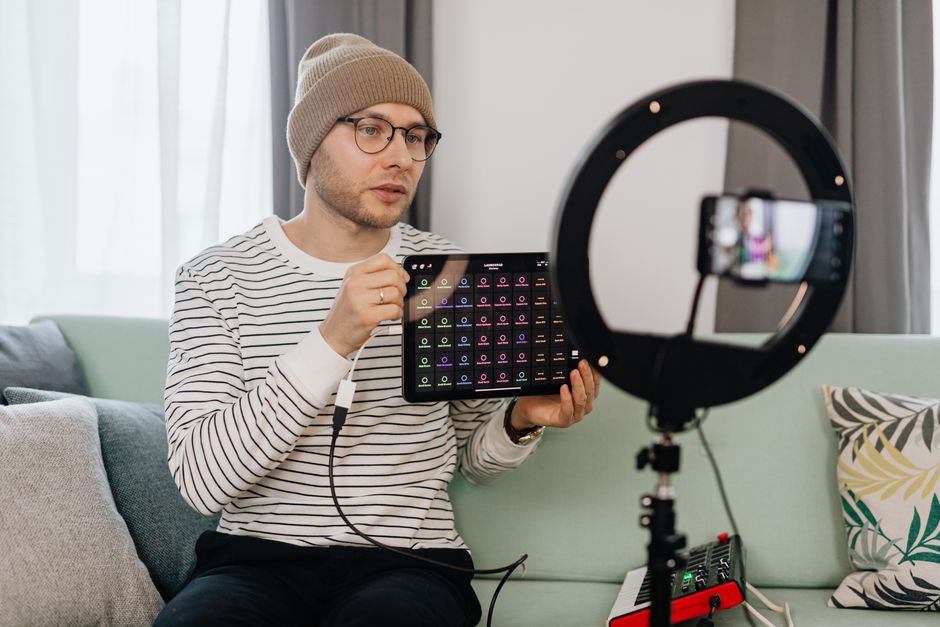
In today’s fast-paced digital landscape, content creators are constantly seeking tools to streamline their video production workflow. A reliable teleprompter app can be a game-changer, helping you deliver your message smoothly, maintain eye contact with your audience, and save valuable editing time. This guide explores the best teleprompter app for content creators, tailored specifically for the needs of vloggers, educators, marketers, and anyone looking to elevate their on-camera presence without the stress of memorization.
Why a Dedicated Teleprompter App is Essential for Content Creators
Many creators initially rely on cue cards, off-screen monitors, or pure memorization, but these methods often fall short. Looking down to read notes breaks your connection with the viewer and makes you appear unprepared. Memorizing long scripts is mentally exhausting and prone to errors, leading to countless frustrating retakes. A dedicated teleprompter app solves these core pain points by placing your script directly in your line of sight, allowing you to speak naturally while maintaining the crucial illusion of looking straight into the lens and, by extension, at your audience.
Enhancing On-Camera Presence and Confidence
The primary benefit of using a teleprompter is the dramatic boost in on-camera confidence. When you’re not worried about forgetting your next point or stumbling over complex sentences, you can focus entirely on your delivery, tone, and body language. This confidence translates directly to a more engaging and authoritative performance. Viewers are more likely to trust and connect with a creator who appears poised and knowledgeable, which is difficult to achieve when your eyes are darting around or you’re visibly recalling information.
Streamlining the Script Delivery Process
A teleprompter app transforms script delivery from a stressful hurdle into a seamless part of your process. It allows you to write detailed, well-researched scripts without the fear of not being able to deliver them effectively. This is especially valuable for complex topics like educational tutorials, product reviews, or corporate announcements where precision and clarity are key. The app ensures you hit every key point in the order you planned, maintaining the logical flow and structure of your content.
Saving Time in Post-Production
The time saved during recording is often even more significant than the time saved during the shoot itself. Fewer mistakes and retakes mean less footage to sift through during editing. You can often achieve a usable take in just a few attempts, drastically reducing your production cycle. This efficiency allows you to produce more content, focus on creative aspects like B-roll and graphics, or simply reclaim personal time—a precious commodity for any creator.
Key Features to Look for in a Teleprompter App for Creators
Not all teleprompter apps are created equal. The right tool for you depends heavily on your specific setup and production style. When evaluating options, look beyond basic scrolling text and consider features that will genuinely integrate into and enhance your workflow. A professional-grade app should feel like an extension of your studio, not a clunky add-on that creates more problems than it solves.
Customizable Scrolling Speed and Text Display
This is arguably the most critical feature. The ability to fine-tune the scrolling speed to match your natural speaking pace is non-negotiable. Look for apps that offer variable speed controls, often with a simple slider or remote. Additionally, customization of the text display—such as font size, color, and background contrast—is essential for readability under different lighting conditions. Some apps even allow you to adjust line spacing and margins to prevent your eyes from skipping lines.
Compatibility with External Monitors and Cameras
For creators with a more advanced setup, the ability to connect the teleprompter app to an external monitor or use it with a professional camera is vital. This often involves using a beam-splitter glass teleprompter that mounts in front of your camera lens, reflecting the script while allowing the camera to see through. Ensure the app you choose supports output via HDMI or other connections to these external displays. A simpler but still effective option is using a second device, like a tablet, positioned as close to the camera lens as possible.
Remote Control Functionality
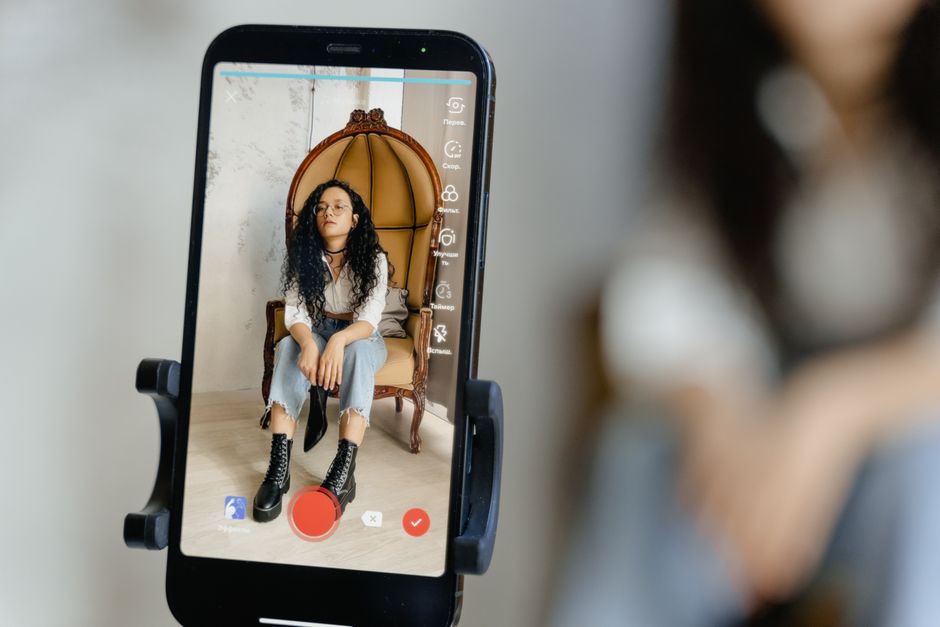
Being able to control the scrolling speed, pause, or skip sections without touching the device running the script is a massive convenience. This is typically done via a companion app on your smartphone, a Bluetooth remote, or even voice commands. Remote control allows you to make adjustments mid-take without breaking your posture or focus, which is crucial for maintaining a natural, uninterrupted delivery. It empowers you to work solo without needing an assistant to manage the prompter.
Script Management and Editing Tools
An app that doubles as a scriptwriting and management tool can simplify your entire pre-production process. Features like cloud syncing across devices, the ability to import scripts from plain text or Word documents, and in-app editing allow you to make last-minute changes on set. Organizing scripts into folders or projects is also helpful for creators who produce regular series. The less time you spend switching between a word processor and your teleprompter app, the better.
Top-Rated Teleprompter Apps for Mobile Content Creation
For the vast majority of creators, especially those starting out or prioritizing portability, a mobile teleprompter app is the perfect solution. These apps leverage the powerful screens and processors of modern smartphones and tablets. They are ideal for vlogging on the go, recording social media updates from a home office, or conducting remote interviews. The market offers excellent choices across both major mobile platforms and several strong cross-platform options.
Best for iPhone and iPad Users
The Apple ecosystem benefits from highly polished and well-integrated teleprompter apps. These apps often take advantage of features like the front-facing camera’s Center Stage for automatic framing and offer seamless integration with other Apple devices for remote control via an Apple Watch or a second iPhone. They are known for their intuitive interfaces and reliable performance, making them a favorite among iOS-based creators. Many popular options in this category offer a robust free version with essential features and a premium tier for advanced needs.
Leading Options for Android Smartphones and Tablets
Android users have a wide array of powerful and customizable teleprompter apps available through the Google Play Store. These apps often provide greater flexibility in terms of file management and integration with other Android apps. You’ll find options that range from simple, no-frills text scrollers to full-featured suites with remote control via companion apps. The open nature of Android also means there are often more affordable or even completely free ad-supported options that are still highly functional.
Cross-Platform Solutions for Flexible Workflows
For creators who switch between devices or platforms, a cross-platform app is a wise investment. These solutions are available for both iOS and Android, and sometimes even include desktop versions. The primary advantage is synchronization: you can write a script on your desktop computer, review it on your tablet, and then control it from your smartphone during recording. This flexibility is invaluable for creators with dynamic workflows or those who collaborate with teams using different devices.
Professional-Grade Teleprompter Software for Desktop and Studio Setups
As production values increase, many creators transition from mobile apps to dedicated desktop software. This is common for studio-based YouTube channels, podcasters with video components, corporate communication departments, and educators creating comprehensive online courses. Desktop software typically offers more power, customization, and integration with professional video hardware and editing suites. It turns a standard computer monitor into a full-fledged teleprompter station.
Software for Windows and Mac
Both Windows and Mac platforms have access to professional teleprompter software that caters to studio environments. These programs often feature more advanced text formatting, support for multiple scripts, and the ability to mirror the display for use with beam-splitter hardware. A tool like Lumi Notch Teleprompter for Windows & Mac is designed specifically for this purpose, offering a clean interface and reliable performance for creators who have moved beyond basic mobile setups. Desktop software is also more likely to support integration with professional audio interfaces and multi-camera setups.
Integrating with Professional Video Editing Suites
Advanced teleprompter software can sometimes integrate directly with popular video editing suites. This allows you to send a final script from your editing timeline to the teleprompter, ensuring perfect alignment between your planned edit and your on-camera delivery. While not a universal feature, this level of integration represents the peak of workflow efficiency for high-volume production environments. It minimizes discrepancies and ensures that what you say in the studio perfectly matches the structure of your final edited video.
Solutions for Multi-Camera and Live Streaming
Certain teleprompter software solutions are built for complex, multi-camera productions or live streaming. They can display different scripts or notes to different cameras simultaneously. For live streamers, this functionality is a lifesaver, allowing you to display bullet points, viewer questions, or sponsor talking points on a monitor just below your webcam. This keeps you on message and organized during live interactions, which can otherwise be chaotic. These tools often include features for instant script updates, which is crucial for dynamic live content.
How to Choose the Best App Based on Your Content Niche
The “best” teleprompter app is ultimately the one that fits seamlessly into your specific content creation niche. A solution that works perfectly for a daily vlogger may be entirely unsuitable for a corporate trainer. By considering your primary content type, production environment, and audience, you can narrow down the options to the one that will provide the most tangible benefits for your work.
For Vloggers and Daily Uploaders
Speed, simplicity, and portability are key for vloggers. You need an app that can be set up quickly, has a simple interface for fast script changes, and works reliably on your mobile device. Remote control via a smartwatch or a simple Bluetooth clicker is a huge plus, as it allows you to start and stop recording without breaking your flow. The focus is on efficiency and reducing friction so you can maintain a consistent upload schedule.
For Educators and Course Creators
Accuracy and clarity are paramount for educational content. Educators often have dense, information-rich scripts that must be delivered precisely. Look for apps with excellent readability features—large, clear fonts and high contrast. The ability to organize scripts by course module or lesson is also highly valuable. Since these videos are often longer, a stable scrolling speed and the option to pause and bookmark sections for review are essential features.
For Marketers and Corporate Communicators
Professionalism and brand consistency are the top priorities here. Corporate videos often require adherence to specific messaging and branding guidelines. Features like custom fonts to match company style guides, the ability to include logo overlays on the prompter display, and robust script management for different campaigns are important. Integration with studio setups and reliable performance for high-stakes recordings (like CEO announcements or product launches) are non-negotiable.
Pro Tips for Using a Teleprompter App Effectively
Owning the best teleprompter app is only half the battle; using it skillfully is what separates amateur-looking videos from professional, engaging content. The goal is to use the technology as an invisible aid, not a crutch that makes you sound robotic. With practice and the right techniques, you can master the art of teleprompted delivery.
Writing Scripts That Sound Natural on Camera
Never write a script the way you would write an essay. Write for the ear, not the eye. Use short, conversational sentences and simple vocabulary. Include natural pauses indicated by ellipses (…) or line breaks. Write in the first person and use contractions (you’re, it’s, we’ll) to mimic spoken language. Read every line aloud as you write it to ensure it flows naturally. A script that sounds good when read aloud will sound even better when delivered on camera.
Setting Up Your App for the Best Readability
Before you hit record, spend time optimizing the display. Choose a font size that is large enough to read comfortably from your recording distance without squinting. Use high-contrast colors (like white text on a black background) to reduce eye strain and make the text pop. Adjust the scrolling speed to a pace that feels slightly slower than your natural talking speed—this prevents you from rushing. Test the setup by recording a short clip and reviewing it to check for readability issues.
Practicing with the App to Maintain Natural Delivery
Your first few sessions with a teleprompter will feel unnatural. Practice is key. Do several dry runs where you read through the script without recording to get accustomed to the scrolling and the feeling of reading while looking forward. When recording, focus on the meaning of the words, not the act of reading. Vary your tone, use gestures, and smile. Think of the teleprompter as a conversation partner that’s feeding you your lines, and you’re simply responding naturally. This mental shift will dramatically improve your delivery.
Integrating Your Teleprompter App into a Complete Video Workflow
A teleprompter app doesn’t exist in a vacuum; it’s one component of a larger content creation pipeline. To maximize its value, you should integrate it thoughtfully into your overall workflow, from the initial idea to the final exported video. This holistic approach ensures consistency and efficiency at every stage of production.
From Scriptwriting to Final Export
Begin your process in a dedicated writing tool or app, then seamlessly transfer the script to your teleprompter app. Many apps allow you to import directly from cloud services like Google Drive or Dropbox. After recording, use the teleprompter app’s script as a reference during your editing process, especially for creating captions or B-roll cues. This creates a through-line that connects your pre-production, production, and post-production phases, ensuring the final video matches your original vision.
Combining with Other Essential Creator Tools
Think of your teleprompter app as part of a toolkit. Combine it with a good microphone for clean audio, proper lighting for a professional look, and a stable tripod or mount. For solo creators, a remote control for the teleprompter pairs perfectly with a remote for your camera. By integrating these tools, you create a system where each component supports the others, reducing technical difficulties and allowing you to focus on performance.
Building a Consistent and Efficient Production Routine
The ultimate goal of integrating any tool is to build a sustainable and efficient routine. Once you have your teleprompter workflow dialed in, it becomes second nature. You’ll spend less time worrying about the technical setup and more time on creative decisions. This consistency is what allows successful channels to produce high-quality content regularly. Your teleprompter app, when properly integrated, becomes a silent partner in your creative process, enabling you to scale your output without sacrificing quality.
Conclusion
Choosing the best teleprompter app for content creators is a strategic decision that can profoundly impact the quality, efficiency, and confidence of your video production. By focusing on the features that matter most to your specific workflow—whether that’s customizable scrolling for vlogging, script management for education, or professional integration for studio setups—you can select a tool that truly serves your creative goals. Remember that the technology is there to support you, not replace your authenticity. The ultimate aim is to let the teleprompter handle the script so you can focus entirely on what matters most: connecting with your audience, delivering your message with clarity, and building a trusted, engaging presence on camera.
Frequently asked questions
Can I use a teleprompter app on my phone and computer at the same time?
Many modern teleprompter apps offer cross-platform synchronization, allowing you to start editing a script on your computer and seamlessly continue scrolling it on your phone or tablet during recording. Always check the app’s feature list for ‘cloud sync’ or ‘cross-device support’ before choosing.
Do teleprompter apps work with external cameras and microphones?
Yes, most dedicated teleprompter apps are designed to integrate with external equipment. They typically allow you to position the text overlay over your external camera feed and can sync with Bluetooth-enabled remote controls for hands-free scrolling. Compatibility varies, so verify specific app support for your gear.
How do teleprompter apps handle eye contact with the camera?
They work by displaying text close to the camera lens (often via a reflective glass setup) so your eyes appear to look directly at the viewer. For apps without hardware, you must position the script window as close to your webcam as possible. Some apps offer a ‘see-through’ mode that places text over the live camera view to help maintain gaze direction.
Is there a significant difference between free and paid teleprompter apps?
Free versions often have script length limits, watermarks, or lack advanced features like remote control access, custom font settings, and multi-device sync. Paid versions typically provide unlimited scripts, professional customization, better export options, and priority support, which are essential for frequent content creators.
Can teleprompter apps help improve my video pacing and delivery?
Yes, by allowing you to set a custom scrolling speed that matches your natural speaking pace, they reduce the need for awkward pauses and re-takes. Advanced apps include features like pace tracking that adjust scroll speed based on your voice, helping you maintain a consistent and engaging rhythm.
Recording with a script? Try Lumi.
Keep your script near the camera and out of your final video. Try free for 3 days.
Learn more


