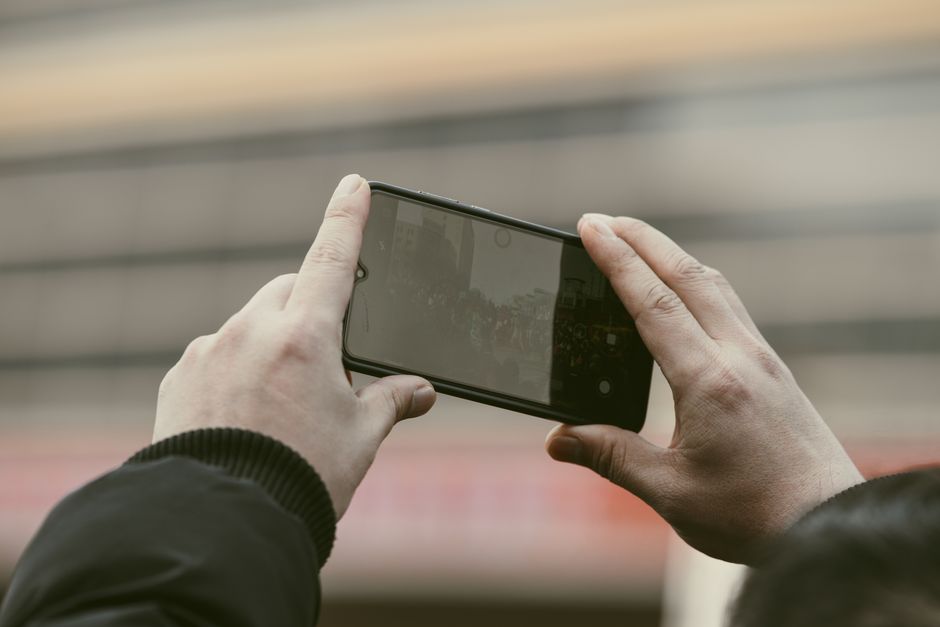
Unlock your video production potential with the best teleprompter app for android free. This guide offers practical tips and insights for content creators, educators, and marketers. Leveraging the right teleprompter app can transform your presentations, ensuring that you deliver your message clearly and confidently.
Understanding Teleprompter Apps
What is a Teleprompter App?
A teleprompter app is a software tool designed to aid speakers, presenters, and content creators by displaying text in a scrolling format. This allows users to read their scripts smoothly while maintaining eye contact with their audience. These apps can be particularly beneficial for video recording, live presentations, and public speaking engagements. Unlike traditional teleprompters, which often require expensive hardware, these apps make professional-quality prompting accessible on mobile devices.
Benefits of Using a Teleprompter App
The benefits of using a teleprompter app are numerous. First and foremost, they help to enhance clarity and confidence in delivery. By allowing presenters to focus on their speech rather than memorizing lines, they reduce the likelihood of stammering or forgetting key points. Furthermore, teleprompter apps often offer features that make it easier to deliver complex messages, including adjustable scrolling speed and customizable text size. This flexibility can cater to individual preferences and increase overall effectiveness.
Choosing the Right Teleprompter App
Choosing the right teleprompter app involves considering various factors such as user-friendliness, features, and compatibility with devices. The best teleprompter app for android free will typically offer a straightforward interface, allowing for quick setup and ease of use. It’s also essential to look for apps that allow script importation and offer robust customization options. This ensures that you can tailor the experience to meet your specific needs and preferences.
Features of the Best Teleprompter App for Android Free
User-Friendly Interface
A user-friendly interface is crucial in ensuring that you can navigate the app without unnecessary distractions. The best teleprompter apps feature intuitive layouts, allowing users to adjust settings, import scripts, and initiate scrolling with ease. A clean interface enhances the overall user experience, enabling content creators to focus on their delivery rather than grappling with complicated controls.
Customizable Settings
Customizability is a significant feature of top-tier teleprompter apps. Users should be able to modify font sizes, colors, and scrolling speeds to suit their preferences. For instance, larger fonts can improve readability, especially during live presentations or recordings. Being able to adjust these settings can make a substantial difference in comfort and performance during delivery.
Compatibility with Android Tablets
Many teleprompter apps are designed to be compatible with Android tablets, which offer larger screens for easier reading. Utilizing a tablet can enhance visibility and make it more straightforward to maintain eye contact with your audience while reading your script. If you’re looking for the best teleprompter app for android tablet, ensure that the app you choose supports tablet functionality for maximum benefit.
Setting Up Your Teleprompter App
Downloading and Installing the App
To get started with your teleprompter app, the first step is downloading and installing it from the Google Play Store. Most teleprompter apps are free to download, with optional paid features. Make sure to read the reviews and check the ratings to choose a reliable app that suits your needs. Once downloaded, follow the installation prompts to complete the setup on your Android device.
Configuring Initial Settings
After installation, configuring the initial settings is essential for optimizing your experience. This often involves adjusting text size, scrolling speed, and background color to suit your preferences. Taking the time to set these parameters can significantly enhance your reading experience, allowing for a smooth delivery. Don’t hesitate to experiment with different configurations until you find the perfect setup for your requirements.
Importing Your Script
Importing your script into the teleprompter app is usually a straightforward process. Most apps allow you to load your script from various sources, such as cloud storage, text files, or even by typing directly into the app. Ensure your script is formatted correctly to avoid any issues during the presentation. Having your material readily available and easily accessible will streamline your preparation process and boost your confidence.
Best Practices for Using a Teleprompter
Practicing with the Teleprompter
Practice is vital when using a teleprompter app. Familiarizing yourself with the app’s features and your script will allow for a more natural delivery. Ideally, practice multiple times to determine the best pacing and to feel comfortable reading while maintaining eye contact with your audience. This preparation will help in delivering a professional presentation that captures your viewers’ attention.
Adjusting Speed and Font Size
Adjusting the speed and font size of your teleprompter text can significantly impact your performance. A scrolling speed that feels comfortable to you will prevent rushing through the script and allow for clear articulation of your message. Additionally, choosing an appropriate font size contributes to readability, especially if you’re presenting to a larger audience or on a bigger screen. Always test these settings during practice sessions to find your optimal configuration.
Maintaining Eye Contact
Maintaining eye contact with your audience is crucial for engagement. While using a teleprompter app, it can be tempting to focus solely on the screen. However, it’s important to glance up frequently to connect with your viewers. Practice shifting your gaze between the teleprompter and your audience to create a more interactive and engaging presentation. This dynamic can help convey sincerity and confidence in your message.
Tips for Enhancing Your Video Production
Lighting and Sound Considerations
Proper lighting and sound are fundamental components of effective video production. Ensure that your recording environment is well-lit to enhance video quality, minimizing shadows and distractions. Additionally, investing in quality audio equipment can make a significant difference in how your message is received. Clear audio paired with good lighting will elevate your production value and make your content more professional.
Choosing the Right Background
The background you choose for your video recording can impact the overall perception of your content. Opt for backgrounds that are clean and uncluttered to keep the focus on you and your message. You can also consider using branded backdrops or simple color schemes that align with your content theme. A well-thought-out background contributes to a polished and professional appearance.
Editing Your Video for Maximum Impact
Once your video is recorded, editing plays a critical role in enhancing its overall quality. Use editing software to trim unnecessary content, add graphics, and improve audio quality. Thoughtful editing can create a more engaging viewing experience, ensuring your audience stays captivated. Incorporating elements such as transitions and captions can further elevate your video’s impact.
Common Mistakes to Avoid
Over-Relying on the Teleprompter
While teleprompters are valuable tools, over-relying on them can lead to a robotic delivery. It’s essential to practice enough to internalize your content and deliver it naturally. The goal is to use the teleprompter as a guide rather than a crutch, ensuring your presentation feels authentic and engaging.
Ignoring the Audience
Neglecting to engage with your audience is a common mistake when using teleprompter apps. Remember that your viewers are there to connect with you, so make an effort to address them directly during your presentation. Acknowledging your audience helps create a rapport that enhances the overall effectiveness of your message.
Neglecting Practice Sessions
Finally, neglecting practice sessions can lead to less effective presentations. Practicing multiple times not only builds familiarity with your script but also helps you fine-tune your delivery style. Set aside dedicated time to rehearse, focusing on pacing, tone, and body language to ensure a confident performance.
Recommended Free Teleprompter Apps for Android
Overview of Top Free Apps
Several teleprompter apps stand out as the best teleprompter app for android free. Options like Teleprompter Pro and EasyPrompter provide excellent functionality without any cost, making them popular choices among content creators. These apps offer a range of features that cater to different user needs and preferences.
Comparing Features
When comparing teleprompter apps, consider the features they offer. Look for functionalities such as customizable text sizes, scrolling speeds, and script importing options. Additionally, some apps may provide advanced features like video recording capabilities, which can be beneficial for creators looking to streamline their workflow.
User Reviews and Ratings
User reviews and ratings can offer valuable insights into the performance of teleprompter apps. Reading feedback from other users can help you determine which app may best suit your needs and expectations. Make sure to check recent reviews, as updates and improvements can significantly change app performance over time.
Conclusion
Using the best teleprompter app for Android free can significantly enhance your video production quality. By following these practical tips and insights, you can create engaging content that resonates with your audience. Remember to practice regularly, engage with your viewers, and experiment with different settings to find what works best for you. Tools like the Lumi Notch Teleprompter for Windows & Mac can also complement your Android app experience, offering additional features for desktop presentations. With the right approach, your teleprompter app can be a game-changer in your content creation journey.
Frequently asked questions
How do I adjust the scroll speed on a free Android teleprompter app?
Most apps have a slider or tap-and-drag gesture in the settings or during playback to control scroll speed. Start with a medium setting and adjust until it matches your natural speaking pace. You can often set different speeds for different scripts.
Can I use a free teleprompter app with my phone’s front-facing camera for recording?
Yes, many free teleprompter apps overlay the scrolling text transparently over your front camera’s live view. This allows you to read the script while looking directly into the camera lens, maintaining eye contact with your audience.
What is the best way to import and format my script in a free teleprompter app?
You can usually paste text directly, upload from a file (like .txt), or sync from cloud storage. Format your script with short paragraphs and natural line breaks to improve readability. Avoid large blocks of text for easier scrolling and pacing.
Do free Android teleprompter apps work offline?
Most free teleprompter apps are designed to work offline once you have loaded your script. You only need an internet connection for initial app download or if using cloud-based script storage features.
How can I mirror the text for use with a professional teleprompter rig on Android?
Check the app’s settings for a ‘Mirror Text’ or ‘Flip Text’ option. This horizontally flips the script to be readable in the reflection of a beam-splitter glass when used with a dedicated teleprompter hardware setup.
Recording with a script? Try Lumi.
Keep your script near the camera and out of your final video. Try free for 3 days.
Learn more


