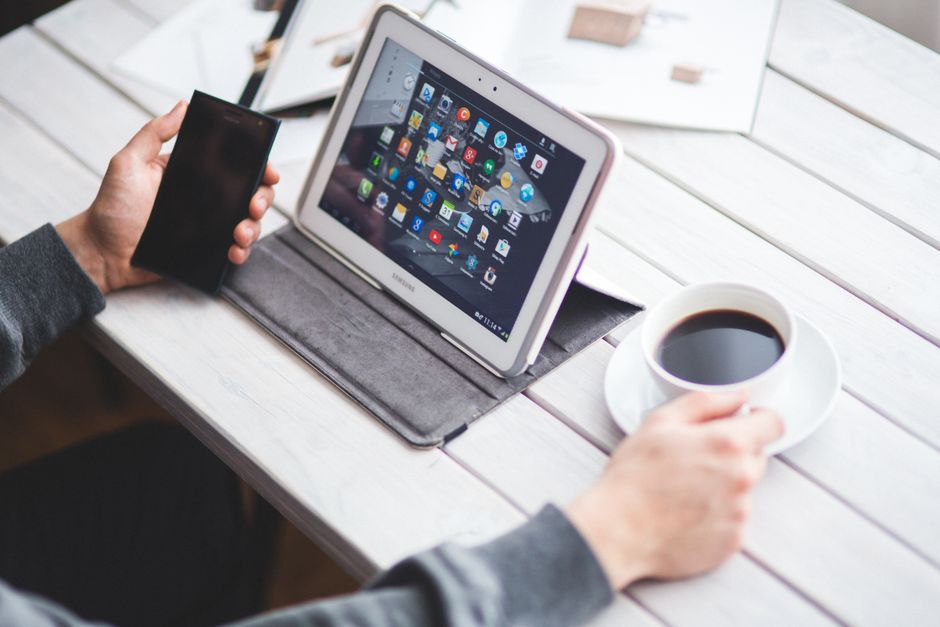
Discover the features and benefits of using the best teleprompter app for android tablet to elevate your video production experience. In today’s digital age, where content creation is at an all-time high, finding the right tools to streamline your workflow is essential. Teleprompter apps have become invaluable for enhancing the delivery and presentation of scripts, allowing creators to engage their audience effectively.
What is a Teleprompter App?
Definition and Purpose
A teleprompter app is a software application designed to display scrolling text, enabling users to read scripts or speeches while maintaining eye contact with the camera. These apps are particularly useful for video creators, public speakers, and anyone who needs to deliver a message smoothly without memorizing every word. The primary purpose of teleprompter apps is to facilitate a natural and confident delivery, ensuring that the speaker stays on track and conveys their message clearly.
How Teleprompter Apps Enhance Video Production
Using a teleprompter app can significantly enhance video production by providing a seamless way to present content. By allowing users to import scripts directly into the app, they can focus on their delivery rather than worrying about forgetting lines. This leads to a more polished and professional output, as the speaker can concentrate on their performance, body language, and engagement with the audience. Moreover, the ability to control the scrolling speed and text size ensures that the teleprompter adapts to the speaker’s style, making it a versatile tool for various scenarios.
Key Features of the Best Teleprompter App for Android Tablet
User-Friendly Interface
The best teleprompter app for android tablet should have an intuitive and user-friendly interface that allows users to navigate effortlessly. A clean layout and easily accessible controls are crucial for minimizing distractions during recording. When looking for a teleprompter app, prioritize those that offer customizable settings, making it easy to tailor the experience to your preferences.
Customizable Text Size and Speed
One of the standout features of effective teleprompter apps is the ability to customize text size and scrolling speed. Users should be able to adjust the font size according to their vision and comfort level. Furthermore, the option to modify the scroll speed ensures that the text moves at a pace that matches the speaker’s delivery style, allowing for a more natural reading experience. This adaptability is particularly beneficial for those who may have different speaking rates or who are reading from a distance.
Scroll Control Options
Advanced teleprompter apps often include various scroll control options, such as foot pedals or remote controls, enabling users to start and stop the scrolling without touching the device. This feature is invaluable for speakers who want to maintain a professional appearance while delivering their lines. Additionally, some apps offer voice activation, allowing the text to scroll automatically as the speaker continues to talk, which is particularly useful for live presentations.
Benefits of Using Teleprompter Apps for Content Creators
Improved Delivery and Confidence
One of the most significant benefits of using teleprompter apps is the improvement in delivery and overall confidence. By having a script displayed in front of them, speakers can focus more on delivering their message rather than worrying about memorizing lines. This confidence translates to better engagement with the audience, resulting in a more impactful presentation.
Time Efficiency in Video Production
Time is of the essence in video production, and teleprompter apps can help streamline the process. By allowing users to write, edit, and rehearse their scripts within the app, creators can save valuable time that would otherwise be spent on multiple drafts and memorization. The efficiency gained from using a teleprompter can lead to quicker turnaround times and more consistent content output.
Enhanced Viewer Engagement
When content creators use teleprompter apps effectively, they can maintain better eye contact with the camera, which enhances viewer engagement. A natural delivery, free from awkward pauses or stumbles, makes for a more enjoyable viewing experience. This engagement is crucial for building a connection with the audience, encouraging them to stay invested in the content being presented.
Top Recommendations for Best Teleprompter Apps for Android Tablets
Best Free Options Available
For those on a budget, there are several highly effective free teleprompter apps available. Apps like ‘Simple Teleprompter’ and ‘PromptSmart Lite’ provide essential features that can meet the needs of beginner content creators. These applications often include customizable text size and speed, making them a great starting point for anyone looking to enhance their video presentations.
Paid Apps with Advanced Features
Paid teleprompter apps typically offer advanced features that cater to more professional needs. Options such as ‘Teleprompter Pro’ and ‘PromptSmart Pro’ include additional functionalities like cloud syncing, advanced script management, and remote control capabilities. Investing in these apps can be worthwhile for serious content creators looking to elevate their production quality.
Comparison of Popular Choices
When comparing the best teleprompter apps for Android tablets, it’s essential to consider factors such as user reviews, feature sets, and pricing. Each app has its strengths, and determining which one aligns with your specific needs can make all the difference. For a detailed analysis of the best teleprompter apps available, you can check out our list of Best Teleprompter Apps.
How to Use a Teleprompter App Effectively
Setting Up Your App
Setting up your teleprompter app is the first step towards effective usage. Start by importing your script into the app, ensuring that the text is formatted correctly for easy reading. Take the time to adjust settings like text size and scroll speed based on your preferences, as this will impact how smoothly you can deliver your lines. Additionally, familiarize yourself with the app’s features, such as remote control options or voice activation, to maximize its potential.
Practicing with the Teleprompter
Practice is key when it comes to using a teleprompter app effectively. Spend time rehearsing your script within the app to become comfortable with the scrolling text. This practice will help you find your optimal scrolling speed and improve your overall delivery. Additionally, recording practice sessions can provide valuable feedback, allowing you to refine your performance before the final shoot.
Tips for Smooth Delivery
To achieve smooth delivery while using a teleprompter app, focus on maintaining a natural rhythm and pacing. Avoid reading too quickly; instead, let the text guide you while allowing for pauses where appropriate. Engaging with the camera as if addressing a live audience can enhance your delivery and make the presentation feel more personal. Remember, tools like the Lumi Notch Teleprompter for Windows & Mac can also aid in delivering polished presentations with ease.
Common Challenges and Solutions
Technical Issues
Technical issues can arise when using teleprompter apps, often leading to frustration during recordings. To minimize these challenges, ensure that your device is charged and that the app is updated to the latest version before starting your session. Conducting a test run before the actual shoot can help identify any potential problems, allowing you to troubleshoot them in advance.
Overcoming Nervousness
Nervousness is common among speakers, especially when using a teleprompter for the first time. To combat this, practice speaking in front of a mirror or recording yourself to build confidence. Familiarizing yourself with the script and practicing in a comfortable environment can significantly reduce anxiety, allowing for a more relaxed delivery during actual presentations.
Maintaining Eye Contact
Maintaining eye contact with the camera while reading from a teleprompter can be challenging. However, placing the teleprompter at eye level can help create a natural line of sight, making it easier to engage with the audience. Additionally, practice reading while maintaining focus on the camera lens, which will help you appear more relatable and connected to your viewers.
Conclusion: Choosing the Right Teleprompter App for Your Needs
Choosing the right teleprompter app can significantly enhance your video production quality, making your content more engaging and professional. With numerous options available for Android tablets, evaluating your specific needs and preferences will guide you in selecting the best teleprompter app for your projects. Whether you opt for a free option or invest in a paid app with advanced features, utilizing these tools effectively will undoubtedly elevate your content creation process.
Frequently asked questions
Can I use my Android tablet as a professional teleprompter?
Yes, with the right app and setup, an Android tablet can function as a professional teleprompter. The app displays your script that scrolls automatically, and you can mount it above or near your camera lens to maintain eye contact with your audience.
How do I connect a teleprompter app to my external camera?
Most apps don’t connect directly to a camera. Instead, you physically position your tablet with the app running near your camera lens, using a tablet stand or a dedicated teleprompter rig. The script scrolls on the tablet’s screen while you record with the separate camera.
Do teleprompter apps for tablets support remote control?
Many advanced teleprompter apps support remote control via Bluetooth or a second smartphone. This allows a director or operator to start, stop, and adjust the scroll speed of the script without touching the main tablet, ensuring a smoother recording.
Can I import my own script files into a teleprompter app?
Yes, most quality teleprompter apps allow you to import scripts from common file formats like .txt, .doc, or .pdf, or directly from cloud storage services like Google Drive. This saves time over manually typing your entire script into the app.
Is there a free teleprompter app that works well on Android tablets?
Several free teleprompter apps offer basic functionality on Android tablets, such as simple scrolling text. However, they may lack features like remote control, advanced formatting, or export options that are found in the paid versions considered ‘the best.’
Recording with a script? Try Lumi.
Keep your script near the camera and out of your final video. Try free for 3 days.
Learn more


