Discover how using teleprompters can elevate your public speaking skills. This guide covers tips, best practices, and techniques to make your presentations seamless and engaging.
Understanding Teleprompters
What is a Teleprompter?
A teleprompter is a device that displays a script or text for a speaker, enabling them to read their speech while maintaining eye contact with their audience. This technology is widely used in various settings, including news broadcasts, speeches, and public presentations.
How Teleprompters Work
Teleprompters function by scrolling text in front of the speaker, typically on a transparent screen. This allows the speaker to look directly at the audience while reading their lines. The scrolling speed can be adjusted to match the speaker’s natural pace, making it easier to deliver content smoothly and effectively.
Types of Teleprompters
- Standard Teleprompters: These are often used in professional settings, featuring a monitor and a reflective glass that allows the speaker to see the text while looking at the audience.
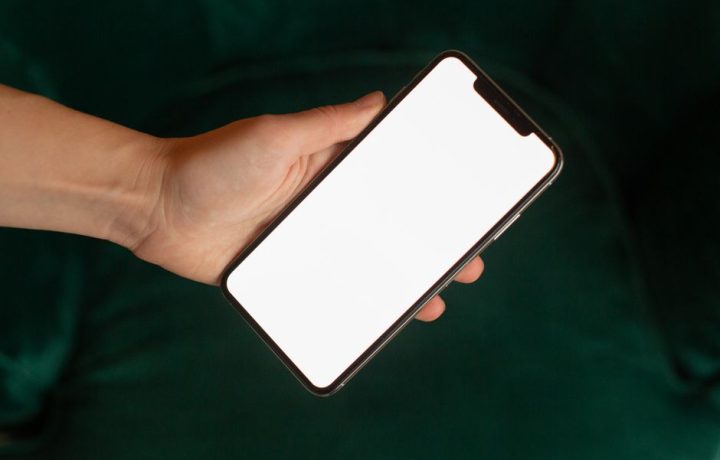
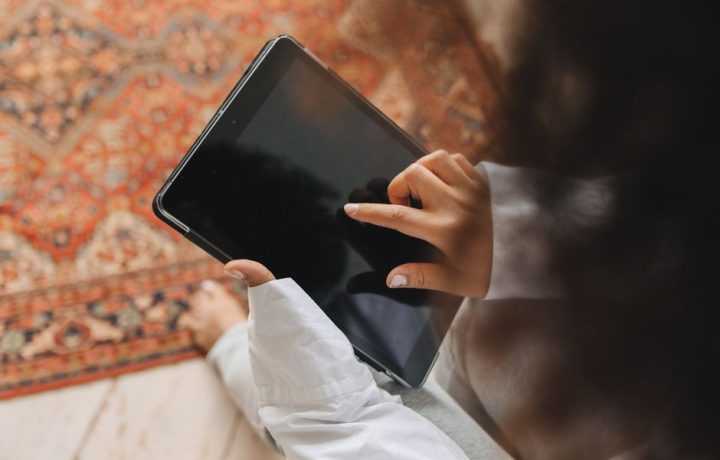
- Tablet Teleprompters: Compact and portable, these teleprompters use tablets or smartphones as the display, making them ideal for smaller venues or personal use.
- Software Teleprompters: These applications can be installed on various devices, allowing users to create their scripts and control scrolling speed without needing additional hardware.
Benefits of Using Teleprompters
Improved Delivery
Using teleprompters for public speaking helps improve delivery by allowing speakers to stay on track and follow their script without losing their place. This results in a more polished presentation.
Increased Confidence
Many speakers experience anxiety when presenting. Teleprompters can boost confidence by providing a clear script, allowing speakers to focus on their delivery instead of worrying about forgetting their lines.
Enhanced Engagement
With a teleprompter, speakers can maintain eye contact with their audience, which is crucial for engagement. This connection can make the presentation more impactful and memorable for the audience.
Teleprompter Tips for Effective Public Speaking
Practice with Your Script
One of the key teleprompter tips is to practice your script several times before the actual presentation. Familiarizing yourself with the flow will help you deliver the material more naturally.
Adjusting Speed and Font Size
Make sure to adjust the scrolling speed and font size of your teleprompter to suit your reading comfort. A size that is too small can be difficult to read, while a speed that is too fast can disrupt your delivery.
Maintaining Eye Contact
It’s important to maintain eye contact with your audience, even while using a teleprompter. Practice looking at the camera or the audience rather than the screen to create a more engaging experience.

Best Practices for Teleprompters
Choosing the Right Teleprompter
When selecting a teleprompter, consider the type of presentation you will be giving. For larger events, a standard teleprompter may be best, while smaller presentations might benefit from tablet teleprompters.
Setting Up Your Teleprompter
Ensure that your teleprompter is set up correctly, with the screen at eye level and positioned at a comfortable distance. This will help you read without straining your neck or eyes.
Using Teleprompter Apps
Explore various teleprompter apps that offer features like customizable layouts, script editing, and remote control functionalities. These applications can significantly enhance your presentation experience.
Overcoming Common Challenges
Technical Issues
Technical difficulties can arise during presentations. To mitigate this, conduct thorough equipment checks and have backup plans in place, such as printed scripts or a secondary device.
Script Changes on the Fly
Sometimes, you may need to adjust your script during the presentation. Many teleprompter apps allow for real-time edits, so you can make necessary changes without disrupting your flow.
Nervousness and Distraction
Feeling nervous is normal when presenting. To combat this, practice relaxation techniques, take deep breaths, and focus on your message rather than the audience’s reaction.
Teleprompter Use in Different Settings
Corporate Presentations
In a corporate environment, using teleprompters can help deliver business presentations, product launches, or executive speeches effectively. They ensure that messages are conveyed clearly and professionally.
Educational Lectures
Educators can utilize teleprompters to maintain a steady flow during lectures, allowing them to engage students without frequent interruptions to check notes.
Live Streaming and Video Production
As virtual events become more common, teleprompters are increasingly used in live streaming and video production. They help presenters maintain professionalism while delivering content seamlessly.
Conclusion and Final Thoughts
Using teleprompters effectively can significantly enhance your public speaking abilities. By understanding how teleprompters work and implementing best practices for teleprompters, you can deliver presentations with confidence and engage your audience more effectively. If you want to take your public speaking skills to the next level, consider exploring Public Speaking Mastery for further tips and insights.
Perguntas frequentes
What is a teleprompter and how does it work?
A teleprompter is a device that displays text for a speaker to read while maintaining eye contact with the audience. It uses a reflective screen and a camera to project the script in a way that appears seamless.
What are the benefits of using teleprompters for public speaking?
Using teleprompters can enhance delivery by allowing speakers to focus on their message and engage with the audience. They also help reduce anxiety and ensure that important points are not missed.
How can I effectively practice with a teleprompter?
Practicing with a teleprompter involves familiarizing yourself with the pacing of the text and adjusting the speed to match your natural speaking rhythm. Rehearse multiple times to build confidence and comfort.
Are there any tips for setting up a teleprompter?
Ensure that the teleprompter is positioned at eye level and at a comfortable distance to avoid straining your neck. Adjust the text size and speed for optimal readability.
Can teleprompters be used in virtual presentations?
Yes, teleprompters can be utilized in virtual presentations by integrating them with video conferencing software. This allows presenters to maintain eye contact with the camera while reading their scripts.
What should I do if I lose my place while using a teleprompter?
If you lose your place, take a moment to pause, breathe, and refocus on the text. Familiarity with your material can help you quickly regain your spot.
Are there alternatives to traditional teleprompters?
Yes, alternatives include smartphone apps or tablet devices that function as teleprompters. These can be more portable and cost-effective while still providing the necessary support.
How do I choose the right teleprompter for my needs?
Consider factors such as your budget, the size of your event, and whether you need a portable option. Research different models and read reviews to find one that suits your specific requirements.
Recording with a script? Try Lumi.
Keep your script near the camera and out of your final video. Try free for 3 days.
Learn more