Many content creators and video producers rely on teleprompter apps to enhance their productions. However, common mistakes can hinder their effectiveness. This guide explores frequent pitfalls and how to avoid them when using the best video teleprompter app for android.
Understanding Teleprompter Basics
What is a Teleprompter App?
A teleprompter app is a software application designed to display text for speakers or presenters to read while maintaining eye contact with their audience. These apps are crucial tools for video content creators, public speakers, and anyone who needs to deliver a script smoothly. They can be used on various devices, including smartphones and tablets, making it easier for users to integrate them into their production setups. The primary function is to help users deliver lines without memorization, allowing for a more natural performance.
Benefits of Using a Teleprompter App for Android
The benefits of using a teleprompter app for Android are numerous. Firstly, they help enhance delivery by allowing speakers to maintain eye contact with the camera, which is vital for engaging the audience. Additionally, they enable users to manage pacing effectively, ensuring that the presentation flows smoothly. Another significant advantage is the convenience and portability of these apps, allowing users to practice and record videos anywhere. Moreover, many of these apps offer customizable settings, such as font size and speed adjustments, catering to different preferences and visibility needs.
Common Mistakes to Avoid
Neglecting Script Preparation
A frequent mistake among users of teleprompter apps is the lack of adequate script preparation. A well-prepared script is crucial for a smooth presentation. Users often underestimate the importance of organizing their content logically and clearly. It’s important to review and edit the script thoroughly to ensure that it is concise and free from errors. This not only aids in clarity but also enhances confidence during delivery. Taking time to prepare a script can significantly impact the overall quality of the video.
Ignoring Screen Size and Readability
Another common pitfall is neglecting the screen size and readability of the text. Users may not realize that a script that looks good on a computer screen can be challenging to read on a smaller device. It’s essential to adjust the font size and spacing to ensure that the text is easily readable, especially during recording. A good practice is to test the app on the device intended for use prior to recording, allowing for adjustments to be made. This attention to detail can make a significant difference in performance quality.
Overlooking Practice Sessions
Many users fail to conduct sufficient practice sessions before recording, which can lead to anxiety and poor delivery. It’s vital to rehearse with the teleprompter app multiple times to become familiar with the pacing and flow of the text. Practicing helps in building confidence and allows the presenter to make necessary adjustments to the script or settings. Regular practice ensures a more polished and professional delivery, ultimately enhancing the video’s effectiveness.
Failing to Adjust Speed Settings
Finally, one of the most crucial mistakes is not adjusting the speed settings of the teleprompter app. Every speaker has a unique pace, and what works for one person may not work for another. Users should experiment with different speeds to find the one that feels most natural for them. It’s also beneficial to adjust the speed based on the complexity of the content and the audience’s needs. Adapting these settings can significantly improve the flow and engagement of the presentation.
Choosing the Right Teleprompter App
Features to Look For
When selecting a teleprompter app, it’s essential to consider several key features that will enhance usability and functionality. Look for apps that offer adjustable text size, speed control, mirroring options, and ease of use. The ability to import scripts from various formats is also a valuable feature that can save time. Moreover, some apps provide additional functionalities like voice recognition and remote control capabilities, which can further streamline the recording process.
Comparing Free vs. Paid Options
Users should carefully consider the differences between free and paid teleprompter apps. Free options may offer basic features that are adequate for casual users; however, they often lack advanced functionalities that can enhance the user experience, such as customizable layouts or cloud syncing. Paid apps typically provide a wider range of features and better customer support. It’s advisable to evaluate personal needs and usage frequency to decide whether a free or paid app is the best choice.
Best Video Teleprompter App for Android Recommendations
Some of the highly recommended options for the best video teleprompter app for android include Teleprompter Pro, Elegant Teleprompter, and PromptSmart Pro. Each of these apps offers unique features that cater to different user requirements. For instance, PromptSmart Pro uses voice recognition technology to scroll text as you speak, which can be particularly useful for dynamic presentations. Evaluating these options can help users find an app that meets their specific needs effectively.
Enhancing Your Video Production
Integrating the Teleprompter with Your Setup
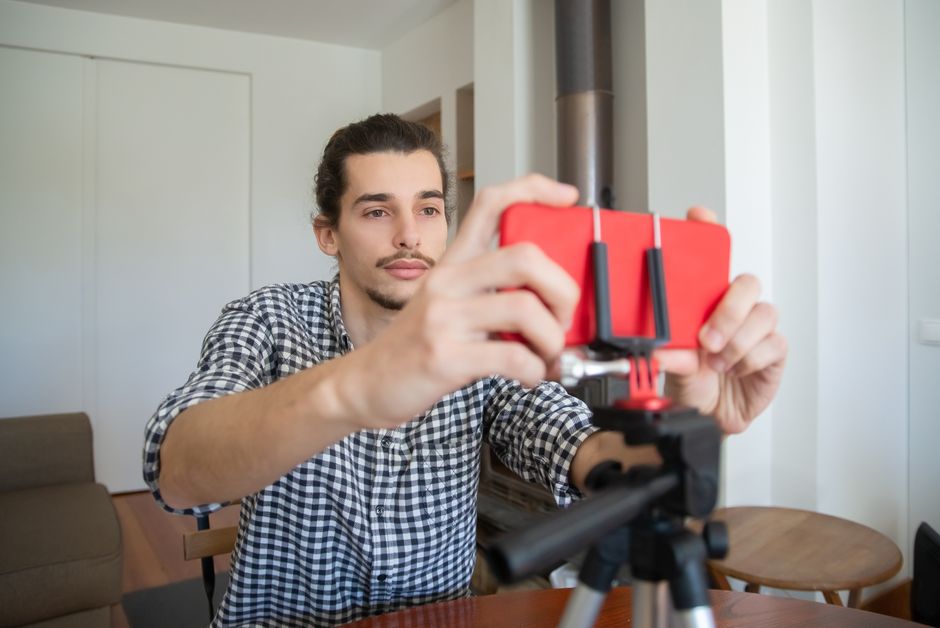
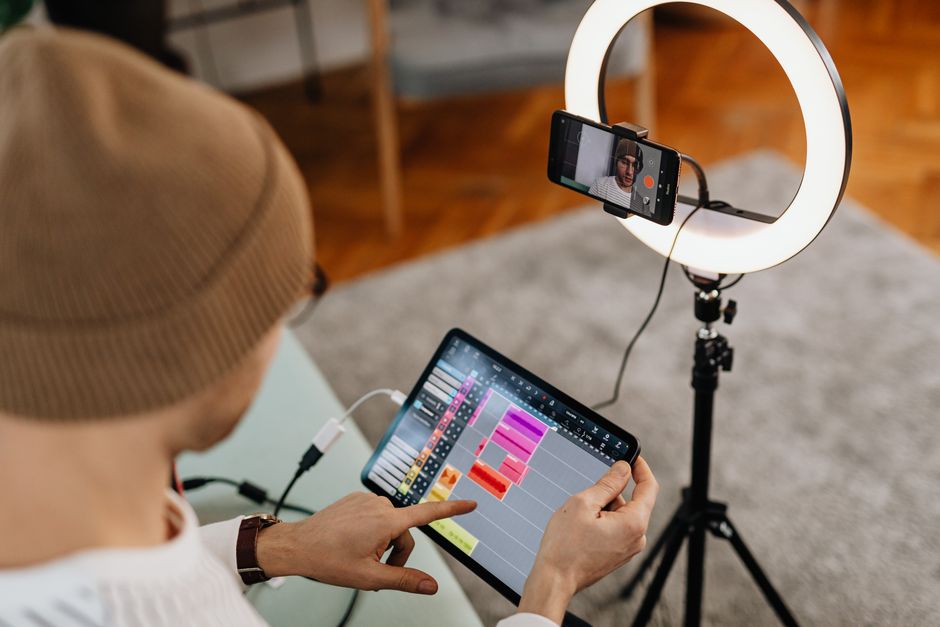
Integrating a teleprompter app into your video production setup is crucial for maximizing its effectiveness. Positioning the device at eye level helps maintain a natural appearance in the video, making it look as though you are speaking directly to your audience. Ensuring that the teleprompter is securely mounted and that the camera is properly aligned will help create a seamless viewing experience. Additionally, consider using a tripod for stability during recording.
Lighting and Camera Angles Considerations
Lighting and camera angles play a vital role in video production quality. Proper lighting helps to create a professional look and ensures that the presenter is clearly visible. Natural light is ideal, but additional soft lights can be used to eliminate shadows. Camera angles should be adjusted to capture the presenter at a flattering and engaging perspective. Experimenting with different setups can help determine the most effective configuration for your videos.
Tips for Effective Usage
Maintaining Eye Contact
Maintaining eye contact with the camera is essential for engaging your audience. A teleprompter app allows you to read your script while looking directly at the camera, which helps to establish a connection with viewers. Practicing this skill can enhance your delivery and make it feel more personal. It’s recommended to familiarize yourself with the app’s scrolling speed and text layout to find the right balance that allows for constant eye contact.
Using Annotations and Cues
Utilizing annotations and cues within your script can help emphasize key points and guide your delivery. Many teleprompter apps allow you to add notes or cues that can remind you to pause, emphasize certain phrases, or change your tone. These cues can be incredibly beneficial for maintaining an engaging and dynamic presentation style.
Adapting to Different Environments
Lastly, being adaptable is crucial when using a teleprompter app in various environments. Different settings can affect sound quality, lighting, and other variables that impact video quality. Being prepared to make quick adjustments to your script, camera positioning, or teleprompter settings can help ensure a successful recording regardless of the circumstances. Flexibility is key in achieving the best results.
Conclusion
By avoiding these common mistakes and implementing best practices, you can maximize the effectiveness of your video teleprompter app for Android. This will not only improve your confidence while recording but also enhance the overall quality of your videos. For those looking for a robust teleprompter solution, tools like the Lumi Notch Teleprompter for Windows & Mac can also complement your Android app usage, providing a seamless experience across devices. Remember, the key to a successful video presentation is preparation, practice, and the right tools at your disposal.
Frequently asked questions
What is the biggest mistake people make when choosing a teleprompter app for Android?
The most common mistake is prioritizing flashy features over core functionality like reliable scroll speed adjustment, script import options, and smooth scrolling. Many users download apps with complex interfaces they never fully utilize, when a simpler app with stable performance would be more effective for their recording needs.
Why do videos look unnatural when using a teleprompter app, and how can I fix it?
This usually happens because users set the scroll speed too fast, forcing them to rush, or they position the script text too far from the camera lens, creating visible eye movement. Adjust the speed to match your natural speaking pace and place the text as close to the camera as possible for direct eye contact.
Can using a teleprompter app hurt my authenticity as a presenter?
It can if you become completely dependent on reading the script word-for-word. The best practice is to use the app as a guide with bullet points or key phrases, rather than a full verbatim script, so you can maintain a conversational tone and natural delivery while staying on message.
What technical setup mistakes should I avoid for the best results?
Avoid poor lighting that causes screen glare, neglecting to test audio syncing with the script, and using a device with too small a screen that forces squinting. Also, forgetting to lock the screen rotation or disable notifications can interrupt your recording session unexpectedly.
Recording with a script? Try Lumi.
Keep your script near the camera and out of your final video. Try free for 3 days.
Learn more


