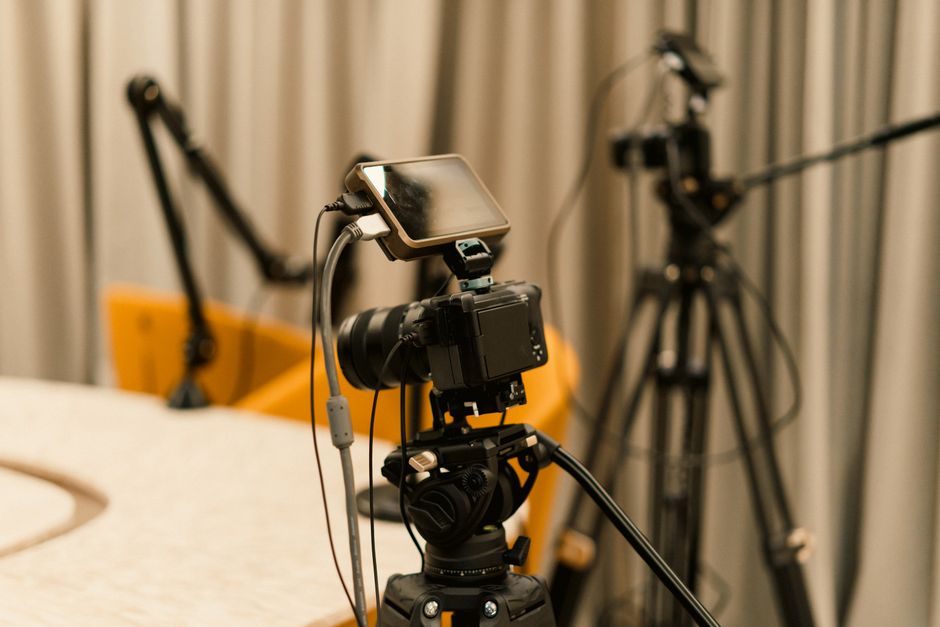
Discover how to effectively use a teleprompter for live streaming. This guide provides insights, tips, and best practices for content creators, educators, and marketers to enhance their live presentations.
Understanding the Benefits of a Teleprompter for Live Streaming
Enhanced Delivery and Confidence
Utilizing a teleprompter for live streaming can significantly enhance your delivery, ultimately boosting your confidence. When you have a script in front of you, the fear of forgetting your lines diminishes, allowing you to focus more on your performance and engage with your audience. This confidence can be particularly crucial in live settings where every second counts, and maintaining a steady flow of information is essential.
The structured nature of a teleprompter helps presenters stay on track, ensuring that they cover all necessary points without the risk of overlooking essential details. This structured approach not only benefits the speaker but also contributes to a smoother viewing experience for the audience, who appreciate a coherent and well-organized presentation.
Improved Engagement with the Audience
One of the primary advantages of using a teleprompter for live streaming is that it allows for improved engagement with your audience. With the text being displayed right in front of the camera, you can maintain eye contact with your viewers, making them feel more connected to your message. This connection is vital in live streaming, where audience interaction can be limited compared to in-person events.
By using a teleprompter, you can convey your message more effectively, fostering a sense of trust and credibility with your viewers. This enhanced engagement is crucial for content creators who rely on audience retention and interaction to succeed in their niche.
Streamlined Content Presentation
Another significant benefit of a teleprompter for live streaming is the streamlined content presentation it offers. With the ability to scroll through your script smoothly, you can ensure that your delivery is clear and concise. This is particularly beneficial during complex discussions or when presenting detailed information, as it allows you to focus on delivering your message rather than scrambling to remember specific points.
Furthermore, a well-structured presentation minimizes the chances of filler words and hesitations, making your live stream appear more professional. This professionalism can set you apart from other streamers and enhance your brand’s reputation.
Choosing the Right Teleprompter App for Your Needs
Features to Look for in a Teleprompter App
When selecting a teleprompter app for live streaming, there are several key features to consider. First, look for apps that allow customizable text size and speed adjustments, as these elements can significantly impact your reading comfort. You should also seek out apps with a user-friendly interface that can be easily navigated, especially under pressure.
Another essential feature is compatibility with various devices. Whether you are using a smartphone, tablet, or computer, your chosen app should seamlessly integrate with your hardware. Additionally, some apps offer cloud storage capabilities, enabling you to access your scripts from multiple devices, which can be invaluable for flexibility during live streams.
Comparing Free and Paid Teleprompter Apps
While there are numerous free teleprompter apps available, investing in a paid version can yield more robust features and enhanced functionality. Free apps may come with limitations, such as watermarks or ads, which can be distracting during a live stream. In contrast, paid apps often provide a cleaner interface and advanced features like voice recognition and media integration.
It’s essential to weigh the pros and cons of each option based on your specific needs. For instance, if you are a professional content creator, a premium app might be worth the investment for the added capabilities and improved user experience.
Best Teleprompter Apps for Live Streaming
Some of the best teleprompter apps for live streaming include PromptSmart Pro, Teleprompter Premium, and EasyPrompter. These apps are well-regarded for their comprehensive features, ease of use, and reliability during live events. For instance, PromptSmart Pro offers voice tracking technology, which allows the text to scroll automatically as you speak, ensuring a seamless experience.
When choosing the right teleprompter app, consider your specific requirements, compatibility with your devices, and the unique features you would benefit from the most. Tools like the Lumi Notch Teleprompter for Windows & Mac can also be a great choice for those who prefer a desktop setup.
Setting Up Your Teleprompter for Live Streaming
Hardware Requirements and Recommendations
Setting up your teleprompter for live streaming requires some careful consideration of hardware. A basic setup typically involves a computer or tablet to run the teleprompter app, a camera for broadcasting, and a tripod or mount for stability. Make sure your device has a reliable internet connection to avoid interruptions during your stream.
Additionally, consider investing in a high-quality microphone to improve audio quality, as poor sound can detract from your message. A good camera and lighting setup are equally important, as visuals play a critical role in audience engagement.
Optimal Positioning for Visibility
Positioning your teleprompter correctly is crucial for maintaining eye contact while delivering your message. Ideally, the teleprompter should be placed just above or below your camera lens, allowing you to read the script without shifting your gaze too far from the lens. This positioning helps create a natural conversation flow, making your presentation feel more authentic.
Take the time to experiment with different setups to find what works best for you. The goal is to ensure that your audience feels engaged, which can be achieved through effective eye contact and body language.
Integrating the Teleprompter with Streaming Software
Integrating your teleprompter with your streaming software can enhance your live streaming experience significantly. Most teleprompter apps allow you to overlay the script on your live video feed, providing a seamless experience for both you and your audience. Ensure that your streaming software is configured to display the teleprompter output correctly, so you can read while maintaining visual engagement with your viewers.
Moreover, familiarize yourself with the software’s features, such as scene transitions and graphics integration. This will enable you to create a more polished and professional live streaming presentation.
Best Practices for Using a Teleprompter During Live Streams
Practicing Your Script
Practice is fundamental when it comes to using a teleprompter effectively. Before going live, rehearse your script multiple times to become familiar with the flow and pacing of your delivery. This practice will help reduce anxiety and ensure that you can read naturally without sounding mechanical.
Consider recording yourself during practice sessions to review your performance and make necessary adjustments. This feedback loop can be invaluable in refining your delivery style and improving your overall presentation skills.
Maintaining Eye Contact with the Camera
Maintaining eye contact with the camera is essential for building a connection with your audience. When using a teleprompter, try to focus on the camera lens while reading your script, as this creates the illusion of direct engagement. It’s important to practice this skill, as it can significantly enhance the viewer’s experience and foster trust in your message.
To make this a habit, consider marking specific points in your script where you can look up from the teleprompter and engage with your audience directly. This technique can break up the monotony of reading and create a more dynamic presentation.
Adjusting Speed and Readability of the Text
Adjusting the speed and readability of the text displayed on your teleprompter is crucial for a smooth delivery. Most teleprompter apps allow you to customize the scrolling speed based on your comfort level. Experiment with different speeds during practice sessions to find what works best for you.
Additionally, ensure that the text is clear and easy to read. Use a font size and style that are comfortable for you, and avoid using overly complex language that may cause you to stumble while reading. The goal is to create a seamless reading experience that doesn’t detract from your message.
Common Mistakes to Avoid When Using a Teleprompter
Overloading Your Script with Text
One common mistake when using a teleprompter for live streaming is overloading your script with text. While it may seem tempting to include every detail, this can lead to a cluttered and overwhelming reading experience. Instead, focus on key points and concise messaging to make your script more manageable.
Break your content into sections and use bullet points sparingly to emphasize critical information. This approach will help you avoid getting lost in your script and maintain a natural flow during your presentation.
Ignoring Technical Setup
Neglecting the technical setup of your teleprompter can result in a chaotic live stream. Ensure that all your equipment is functioning correctly before going live, and test your internet connection to avoid potential issues during your broadcast. Conducting a tech check allows you to troubleshoot any problems and ensures that your teleprompter display works as intended.
Taking the time to prepare your technical setup will lead to a smoother live streaming experience and minimize the risk of unexpected interruptions that could affect your presentation.
Neglecting Audience Interaction
Finally, neglecting audience interaction can severely impact your live stream’s effectiveness. While a teleprompter helps maintain your message’s structure, it’s essential to engage with your viewers throughout the presentation. Incorporate opportunities for audience questions or comments, and be responsive to their input.
Engagement can be as simple as acknowledging viewer comments or incorporating polls into your live stream. This interaction creates a more dynamic environment and encourages audience retention, making your presentation more memorable.
Tips for Enhancing Your Live Streaming Experience
Engaging Your Audience with Interactive Elements
Incorporating interactive elements into your live streaming can significantly enhance your audience’s experience. Consider using polls, quizzes, or Q&A sessions to create opportunities for viewers to participate actively. This engagement not only makes your stream more enjoyable but also helps reinforce your message.
Tools such as live chat can be particularly effective, allowing you to respond to viewer comments in real time. This immediacy fosters a sense of connection and encourages viewers to stay engaged throughout your presentation.
Using Visual Aids Alongside the Teleprompter
Visual aids can complement your teleprompter script and enhance the overall presentation. Consider using slides, charts, or images to illustrate key points and provide additional context for your audience. This visual support can help clarify complex information and keep your viewers’ attention focused on your message.
When integrating visual aids, ensure they are relevant to your content and don’t overwhelm your audience. A balanced approach will create a more polished and professional live stream.
Post-Stream Analysis and Improvement
After each live stream, take the time to analyze your performance and identify areas for improvement. Review viewer feedback, engagement metrics, and any technical issues you encountered. This reflection will provide valuable insights into what worked well and what could be enhanced for future broadcasts.
Consider keeping a journal of your experiences to track your progress over time. Continuous improvement is key to mastering the teleprompter for live streaming and ensuring your presentations remain fresh and engaging.
Success Stories: Creators Who Utilize Teleprompters
Case Study: Educational Content Creators
Many educational content creators have successfully integrated teleprompters into their live streaming workflows. By using a teleprompter, they are able to present detailed information in a structured manner while maintaining engagement with their audience. This setup allows for a more polished delivery of complex topics, making learning more accessible for viewers.
Case Study: Marketers and Product Launches
Marketers have also found teleprompters invaluable during product launches and promotional live streams. The ability to deliver key messages confidently and clearly can make a significant difference in how potential customers perceive a brand. Teleprompters help marketers stay on point, ensuring that critical selling points are highlighted effectively.
Case Study: Vloggers and Streamers
Vloggers and streamers have reported that using a teleprompter has enhanced their storytelling capabilities. By maintaining eye contact and delivering well-structured narratives, they can create a more authentic connection with their audience. The added confidence from using a teleprompter has transformed many casual vloggers into professional content creators.
Conclusion
Using a teleprompter for live streaming can significantly enhance your presentation skills and audience engagement. By following the tips and best practices outlined in this guide, you can create a more polished and professional live streaming experience. Remember to choose the right teleprompter app that suits your needs, practice your script, and engage with your audience for the best results. With dedication and the right tools, you can master the art of live streaming and take your content to the next level.
Frequently asked questions
What is the best teleprompter app for live streaming on a budget?
Popular and affordable options include PromptSmart (uses voice recognition to auto-scroll) and BigStage Teleprompter, which are both available for smartphones and tablets. Many streamers also use free software like PromptSmart Lite or even the native teleprompter feature in apps like Streamlabs if available.
How do I set up a teleprompter with my streaming software like OBS or Streamlabs?
You can use a browser source or a dedicated app. One common method is to use a free web-based teleprompter (like Teleprompter Mirror) in a browser, then add that browser window as a source in OBS. Alternatively, apps like Ecamm Live (Mac) have built-in teleprompter support that integrates directly with your stream.
Will using a teleprompter make me look unnatural during a live stream?
It can if used improperly. The key is to practice reading at a natural pace, adjust the scroll speed to match your speaking rhythm, and use a teleprompter that allows you to control the script with a remote or foot pedal. Positioning the screen as close to the camera lens as possible (eye-level) also helps maintain direct eye contact with viewers.
Can I use my smartphone as a teleprompter for live streaming?
Yes, this is a very common and cost-effective solution. You’ll need a teleprompter app on your phone and a way to mount it near your camera lens. Specialized phone holders or simple DIY setups can place the phone screen directly above or below your webcam. Remember to flip the text horizontally in the app so it reads correctly in the reflection if using a mirror-style setup.
How do I prevent the teleprompter script from being visible on my live stream video?
When using a standard monitor or tablet as a teleprompter placed in front of your camera, the script will not appear on your stream as long as it’s not in your camera’s field of view. If you are using a software overlay (like in OBS), ensure the teleprompter window is only visible on your local screen, not captured as a source. The most professional solution is a dedicated beam-splitter glass teleprompter, which reflects the script only to you while the camera sees through it.
What script formatting tips work best for live streaming teleprompters?
Keep sentences short and conversational. Use a large, high-contrast font (like white on black) for easy reading. Break the script into small paragraphs and use double line spacing. Many pros also add subtle cues or highlights for key points and pauses, and they avoid large blocks of unbroken text which can be hard to track at speed.
Recording with a script? Try Lumi.
Keep your script near the camera and out of your final video. Try free for 3 days.
Learn more


