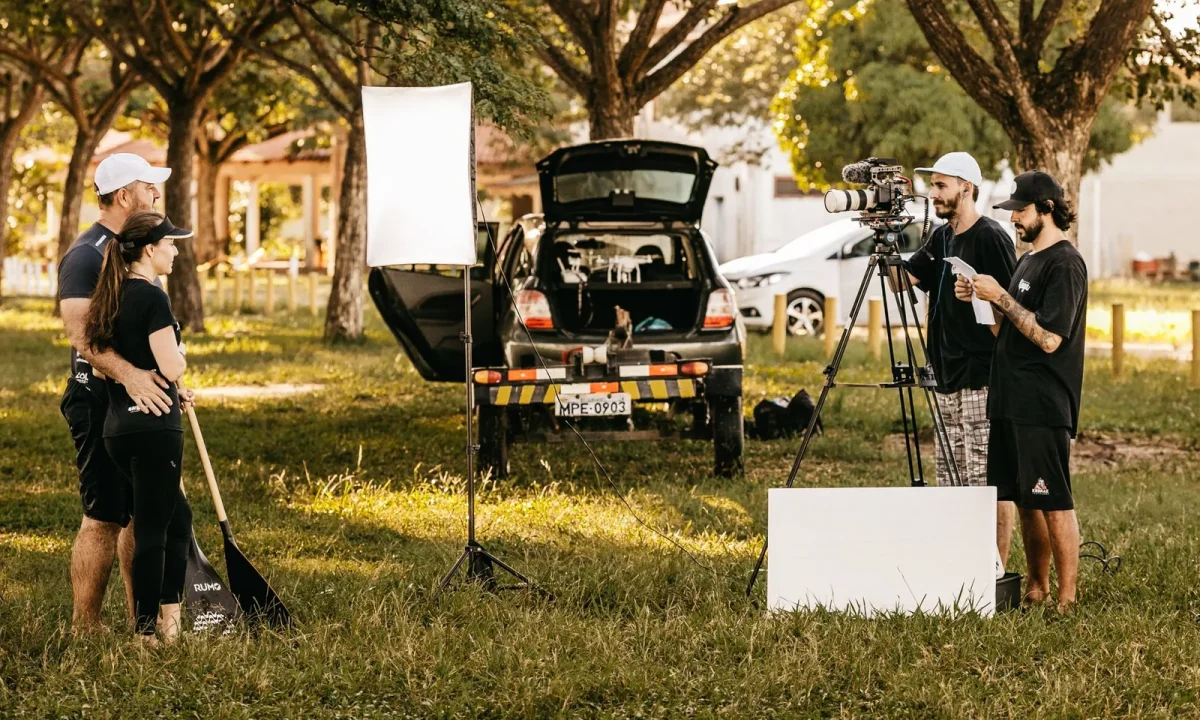
Discover how to effectively use a teleprompter for interviews to enhance your presentation skills and make a lasting impression. Using a teleprompter for interviews can not only streamline your delivery but also help you maintain focus and engage more effectively with your audience.
Understanding Teleprompters for Interviews
What is a Teleprompter?
A teleprompter is a device that displays text in front of a camera lens, allowing speakers to read their scripts while maintaining eye contact with the audience. This technology has evolved significantly from its early days, with modern teleprompters being lightweight, portable, and compatible with various devices, including tablets and smartphones. For interviews, a teleprompter can be a vital tool, enabling you to deliver your message clearly and confidently.
Benefits of Using a Teleprompter for Interviews
Using a teleprompter during interviews offers numerous benefits. First, it allows for smoother delivery by reducing the chances of forgetting key points, thus enhancing the overall quality of the presentation. Second, it helps maintain eye contact with the interviewer or audience, fostering a more engaging interaction. Additionally, teleprompters can alleviate nervousness by providing a reliable script, making it easier to focus on delivery rather than memorization.
Common Misconceptions about Teleprompters
Despite their advantages, there are several misconceptions surrounding teleprompters. One common myth is that they make speakers sound robotic or unnatural. In reality, when used properly, a teleprompter can enhance natural delivery and improve engagement. Another misconception is that teleprompters are only for seasoned professionals; however, they can be beneficial for anyone looking to present polished and effective communication, be it in interviews, presentations, or vlogging.
Choosing the Right Teleprompter for Interviews
Types of Teleprompters Available
When selecting a teleprompter for interviews, it’s essential to understand the different types available. There are various models, including standalone teleprompters, tablet-based options, and camera-mounted devices. Standalone teleprompters are ideal for studio settings, while tablet-based options offer portability for on-the-go interviews. Camera-mounted teleprompters present text directly in front of the camera lens, ensuring the speaker remains engaged with the audience.
Key Features to Look For
Choosing the right teleprompter involves considering several key features. Look for a model with adjustable speed settings, allowing you to control the scrolling text to match your speaking pace. A clear display is crucial for readability, particularly in varying lighting conditions. Additionally, compatibility with your camera and software is essential for seamless operation. Some teleprompters also come with remote controls, enabling you to manage the script without needing an operator.
Budget Considerations
Teleprompters come in a wide range of prices, so it’s essential to consider your budget when making a selection. While there are affordable options available, investing in a higher-quality model may yield better results, especially for professional settings. Do thorough research and compare features to find a teleprompter that fits your needs without overspending. Remember that a good teleprompter can significantly enhance your interview performance and overall communication skills.
Setting Up Your Teleprompter for Interviews
Optimal Positioning and Angle
Proper setup is critical for maximizing the effectiveness of your teleprompter during interviews. Position the device at eye level to ensure that you look directly into the camera while reading the script. This positioning helps maintain eye contact with your audience, creating a more engaging presentation. Additionally, the angle of the teleprompter should minimize glare and reflections from lighting sources, allowing for optimal visibility of the text.
Lighting and Camera Setup
Lighting plays a crucial role in the setup of your teleprompter for interviews. Ensure that your lighting is consistent and evenly distributed across your face and the teleprompter. Avoid harsh shadows or overly bright spots that could distract from your delivery. When it comes to camera setup, position the camera directly behind the teleprompter to create a natural line of sight. This alignment ensures that you appear engaged and sincere during your interview.
Technical Setup and Connectivity
Before your interview, ensure that all technical aspects of the teleprompter are properly set up. This includes connecting your teleprompter to your device, whether it’s a tablet, laptop, or another display. Test the script display and scrolling speed to confirm everything functions smoothly. Familiarize yourself with the teleprompter’s controls, especially if you have a remote, to facilitate a seamless experience during your interview.
Crafting Your Script for Teleprompter Use
Writing for the Eye: Tips for Script Formatting
When crafting your script for a teleprompter, it’s vital to format it for easy reading. Use short sentences and paragraphs to avoid overwhelming yourself with information. Choose a large font size and high-contrast colors to enhance readability. Implement clear breaks between sections, enabling you to pause naturally during your presentation. By writing with the teleprompter in mind, you can ensure a smoother delivery and a more engaging experience for your audience.
Practicing Your Delivery
Practice is essential to ensure that you’re comfortable using the teleprompter during interviews. Rehearse your script multiple times before the actual interview, allowing yourself to become acquainted with the pacing and flow of the text. Recording yourself while practicing can provide valuable insights into your delivery, helping you identify areas for improvement. The more familiar you are with the script, the more confident you’ll feel during the live interview.
Adjusting Your Script for Different Interview Styles
Different interview formats may require variations in your script. For instance, a conversational interview may benefit from a more informal tone, while a formal panel interview might call for a structured and polished approach. Tailor your script according to the interview style, ensuring that it fits the context and audience. This adaptability will make your delivery more effective and engaging, showcasing your versatility as a communicator.
Best Practices for Using a Teleprompter During Interviews
Maintaining Eye Contact with the Camera
One of the most critical aspects of using a teleprompter in interviews is maintaining eye contact with the camera. This connection enhances viewer engagement and makes your delivery feel more genuine. Practice focusing on the camera lens while reading your script, which may feel awkward at first but will become more natural with practice. Remember to vary your gaze occasionally to simulate a natural conversation while still keeping the text in sight.
Pacing Your Speech
When using a teleprompter, pacing your speech is crucial for an engaging delivery. Reading too quickly can make you appear rushed and may lead to stumbling over words. Conversely, speaking too slowly can disengage your audience. Find a comfortable pace that allows for clarity and comprehension, adjusting the scrolling speed of the teleprompter as needed. Regular practice will help you develop a natural rhythm that enhances your overall presentation.
Handling Mistakes Gracefully
Even with thorough preparation, mistakes can happen during interviews. It’s vital to remain calm and composed if errors occur. If you lose your place or misread a line, take a breath and pause briefly before continuing. Acknowledging your mistake lightly can also humanize your presentation, making you more relatable to the audience. Practicing how to handle potential errors in advance can further bolster your confidence for the actual interview.
Enhancing Your Interview Skills with a Teleprompter
Engaging with Your Audience
While a teleprompter can help you deliver your message effectively, engaging with your audience is equally important. Use the teleprompter as a guide, allowing for moments of spontaneity and connection with your viewers. Make eye contact with the camera and vary your tone to reflect enthusiasm and passion for the subject. This engagement will help keep your audience captivated and invested in your message.
Using Body Language Effectively
Your body language can significantly impact the effectiveness of your delivery while using a teleprompter. Incorporate gestures and movements that complement your script, reinforcing your points and emphasizing key messages. Stand or sit up straight to project confidence and ensure your body language aligns with your verbal message. Being aware of your nonverbal cues will enhance your overall presence and engagement during the interview.
Building Confidence on Camera
Confidence is key when using a teleprompter for interviews. To build this confidence, familiarize yourself with the setup and rehearse your script thoroughly. Practice in front of a mirror or record yourself to identify areas for improvement. The more comfortable you become with the technology and your material, the more confident you will appear to your audience. Remember, confidence can be contagious, and your viewers will respond positively when you exhibit assurance in your delivery.
Troubleshooting Common Teleprompter Issues
Technical Glitches and Solutions
Technical issues can arise during interviews, but being prepared can help you handle these situations effectively. If your teleprompter freezes or malfunctions, stay calm and have a backup plan in place, such as printed notes or a second device. Regularly check your equipment before the interview to minimize the chances of technical glitches, and ensure that all necessary updates and software patches are installed.
Script Display Problems
Occasionally, you may encounter issues with script display, such as text scrolling too fast or not at all. Familiarize yourself with the teleprompter’s controls to adjust the scrolling speed as needed during the interview. If you face display problems, try to maintain your composure and rely on your knowledge of the material to guide you through the situation. Having practiced without the teleprompter can also be beneficial during these moments.
Staying Calm Under Pressure
Interviews can be nerve-wracking, especially when using a teleprompter. Developing techniques to stay calm under pressure is essential. Practice deep breathing exercises before your interview to reduce anxiety and improve focus. Visualizing a successful interview can also help set a positive mindset. Remember that mistakes are normal, and staying calm will allow you to recover gracefully and continue delivering your message effectively.
Conclusion
Using a teleprompter for interviews can significantly boost your confidence and effectiveness as a communicator. By following these tips and best practices, you can create engaging and polished presentations that resonate with your audience. Whether you’re a seasoned professional or just starting, mastering the art of teleprompter use will enhance your interview skills and make you a more compelling speaker. For a deeper dive into teleprompter usage, consider exploring Mastering Teleprompter Usage for more insights and techniques. Remember, practice makes perfect, and with dedication, you can elevate your interview performance to greater heights.
Frequently asked questions
How do I set up a teleprompter for a remote video interview?
For a remote interview, place the teleprompter directly in front of your webcam lens so your eyes appear to look at the camera. Use a tablet or laptop as the screen and position it at eye level. Adjust the text scroll speed to match your natural speaking pace, and do a test recording to check for eye movement.
What are the best teleprompter apps for interview preparation?
Popular apps include PromptSmart (uses voice-activated scrolling), Teleprompter Premium (offers mirroring and speed control), and BigStage (designed for video calls). Most apps allow you to import scripts, adjust font size, and control scroll speed, which is crucial for maintaining a natural delivery during interviews.
Can using a teleprompter make me sound robotic during an interview?
Yes, if used poorly. To avoid sounding robotic, write your script in a conversational tone, practice it aloud beforehand, and use the teleprompter as a guide rather than reading verbatim. Focus on key points and allow for natural pauses and inflection to maintain authenticity.
How do I avoid obvious eye movement when reading from a teleprompter?
Position the teleprompter as close to the camera lens as possible to minimize eye travel. Use a large font size so you don’t need to squint or move your eyes excessively. Practice reading while maintaining a soft focus on the screen, and occasionally look away naturally to break the pattern.
Is a teleprompter useful for unscripted or panel interviews?
It can be, but with limitations. For unscripted interviews, you can load bullet points or key questions to jog your memory. For panel interviews, it’s less effective because you need to address multiple people. Use it sparingly for opening or closing statements, but rely on natural conversation for the rest.
Recording with a script? Try Lumi.
Keep your script near the camera and out of your final video. Try free for 3 days.
Learn more


