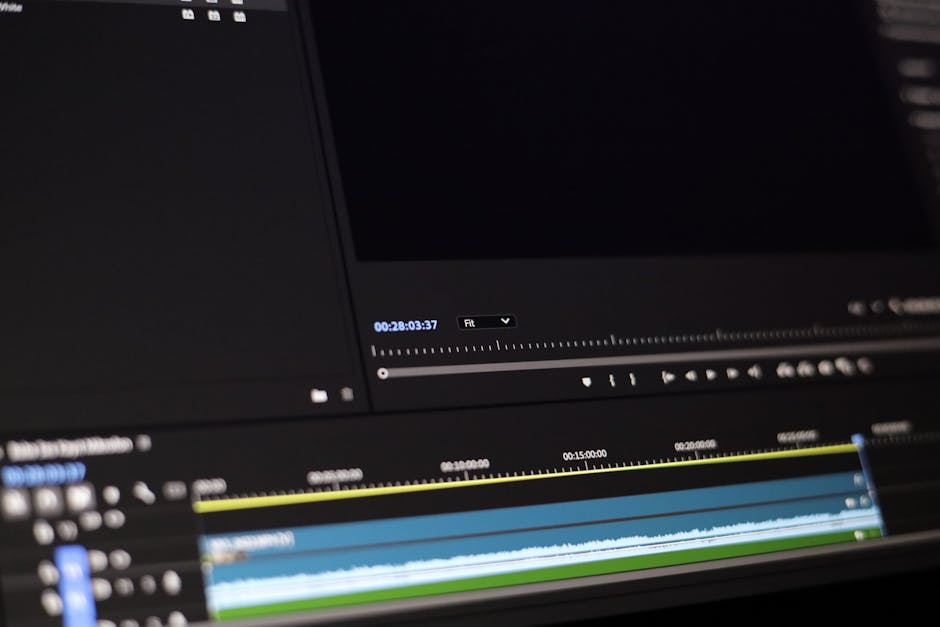
Explore the best editing software recommendations to enhance your video production skills. This guide provides insights for content creators, educators, and marketers alike.
Understanding Video Editing Software
What is Video Editing Software?
Video editing software is a tool that allows users to manipulate and rearrange video clips to create a new piece of content. It encompasses a range of functions including cutting, trimming, adding effects, and enhancing audio. Whether you are a novice or a seasoned professional, understanding how these tools work is essential for effective video production.
Types of Video Editing Software
There are various types of video editing software available, catering to different needs and skill levels:
- Non-linear Editing (NLE) Software: These are the most common types, allowing users to access any frame in a digital video clip regardless of the sequence in the clip.
- Linear Editing Software: This is an older style of editing that processes footage in a sequential manner.
- Specialized Software: These programs are designed for specific tasks, such as color grading or audio editing.
Top Editing Software Recommendations
Beginner-Friendly Options
If you are just starting out, consider these beginner-friendly editing software recommendations:
- iMovie: A great choice for Mac users, offering a simple interface and essential features.
- Filmora: Known for its intuitive design, Filmora provides a range of effects and transitions.
- Shotcut: An open-source option that supports various formats and offers a straightforward editing experience.
Professional-Level Software
For those looking to take their skills to the next level, the following professional-grade software options might be suitable:
- Adobe Premiere Pro: A widely used software in the industry, offering advanced tools for editing and effects.
- Final Cut Pro: Apple’s professional editing software, known for its powerful features and seamless integration with Mac systems.
- DaVinci Resolve: Combines editing, color correction, and audio post-production in a single application.
Free vs. Paid Software
When choosing editing software recommendations, consider whether to invest in paid software or utilize free options. Free software can be a great starting point, but paid options often provide more advanced features, better support, and regular updates. It’s essential to weigh your project requirements against your budget before making a decision.
Basic Video Editing Techniques
Cutting and Trimming Clips
One of the fundamental techniques in video editing is cutting and trimming clips. This process allows you to remove unwanted parts of your footage and refine your story structure. Familiarizing yourself with these tools in your chosen software will significantly enhance your editing skills.
Adding Transitions and Effects
Transitions help to create a smooth flow between clips, while effects can enhance the visual appeal of your videos. Learning how to effectively use these features can elevate your content, making it more engaging for your audience.
Color Correction Basics
Color correction is crucial for achieving a polished look in your videos. Basic techniques include adjusting brightness, contrast, and saturation. Many editing software options provide built-in tools for color correction, making it accessible for users at all levels.
Choosing the Right Software for Your Needs
Assessing Your Skill Level
Your skill level plays a significant role in determining which editing software to use. Beginners may benefit from easier-to-navigate options, while experienced editors might prefer software with more advanced features. Understanding where you fall on this spectrum can help you make the right choice.
Identifying Your Project Requirements
Different projects may require different features, so it’s important to identify what you need before selecting your software. For example, are you focusing on detailed color grading, or is simple editing sufficient? Understanding your project requirements will lead you to the most suitable tools.
Budget Considerations
Budget is another important factor when selecting editing software. While there are many free options available, investing in paid software often provides better quality and support. Consider the long-term benefits of various software options against your available budget to find the best fit.
Integrating Teleprompter Apps with Editing Software
Benefits of Using Teleprompters
Teleprompters can significantly improve the quality of your video presentations by allowing you to deliver your script smoothly and naturally. This can be especially beneficial for educators and content creators looking to maintain engagement.
Recommended Teleprompter Apps
Several teleprompter apps integrate well with editing software. Some popular options include:
- PromptSmart Pro: Uses voice recognition technology to follow your speech.
- Teleprompter Pro: Offers a user-friendly interface and is compatible with various devices.
Syncing Teleprompter with Editing Software
Many editing software programs allow you to import video recorded with a teleprompter, making the editing process more efficient. Understanding how to sync these tools can streamline your workflow and enhance the final product.
Tips for Effective Video Production
Planning Your Content
Effective video production starts with a solid plan. Outline your content, script your dialogue, and visualize your shots to ensure a smooth production process. This step is crucial for creating compelling videos that resonate with your audience.
Recording Techniques
Proper recording techniques can make a significant difference in the quality of your final product. Consider factors such as lighting, audio quality, and camera angles to enhance your videos. For more detailed guidance, refer to our Video Recording Tips for Professionals.
Post-Production Best Practices
Post-production is where the magic happens. It’s essential to review your footage, make necessary edits, and ensure audio synchronization. Implementing best practices during this phase can take your videos from good to great.
Future Trends in Video Editing Software
AI Integration
The future of video editing software is likely to include greater integration of artificial intelligence. AI can assist with tasks such as automated editing, suggesting cuts, and even enhancing audio quality, making the editing process faster and more efficient.
Cloud-Based Solutions
Cloud-based editing solutions are becoming increasingly popular, allowing for collaboration across different locations. This trend enables teams to work together seamlessly, no matter where they are in the world.
User Experience Enhancements
As technology evolves, user experience will continue to improve. Editing software is becoming more intuitive, with interfaces designed to make editing accessible for everyone, regardless of their skill level.
Conclusion
Selecting the right editing software is crucial for producing high-quality videos. By understanding your needs and exploring the available options, you can enhance your video production skills and engage your audience effectively.
Perguntas frequentes
What are the must-have features in editing software?
Essential features include a user-friendly interface, multi-track editing, robust audio editing tools, and support for various file formats. Additionally, good software should offer color correction, transitions, and effects to enhance your projects.
Is free editing software good for professional use?
Many free editing software options can be quite powerful and suitable for professional use, especially for beginners. However, they may lack some advanced features found in paid software, which can limit more complex projects.
How do I choose the best editing software for my projects?
Consider your specific needs, such as the type of projects you work on and your skill level. It’s also important to evaluate the software’s capabilities, compatibility with your hardware, and budget.
Can I use teleprompter apps with any editing software?
Most teleprompter apps can work alongside various editing software, allowing you to read scripts while recording. However, ensure compatibility with your specific editing setup for a seamless experience.
What basic techniques should I learn for video editing?
Start with learning how to cut and trim clips, add transitions, and manage audio levels. Understanding color correction and applying effects can also greatly improve the quality of your videos.
What are the differences between beginner and professional editing software?
Beginner software typically offers a simpler interface and fewer features, making it easier to learn. In contrast, professional software includes advanced tools for detailed editing and greater creative control.
How often should I upgrade my editing software?
Upgrading depends on your needs and the software’s updates. Generally, consider upgrading when new features can significantly enhance your workflow or when your current version is no longer supported.
Are there online courses available for learning video editing?
Yes, numerous online platforms offer courses ranging from beginner to advanced levels. These courses often cover software-specific techniques and general video editing principles.
Recording with a script? Try Lumi.
Keep your script near the camera and out of your final video. Try free for 3 days.
Learn more


