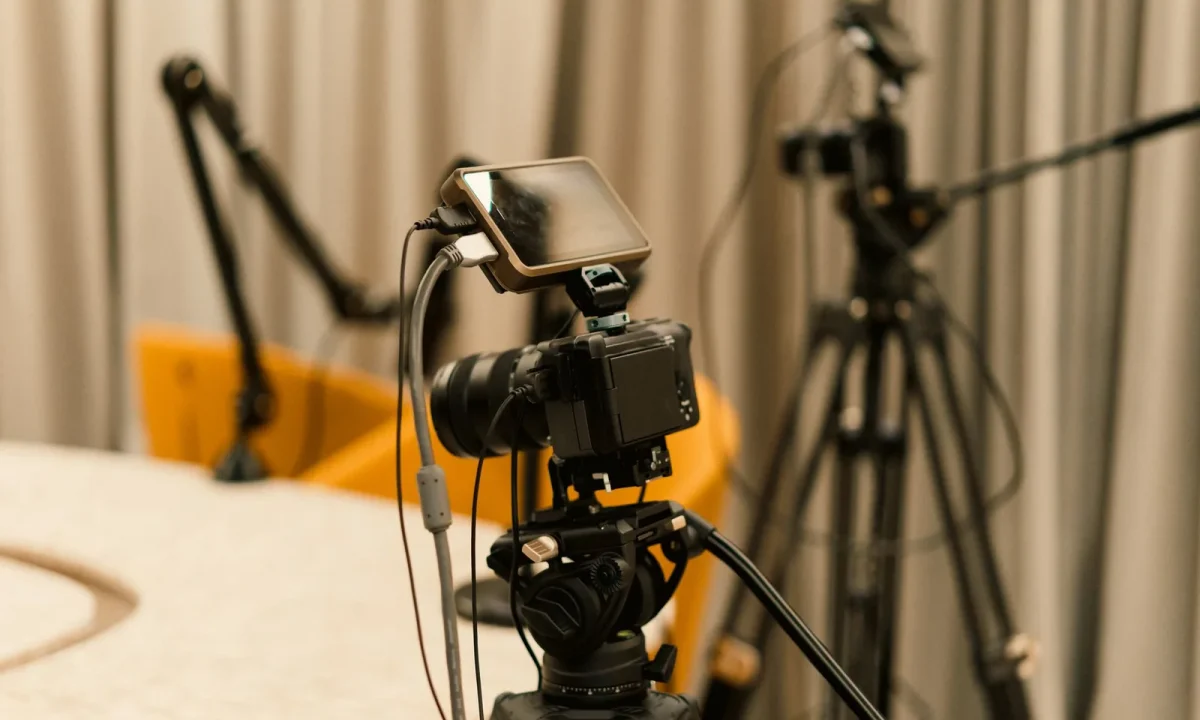
Live streaming with a teleprompter can enhance your presentations, but common mistakes can hinder your effectiveness. This guide will help you identify and avoid these pitfalls, ensuring a smoother experience and better audience engagement. By navigating the world of live streaming teleprompters with knowledge, you’ll be able to deliver your message clearly and confidently.
Understanding the Basics of Live Streaming Teleprompters
What is a Live Streaming Teleprompter?
A live streaming teleprompter is a specialized tool designed to aid speakers during live broadcasts by displaying text in a clear and organized manner. Unlike traditional teleprompters that may be used in pre-recorded contexts, live streaming teleprompters must adapt to the fast-paced nature of real-time presentations. They typically connect to a camera or streaming software, allowing presenters to read their scripts while maintaining eye contact with the audience. This technology is especially valuable for interviews, webinars, and any scenario where engaging with viewers is crucial.
Key Features to Look For
When selecting a live streaming teleprompter, consider several key features that will enhance your overall experience. Look for adjustable text size and speed settings, as these allow for customization based on your reading comfort. Additionally, compatibility with various streaming platforms is essential; ensure the teleprompter can seamlessly integrate with your chosen software. Other beneficial features may include remote control options, which allow you to adjust the script without interrupting your presentation, and high-resolution displays for optimal visibility.
How They Differ from Standard Teleprompters
Standard teleprompters are primarily used in controlled environments such as television studios, where the presenter can focus solely on the script. In contrast, live streaming teleprompters are designed for dynamic settings, where immediate adjustments may be necessary due to changing viewer reactions or technical issues. Moreover, live streaming teleprompters often have features specifically designed for online engagement, such as the ability to display viewer comments or questions in real-time, which is not a typical function of standard teleprompters.
Common Mistakes When Using a Live Streaming Teleprompter
Neglecting Preparation and Practice
One of the most significant mistakes you can make when using a live streaming teleprompter is failing to prepare adequately. Without thorough practice, you risk stumbling over your words or losing your place, which can lead to a disjointed presentation. Practicing allows you to become familiar with the script’s flow and helps you gauge the ideal pacing. Additionally, it builds confidence, ensuring that you can deliver your message effectively without relying solely on the teleprompter.
Ignoring Camera Angles and Positioning
Another common error is neglecting the importance of camera angles and positioning. If your teleprompter is not aligned correctly with the camera, it can disrupt your connection with the audience. Viewers appreciate eye contact, which can be challenging if you are constantly looking away from the lens to read the script. To remedy this, ensure that the teleprompter is positioned at eye level and directly in front of the camera. This setup allows you to engage with your audience while still referencing your script, creating a more natural and authentic presence.
Overloading the Script with Information
Overloading your teleprompter script with too much information is a common pitfall that can lead to confusion and disengagement. When viewers are bombarded with excessive details, they may lose interest or fail to retain key points. It’s essential to keep your message clear and concise, focusing on the main ideas you wish to convey. Prioritize essential information and avoid unnecessary jargon; this approach not only makes it easier for you to read but also enhances audience understanding.
Tips for Effective Usage of Teleprompters in Live Events
Adjusting Text Size and Speed
To ensure a smooth presentation, it is crucial to adjust the text size and speed on your teleprompter effectively. Text that is too small can strain your eyes, making it difficult to read quickly, while text that moves too fast can lead to mistakes. Perform a test run to find the optimal settings for your needs, allowing you to maintain a comfortable reading pace. Remember that the goal is to facilitate a natural flow of speech, so adjustments are key to achieving this balance.
Using Natural Eye Movement
Using natural eye movement while reading from a teleprompter can significantly enhance your delivery. Avoid the temptation to fixate on the text; instead, allow your eyes to move fluidly across the script. This technique not only helps maintain audience engagement but also conveys a sense of confidence and authenticity. Practice techniques that encourage eye movement, such as briefly glancing at the camera to establish a connection with viewers before shifting your gaze back to the teleprompter.
Engaging with the Audience
Engaging with your audience is vital for a successful presentation, and using a teleprompter should not detract from this interaction. Incorporate moments where you directly address your viewers or respond to their questions, fostering a two-way conversation. Use storytelling techniques to create a more immersive experience, and consider integrating audience feedback into your presentation flow. By prioritizing engagement, you enhance the overall impact of your live streaming event.
Technical Issues to Watch Out For
Connectivity Problems
Connectivity issues are one of the most frustrating challenges when using a live streaming teleprompter. Poor internet connections can lead to lagging or buffering, which disrupts the flow of your presentation. To mitigate these problems, test your internet speed before going live and, if possible, use a wired connection for greater stability. Additionally, consider having a backup internet source ready, such as a mobile hotspot, to ensure you remain connected throughout your broadcast.
Software Compatibility Issues
Software compatibility can also pose challenges when using a live streaming teleprompter. Not all teleprompters work seamlessly with every streaming platform, so it is essential to research and select tools that are compatible. Review the documentation for both your teleprompter and streaming software to ensure they can work together without issues. Additionally, performing a test run with your setup before the actual event can help identify any potential software conflicts.
Backup Plans for Teleprompter Failures
No matter how prepared you are, technical failures can happen. Having a backup plan in place is crucial to maintaining professionalism in the event of a teleprompter malfunction. Consider printing a copy of your script or having a second device set up as a backup teleprompter. Familiarize yourself with the key points of your presentation so that you can continue speaking confidently, even if your teleprompter fails. This readiness will help you navigate unexpected challenges without losing engagement with your audience.
Best Practices for Engaging Your Audience
Incorporating Visuals and Props
Engaging your audience goes beyond just delivering a script; incorporating visuals and props can enhance your message significantly. Visual aids, such as slides or videos, can help illustrate your points and keep viewers interested. Props related to your topic can also serve as conversation starters, making your presentation more interactive. By incorporating these elements, you create a multi-dimensional experience that enhances understanding and retention for your audience.
Using Interactive Elements
Consider incorporating interactive elements into your live streaming presentation to foster audience engagement. Polls, quizzes, or live Q&A sessions can encourage participation and make viewers feel involved in the conversation. These interactive features not only break the monotony of a one-sided presentation but also provide value to your audience, as they can express their opinions and ask questions in real time. Implementing these techniques can lead to a more dynamic and memorable experience for your viewers.
Maintaining a Conversational Tone
Adopting a conversational tone throughout your presentation can significantly enhance audience engagement. Instead of reading your script verbatim, use a style that feels personal and relatable. This approach encourages viewers to connect with you as a speaker, rather than just a voice reading from a script. Practice varying your tone and pacing to emphasize key points and convey emotion, making your presentation more engaging and enjoyable for your audience.
Resources for Improving Your Live Streaming Skills
Recommended Teleprompter Software
Investing in the right teleprompter software can make a significant difference in your live streaming experience. Software options vary in features, so look for solutions that support customizable settings, compatibility with multiple formats, and user-friendly interfaces. Research and read reviews to identify software that aligns with your needs, ensuring a smooth integration with your live streaming platform. Some popular options include PromptSmart, Teleprompter Pro, and EasyPrompter, which are known for their reliability and functionality.
Online Courses for Public Speaking
Improving your public speaking skills can greatly enhance your ability to use a live streaming teleprompter effectively. Numerous online platforms offer courses specifically designed to boost your public speaking abilities, covering topics such as audience engagement, speech delivery, and overcoming anxiety. Websites like Udemy and Coursera provide a variety of options to choose from, allowing you to learn at your own pace and focus on areas where you want to improve. Taking these courses can equip you with the necessary skills to present confidently and engagingly.
Community Forums and Support Groups
Joining community forums and support groups focused on live streaming and teleprompter usage can provide valuable insights and resources. These platforms often feature discussions on best practices, troubleshooting tips, and shared experiences from fellow users. Engaging with a community allows you to learn from others, seek advice, and share your own knowledge. Websites like Reddit and specialized teleprompter user groups on social media can serve as excellent resources for continuous improvement and support.
Conclusion
By understanding and avoiding common mistakes with your live streaming teleprompter, you can significantly enhance your presentations. Focus on preparation, audience engagement, and technical readiness to ensure a successful live event. Remember to practice your delivery, maintain eye contact, and be adaptable to any unforeseen circumstances. With the right approach, you can leverage the power of a live streaming teleprompter to create impactful and memorable presentations that resonate with your audience.
Frequently asked questions
How do I avoid sounding like I’m reading from a teleprompter during a live stream?
Practice reading the script out loud multiple times before going live so the phrasing feels natural. Rewrite any stiff or overly formal sentences into conversational language. Also, pause occasionally and ad-lib small comments to break the rhythm of continuous reading.
What font size and scroll speed work best for a live streaming teleprompter?
Use a large, clean sans-serif font (around 56–72pt depending on screen distance) so your eyes don’t have to strain or move noticeably. Set the scroll speed slightly slower than your natural speaking pace, and rehearse with it to find the sweet spot where you rarely have to pause or rush.
Should the teleprompter be placed above or below the camera lens?
Ideally, place it as close to the camera lens as possible—directly in front or just below—so your eye line stays near the lens. A teleprompter placed far to the side or well above eye level causes visible eye shifts that break the illusion of direct eye contact with your audience.
What should I do if the teleprompter freezes or glitches mid-stream?
Always have a printed backup or bullet-point outline on paper beside you. If the teleprompter stalls, transition naturally by summarizing the last point in your own words, then use your notes to continue until the tech issue is resolved.
Is it better to memorize or read word-for-word from a teleprompter during live streams?
Neither extreme is ideal. Reading word-for-word often sounds robotic, while full memorization adds pressure and risk of blanking out. The best approach is to use the teleprompter as a guided outline with key phrases, allowing room for natural phrasing and spontaneous reactions.
Recording with a script? Try Lumi.
Keep your script near the camera and out of your final video. Try free for 3 days.
Learn more


