Discover the essential best practices for teleprompters to enhance your video production and presentation skills. This guide is tailored for content creators, educators, and public speakers looking to improve their delivery.
Understanding Teleprompters
What is a Teleprompter?
A teleprompter is a device that displays a script in front of a camera lens, allowing presenters to read their speeches or content seamlessly while maintaining eye contact with their audience. This tool is widely used in television broadcasting, public speaking events, and online content creation. It helps speakers deliver their message confidently without memorizing every word.
How Teleprompters Work
Teleprompters function by reflecting text onto a transparent screen positioned at eye level. This screen appears to the audience as if the speaker is looking directly at them while reading their lines. The teleprompter software allows users to control the speed of the scrolling text, enabling them to adjust it according to their speaking pace.
Types of Teleprompters
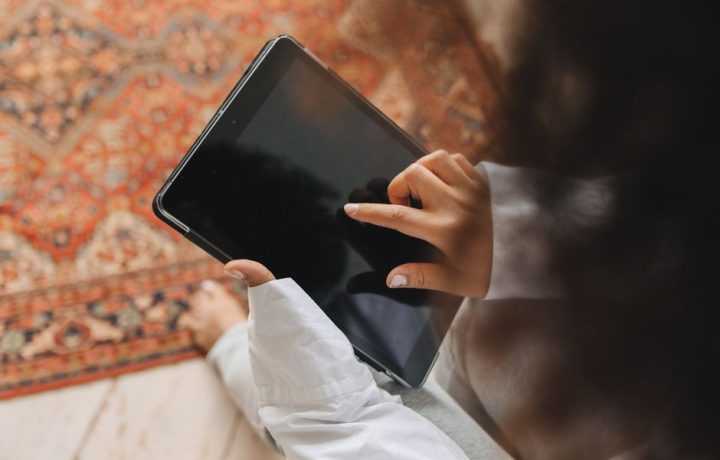
- Tablet-Based Teleprompters: These are portable and ideal for small productions or personal use. They often use apps to display scripts.
- Standalone Teleprompters: These are larger units used in professional settings, featuring a dedicated screen and camera setup.
- Professional Teleprompters: Commonly used in studios, these setups are designed for high-quality production and may include advanced features for seamless operation.
Setting Up Your Teleprompter
Choosing the Right Teleprompter
Selecting the appropriate teleprompter depends on your specific needs. Consider factors such as portability, budget, and the type of production. For instance, if you’re creating content on the go, a tablet-based teleprompter might be suitable. In contrast, for live events, a standalone or professional model may be more effective.
Positioning the Teleprompter
Correct positioning of the teleprompter is crucial for effective delivery. Place it at eye level to maintain natural eye contact with the audience. Ensure that the camera is aligned with the teleprompter to create the illusion that you are looking directly at your viewers, even while reading the script.
Lighting Considerations
Proper lighting can significantly enhance your teleprompter experience. Ensure that the teleprompter screen is evenly illuminated to avoid glare, which can hinder readability. Soft, diffused lighting is often best, as it minimizes harsh shadows and keeps the presenter well-lit without causing distractions.
Best Practices for Script Preparation
Writing for the Teleprompter
When writing your script, keep in mind that it should be conversational and easy to read. Use short sentences and straightforward language to ensure clarity. This approach helps you maintain a natural speaking rhythm while reading.
Formatting Your Script
Proper formatting is key to making your script teleprompter-friendly. Use a large font size, and break the text into manageable sections. Include pauses and cues in the script to remind you when to take breaks or emphasize certain points. This will help you stay engaged with your audience while delivering your message.
Using Cues and Prompts
Integrate cues and prompts throughout your script to guide your delivery. These can be reminders for tone changes, key points to emphasize, or even personal anecdotes to include. Having these prompts will help you maintain a natural flow and enhance your connection with the audience.
Delivery Techniques
Maintaining Eye Contact
One of the most effective teleprompter tips is to maintain eye contact with your audience. Practice reading from the teleprompter while looking at the camera lens, as this will create a more engaging experience for your viewers. Regular practice will help you become comfortable with this technique.
Pacing Your Speech
Controlling the pace of your speech is essential for effective communication. Use the teleprompter’s speed control features to find a comfortable rhythm. Remember to pause for effect and to allow your audience time to absorb key points. A well-paced delivery enhances clarity and keeps your audience engaged.
Using Natural Gestures
Incorporating natural gestures into your delivery can enhance your presentation. Use hand movements and body language to emphasize key points, but avoid overdoing it, as this can distract from your message. Practice coordinating your movements with your speech to create a more dynamic and memorable presentation.
Common Mistakes to Avoid
Over-reliance on the Script
While a teleprompter is a valuable tool, over-reliance on the script can lead to robotic delivery. It’s essential to familiarize yourself with the content and practice enough to deliver it naturally. This will help you connect with your audience on a personal level.
Poor Timing and Pacing
Falling into a rhythm that is too fast or too slow can detract from your message. Be mindful of your pacing and adjust as needed. Regular practice with your teleprompter will help you develop a sense of timing that feels comfortable for you and your audience.
Neglecting Technical Setup
Ensure that all technical aspects of your teleprompter setup are functioning correctly before your presentation. Check the connections, lighting, and sound equipment. Neglecting these details can lead to distractions that take away from your delivery.
Teleprompter Tips for Different Scenarios
For Online Presentations
When presenting online, ensure your teleprompter is visible on your screen, allowing you to engage directly with your audience while following your script. Use software that integrates well with your video conferencing platform to streamline the process.
For Live Events
In live settings, practice is crucial. Familiarize yourself with the teleprompter setup and rehearse in the actual venue if possible. This will boost your confidence and allow you to focus on delivering your message effectively.
For Educational Videos
When creating educational content, consider your audience’s learning style. Use clear and engaging language, along with visual aids, to enhance understanding. The teleprompter can help you maintain a consistent and organized flow of information.
Recommended Teleprompter Apps
Top Free Teleprompter Apps
There are several free teleprompter apps available that offer basic functionalities. These can be excellent starting points for beginners or those on a budget. Look for apps that allow you to control scrolling speed and customize text size.
Best Paid Teleprompter Solutions
For those looking for more advanced features, paid teleprompter solutions often provide enhanced capabilities, such as script importing, video recording, and cloud storage. Evaluate your needs and select a solution that aligns with your production goals.
Features to Look For
When choosing a teleprompter app, consider features such as:
- Adjustable scrolling speed
- Script import options in various formats
- User-friendly interface
- Integration with video recording software
Conclusion
By following these best practices for teleprompters, you can significantly enhance your video presentations and public speaking engagements. Remember to practice regularly and adjust your techniques based on feedback to achieve the best results. For more resources on improving your public speaking skills, check out Public Speaking Mastery.
Perguntas frequentes
What are the best practices for using a teleprompter?
Ensure the text is large enough to read comfortably from a distance. Maintain a natural speaking pace and practice beforehand to become familiar with the script.
How should I position the teleprompter?
Position the teleprompter at eye level to minimize strain and maintain eye contact with the camera. Adjust the distance based on your comfort and visibility.
What type of script works best with a teleprompter?
Scripts should be conversational and concise, avoiding overly complex sentences. Use bullet points for emphasis and clarity.
How can I avoid sounding robotic while using a teleprompter?
Practice reading the script aloud several times to find a natural rhythm. Incorporate pauses and inflections to make your delivery more engaging.
Are there specific teleprompter apps or software recommended?
Several apps like Teleprompter Pro and PromptSmart offer user-friendly interfaces and features. Choose one that suits your device and needs.
What should I do if I lose my place while reading?
Stay calm and take a brief pause to regain your focus. Familiarize yourself with the script structure to help you find your place quickly.
How can lighting affect teleprompter use?
Proper lighting is crucial to ensure the text is visible on the screen without glare. Avoid backlighting and ensure your face is well-lit for better visibility.
Is it necessary to rehearse with a teleprompter?
Yes, rehearsing is essential to build confidence and familiarity with the script. It helps you adjust your timing and improve your delivery.
Recording with a script? Try Lumi.
Keep your script near the camera and out of your final video. Try free for 3 days.
Learn more