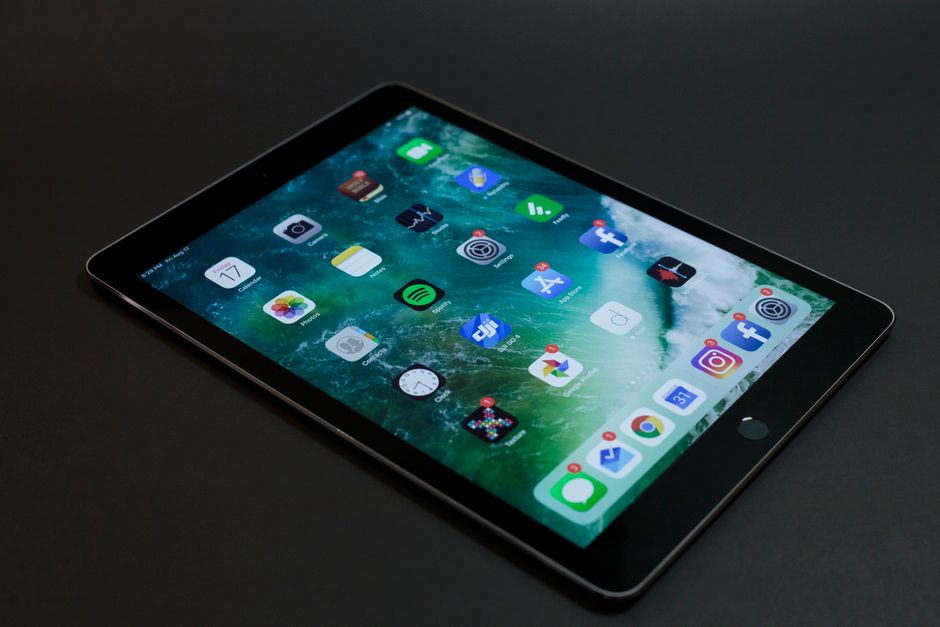
Discover how to effectively utilize the best teleprompter app for android tablet to enhance your video production process. This guide provides practical tips for content creators, vloggers, and educators.
Understanding Teleprompter Apps
What is a Teleprompter App?
A teleprompter app is a software tool designed to display text in a scrolling format, allowing presenters and speakers to read their scripts seamlessly while maintaining eye contact with the camera. These apps are particularly useful for video production, public speaking, and live broadcasts, providing an efficient way to deliver content without the distraction of paper notes. As mobile technology advances, teleprompter apps have become increasingly popular among content creators who need a compact and portable solution for script delivery.
Benefits of Using a Teleprompter App
The benefits of using a teleprompter app are numerous. Firstly, they enhance delivery by allowing speakers to maintain eye contact with their audience, which fosters a more engaging and professional presentation. Additionally, these apps help reduce anxiety associated with public speaking by providing a clear guide for what to say next. Furthermore, teleprompter apps often come equipped with features such as adjustable scrolling speeds, customizable text sizes, and mirroring options, which can be tailored to individual preferences and needs.
Choosing the Best Teleprompter App for Android Tablet
Key Features to Look For
When selecting the best teleprompter app for an Android tablet, it’s crucial to consider several key features. Look for apps that offer adjustable scrolling speed, allowing you to control how fast the text moves based on your speaking pace. A user-friendly interface is essential, as it enables quick navigation while setting up your scripts. Additionally, features like script formatting options, mirroring for use with external monitors, and cloud storage integration can greatly enhance the usability of the app and improve your overall experience.
Comparison of Top Apps
There are several teleprompter apps available for Android tablets, each with its unique characteristics. Popular choices include Teleprompter Pro, which is known for its sleek design and robust features, and PromptSmart, which utilizes voice recognition technology to automatically scroll based on your speech. For those looking for a budget-friendly option, the best teleprompter app for android free may include apps like Simple Teleprompter, which provides essential features without any cost. When choosing, consider your specific needs and the features that will best support your video production goals.
Setting Up Your Teleprompter App
Downloading and Installing the App
Setting up your teleprompter app begins with downloading and installing it from the Google Play Store. Ensure that your tablet meets the app’s requirements for optimal performance. After installation, open the app and familiarize yourself with its interface, noting where key features are located. This initial setup phase is critical; a good understanding of the app’s layout will streamline your workflow and enhance your overall efficiency.
Configuring Settings for Optimal Use
Once the app is installed, you’ll want to configure the settings to match your preferences. Adjust the text size, background color, and font style to ensure that the text is easy to read. It’s also advisable to set the scrolling speed to a comfortable pace—one that allows you to read without feeling rushed. Many apps allow you to save these settings as default, which can save time in future sessions. Additionally, consider testing the app’s features, such as mirroring, to see how they can enhance your video recording process.
Practical Tips for Using the Teleprompter App
Script Preparation and Formatting
Effective script preparation is key to utilizing your teleprompter app successfully. Ensure that your script is well-structured, with clear sections and cues to help you navigate your delivery. Use formatting tools within the app to highlight important points, making it easier to emphasize key messages during your presentation. Additionally, practice reading your script aloud to identify any awkward phrases or areas that may require adjustments, thus ensuring a smoother delivery when recording.
Adjusting Speed and Visibility
Adjusting scrolling speed and text visibility is crucial for effective teleprompting. Take time to experiment with different speeds during practice runs to find what feels most comfortable for you. Consider your audience and the context of your presentation; faster speeds may work for informal vlogs, while slower speeds may be necessary for more serious topics. Additionally, ensure that the text is visible against the background; a high-contrast color scheme often works best, ensuring that your audience can easily read along if necessary.
Enhancing Your Video Production
Integrating Teleprompter with Video Recording
Integrating your teleprompter app with video recording equipment can significantly elevate your production quality. Many teleprompter apps are compatible with external cameras, allowing for an organized and efficient setup. Consider using a tripod mount for your tablet, positioning it at eye level to maintain a natural gaze towards the camera. This setup not only improves your presentation style but also creates a more polished video that engages viewers effectively.
Best Practices for On-Camera Delivery
When delivering your content on camera, there are several best practices to keep in mind. Maintain steady eye contact with the camera lens as much as possible, which helps create a connection with your audience. Utilize natural hand gestures and facial expressions to enhance your delivery and convey authenticity. Remember to practice your script multiple times, as familiarity will help reduce dependence on the teleprompter, allowing you to deliver your message more naturally.
Common Mistakes to Avoid
Overlooking Script Preparation
One common mistake is neglecting thorough script preparation. A well-prepared script is the backbone of a successful presentation; without it, you may struggle to convey your message clearly. Always take the time to draft, revise, and rehearse your script, ensuring that it flows logically and effectively communicates your ideas. Additionally, be sure to include notes for emphasis or pauses, which can greatly improve your overall delivery.
Neglecting App Features
Another frequent oversight is not taking full advantage of the app’s features. Many teleprompter apps come with hidden gems—such as customizable templates, voice recognition, and even the ability to record your practice sessions. Familiarize yourself with these features to maximize the benefits of the app. Engaging with all available tools can help you produce better content, whether you’re filming a YouTube video or delivering a lecture.
User Experiences and Reviews
Testimonials from Content Creators
Feedback from users can provide valuable insights into the effectiveness of teleprompter apps. Many content creators praise apps like Teleprompter Pro and PromptSmart for their reliability and ease of use. Testimonials frequently highlight the noticeable improvement in their delivery and confidence when presenting with a teleprompter, showcasing how these tools can transform a speaker’s performance.
Success Stories Using Teleprompter Apps
Success stories abound among those who have utilized teleprompter apps effectively. Vloggers often share how these tools have enabled them to produce higher-quality videos and engage their audiences more effectively. Educators have reported that using a teleprompter has improved their lecture delivery, making complex subjects more accessible to students. These success stories illustrate the significant impact a teleprompter app can have on various types of presentations.
Conclusion
Using the best teleprompter app for android tablet can significantly improve your video production quality. By following the tips outlined in this guide, you can effectively engage your audience and deliver your message with confidence. For those looking for a comprehensive solution, tools like the Lumi Notch Teleprompter for Windows & Mac can further enhance your presentation capabilities. Start integrating these practical tips today to elevate your video content and make a lasting impression on your viewers.
Frequently asked questions
Can I connect a teleprompter app on my Android tablet to a physical teleprompter rig?
Yes, many apps support this via Bluetooth remote controls or by outputting the scrolling script to an external monitor. Check if the app offers ‘presentation mode’ or ‘external display’ support, which mirrors and flips the text correctly for a beam-splitter rig.
How do I import my script into a teleprompter app on an Android tablet?
Most apps allow you to paste text directly, import from a PDF or DOCX file, or sync with cloud services like Google Drive. Some also offer script creation tools within the app itself for formatting and adding pauses.
What features should I prioritize for smooth teleprompter use on a tablet?
Look for adjustable scroll speed, mirroring (for use with physical rigs), voice-activated scrolling, and customizable font size and background color. A clean, uncluttered interface is also critical to avoid distractions during recording or presentation.
How can I practice effectively with a teleprompter app to sound natural?
Start by using a larger font and slower speed to get comfortable with the flow. Practice reading in a conversational tone, and use the app’s pause or speed control features to emphasize key points. Record yourself to check for unnatural eye movements.
Recording with a script? Try Lumi.
Keep your script near the camera and out of your final video. Try free for 3 days.
Learn more


