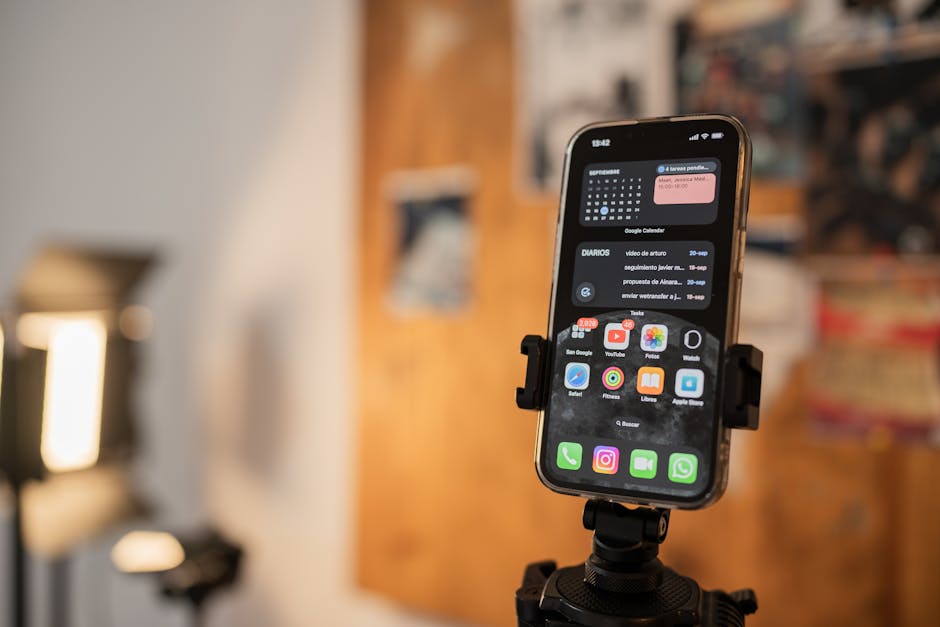

Foto: Amar Preciado
Best Teleprompter Apps for iOS: Enhance Your Presentations
Discover the best teleprompter apps for iOS that can enhance your video production and presentation skills. Whether you’re a content creator, educator, or public speaker, these apps are designed to make your life easier by providing seamless script reading capabilities.
Why Use a Teleprompter App?
Benefits for Content Creators
Teleprompter apps can significantly streamline the content creation process. By allowing users to read scripts seamlessly, these apps help reduce the number of takes needed for video recordings, leading to a more efficient workflow. Content creators can maintain eye contact with the camera while delivering their lines, which can enhance viewer engagement. Additionally, the ability to upload and manage scripts quickly makes these apps invaluable.
Moreover, teleprompter apps offer features like adjustable text size and scrolling speed, which can be customized according to the user’s needs. This flexibility ensures that content creators can deliver their messages effectively without the hassle of memorizing scripts.
Enhancing Public Speaking
For public speakers, teleprompter apps provide a level of confidence and professionalism. They allow speakers to deliver their speeches smoothly without the need to memorize every word. This can result in a more natural delivery and less performance anxiety, making it easier to connect with the audience. With features like text mirroring and remote control support, speakers can focus on their delivery rather than technicalities.
Additionally, these apps support various languages and script formats, making them versatile tools for international speakers. The ability to adjust text size and color also helps in creating a comfortable reading experience.
Streamlining Video Production
In the realm of video production, the best teleprompter apps for iOS can make the entire process more manageable. With features that allow for script scrolling and adjustments in speed, users can focus on their message rather than the mechanics of reading. This streamlining can lead to higher quality video content. Integration with video editing software further enhances the production process.
Furthermore, apps that offer cloud synchronization ensure that scripts are always accessible, providing a seamless workflow across multiple devices. This feature is particularly useful for teams working on collaborative projects.
Top Features to Look For
Ease of Use
A user-friendly interface is essential for any teleprompter app. Look for apps that allow for quick script uploads and easy navigation, ensuring that you can focus on your delivery rather than wrestling with technology. Apps with intuitive design and straightforward controls are highly recommended.
Consider apps that offer tutorial guides or customer support to assist new users in navigating the features. This support can be crucial for those unfamiliar with teleprompter technology.
Customization Options
Every speaker has different preferences when it comes to font size, color, and background. The best teleprompter apps for iOS should offer customization options to tailor the reading experience to your liking. These options can enhance readability and reduce eye strain during long presentations.
Additionally, look for apps that allow custom script templates and themes, enabling users to personalize their teleprompter experience further. This level of customization can be particularly beneficial for branding purposes in professional settings.
Compatibility with Other Tools
Integration with other tools and software can enhance your teleprompter experience. Whether you use video editing software or need to work with different file types, compatibility is key. Apps that support popular file formats such as PDF and DOCX are advantageous.
Moreover, compatibility with cloud services like Google Drive and Dropbox facilitates easy script management and sharing. This feature is essential for users who frequently collaborate with others on content creation.
Cloud Sync and Backup
To ensure that your scripts are always accessible, consider apps that offer cloud synchronization and backup options. This feature allows you to access your scripts from multiple devices, adding an extra layer of convenience. It also protects your data from accidental loss.
Look for apps that provide automatic backups and version history, enabling users to restore previous versions of their scripts if necessary. This functionality can save valuable time and effort in the event of data loss.
Best Teleprompter Apps for iOS
1. Teleprompter Pro
Teleprompter Pro is a highly rated app that offers many features to enhance your presentation. With easy script importing and adjustable scrolling speed, it is a favorite among content creators. Its user-friendly interface and robust functionality make it a top choice for professionals.
2. PromptSmart Pro
Known for its innovative voice tracking technology, PromptSmart Pro allows the text to scroll at your pace, making it ideal for those who want a more natural speaking experience. This feature sets it apart from other apps, providing a unique advantage for dynamic presentations.
3. BigVu Teleprompter
BigVu Teleprompter combines teleprompter functionality with video recording features, allowing users to create professional-looking videos right from the app. This integration simplifies the production process and enhances the overall quality of the content.
4. Teleprompter Premium
With a focus on simplicity and efficiency, Teleprompter Premium is perfect for those who want a straightforward solution without unnecessary complications. Its minimalist design and reliable performance make it a go-to option for many users.
These apps are highly rated by users and offer various features suitable for different needs. Explore their capabilities to find the one that aligns best with your requirements.
Comparison of Top Apps
Pricing Models
When selecting a teleprompter app, consider the pricing models available. Some apps offer free versions with limited features, while others may require a subscription for full functionality. Understanding your budget can help narrow down your options. Be sure to assess the cost-benefit ratio to ensure you get value for your investment.
User Interface Comparison
The user interface can greatly influence your experience with a teleprompter app. Some apps are designed with simplicity in mind, while others offer more complex features. It’s wise to explore reviews and user experiences to find an app that suits your preference. A well-designed interface can significantly enhance usability and productivity.
Performance and Reliability
No one wants their teleprompter to fail during a crucial moment. Consider researching user feedback regarding the performance and reliability of the apps you’re interested in to ensure a smooth experience. Reliability is crucial for maintaining professionalism and delivering high-quality presentations.
User Tips for Effective Use
Practice with the Script
Before going live or recording, practice with your script a few times. Familiarizing yourself with the content can help you maintain a steady flow and improve your delivery. Rehearsing also allows you to make necessary adjustments to the script for clarity and impact.
Adjusting Speed Settings
Take advantage of the speed settings available in teleprompter apps. Experiment with different speeds to find what feels most comfortable for your reading style. Adjusting the speed can help maintain a natural delivery pace and prevent rushed or awkward presentations.
Using a Remote Control
For a hands-free experience, consider using a remote control to manage your teleprompter. This allows you to focus entirely on your presentation without needing to touch your device. Remote controls can enhance your control over the pacing and flow of your script.
Conclusion
Investing in a good teleprompter app can elevate your content creation and presentation skills. Analyze your needs and select the app that best fits your workflow. With the right tools, you can enhance your confidence and deliver your message effectively. Explore options like Teleprompter Pro and PromptSmart Pro to find the perfect match for your requirements.
FAQ
-
What are the best teleprompter apps for iOS?
Some of the best teleprompter apps for iOS include Teleprompter Pro, PromptSmart Pro, and BigVu. These apps offer features like adjustable speed, text mirroring, and easy script management. -
Are there any free teleprompter apps available for iOS?
Yes, there are free teleprompter apps available for iOS, such as Teleprompter Lite and Simple Teleprompter. While they may have limited features compared to paid versions, they can still be useful for basic prompting. -
Can I use a teleprompter app for video recording?
Absolutely, many teleprompter apps for iOS are designed to work seamlessly with video recording. They allow you to read your script while recording, ensuring a smooth presentation. -
Do teleprompter apps support different languages?
Most teleprompter apps support multiple languages, enabling users to create scripts in their preferred language. Check the app’s specifications to confirm language support. -
How do I adjust the text speed in a teleprompter app?
Text speed can typically be adjusted within the app’s settings or playback controls. Look for options labeled ‘speed’ or ‘scroll rate’ to customize it according to your needs.
Teleprompter TipsVideo Production AppsPublic Speaking Tools “`
Recording with a script? Try Lumi.
Keep your script near the camera and out of your final video. Try free for 3 days.
Learn more


