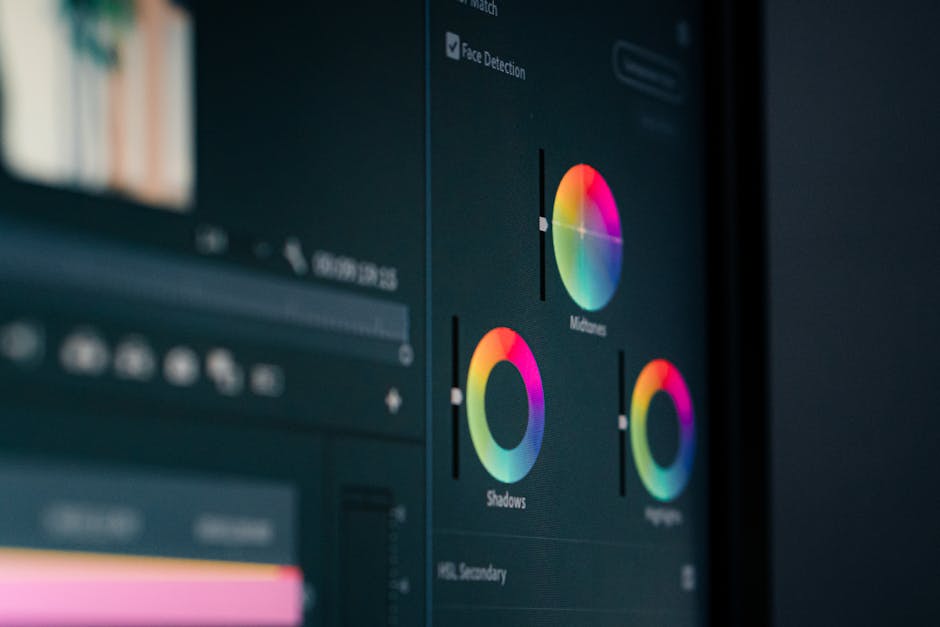
In this comprehensive guide, we will explore basic video editing techniques that every content creator should know. Whether you’re a beginner or looking to refine your skills, these techniques will enhance your video production quality and help you engage your audience effectively.
Understanding Video Editing Basics
What is Video Editing?
Video editing is the process of manipulating and rearranging video footage to create a new work. It encompasses various techniques that allow editors to cut, trim, splice, and enhance the original video material into a coherent and engaging story. This can range from simple tasks like cutting unnecessary scenes to more complex processes involving visual effects and sound design.
Importance of Editing in Video Production
Editing is a crucial step in video production as it directly affects the final product’s quality and effectiveness. Well-edited videos can capture attention, convey messages clearly, and evoke emotions. On the other hand, poor editing can lead to confusion and disengagement from the audience. Thus, mastering basic video editing techniques is essential for any content creator.
Common Terminology
- Cut: The transition from one shot to another.
- Trim: Removing parts of a clip without affecting its overall sequence.
- Transition: Effects that occur between cuts, such as fades or wipes.
- Audio Ducking: Lowering the volume of one audio track when another is present.
Essential Basic Video Editing Techniques
Cutting and Trimming
One of the most fundamental basic video editing techniques is learning how to cut and trim clips effectively. Cutting allows you to remove unwanted sections of video, while trimming involves adjusting the start and end points of clips to ensure smooth transitions. Proper use of these techniques can significantly enhance the pacing and flow of your video.
Adding Transitions
Transitions help to create a seamless flow between clips. Whether you choose a simple fade or a more elaborate wipe, the right transition can elevate your video and maintain viewer engagement. It’s essential, however, to use transitions judiciously to avoid distracting your audience.
Incorporating Titles and Text
Titles and text overlays can provide context, highlight key points, or enhance storytelling. Using clear and visually appealing fonts is crucial, as is ensuring that the text is easy to read against the background. Be mindful not to overcrowd your video with text; clarity is key.
Adjusting Audio Levels
Audio quality is just as important as the visuals in your video. Adjusting audio levels ensures that dialogue, sound effects, and background music are balanced. You might find it helpful to use audio ducking to lower the music volume when dialogue is present, creating a professional sound mix.
Recommended Editing Software
Free Video Editing Software
There are numerous free video editing software options available that are great for beginners. Programs like DaVinci Resolve and iMovie provide robust features without the cost. They are user-friendly and offer tutorials that make it easier for newcomers to start editing videos.
Paid Video Editing Software
If you are looking for more advanced features, consider investing in paid software like Adobe Premiere Pro or Final Cut Pro. These programs offer extensive capabilities for professional video editing, including advanced color correction and audio editing tools.
Choosing the Right Software for Your Needs
When selecting editing software, consider your editing goals, budget, and level of expertise. Beginners may find free software sufficient for their needs, while more experienced editors might prefer the flexibility and features of paid options. It’s also helpful to consult Video Recording Tips for Professionals for additional guidance on optimizing your editing process.
Tips for Effective Video Editing
Organizing Your Clips
Before you start editing, it’s vital to organize your clips. Creating a structured file system for your footage can save you time and frustration during the editing process. Consider labeling files clearly and grouping similar clips together to streamline your workflow.
Creating a Storyboard
Storyboarding is an excellent technique for visualizing your video before you start editing. It helps you plan the sequence of shots and understand the narrative flow. A well-thought-out storyboard can lead to a more cohesive final product.
Maintaining a Consistent Style
Consistency in style—whether it’s color grading, font choices, or transition types—helps to create a polished and professional look. Establishing a style guide for your videos can aid in maintaining this consistency, ensuring that your content is recognizable and aligns with your brand.
Common Mistakes to Avoid
Overusing Effects
While effects can enhance your video, overusing them can detract from the message. It’s best to use effects sparingly and only when they genuinely add value to your content.
Neglecting Audio Quality
Audio is often overlooked in video editing, yet it can significantly impact viewer perception. Always prioritize audio quality; invest time in editing sound and ensuring clear dialogue. Poor audio can lead to disengagement, regardless of how visually appealing the video is.
Ignoring Color Correction
Color correction is essential for achieving a cohesive look across different shots. Ignoring this step can result in a jarring viewing experience. Make sure to adjust colors and brightness to enhance the overall visual quality of your video.
Resources for Further Learning
Online Courses and Tutorials
Many platforms offer online courses that cover basic video editing techniques comprehensively. Websites like Udemy and Skillshare provide courses tailored for beginners and advanced editors alike.
YouTube Channels for Video Editing
YouTube is a treasure trove of free video editing tutorials. Channels like Peter McKinnon and Justin Odisho offer valuable insights and techniques that can help you improve your editing skills.
Books on Video Production
Books such as “In the Blink of an Eye” by Walter Murch and “The Technique of Film Editing” by Karel Reisz are excellent resources to deepen your understanding of video editing principles and techniques.
Conclusion
By mastering these basic video editing techniques, you can significantly improve the quality of your videos and engage your audience more effectively. Remember that practice is key, so keep experimenting and refining your skills.
Perguntas frequentes
What are basic video editing techniques?
Basic video editing techniques include cutting, trimming, and merging clips, adding transitions, adjusting audio levels, and incorporating text overlays. These techniques help create a polished final product and enhance storytelling.
How do I cut and trim video clips?
Cutting and trimming involve removing unwanted sections from your video clips. Most editing software has a timeline feature where you can select the clip, drag the edges to trim, or use a cutting tool to split the clip.
What are transitions and how do I use them?
Transitions are effects that smooth the change from one clip to another, such as fades or wipes. You can apply them between clips in the timeline to enhance flow and maintain viewer engagement.
How can I adjust audio levels in my video?
Adjusting audio levels can be done using the audio mixer or track settings in your editing software. You can increase or decrease volume, add background music, or use effects to improve sound quality.
What is the importance of adding text overlays?
Text overlays provide context, emphasize key points, or add information to your video. They can also enhance branding and help convey your message more effectively.
Can I edit videos on my phone?
Yes, many mobile apps offer basic video editing features like cutting, trimming, and adding effects. These apps are user-friendly and allow you to edit videos on the go.
What software is recommended for beginners?
Beginners can start with user-friendly software like iMovie, Windows Movie Maker, or online platforms like Canva. These options offer basic functionalities and intuitive interfaces.
How do I export my edited video?
Exporting your video typically involves selecting the export option in your editing software and choosing the desired format and resolution. Ensure you save your project beforehand to avoid losing any edits.
Recording with a script? Try Lumi.
Keep your script near the camera and out of your final video. Try free for 3 days.
Learn more


