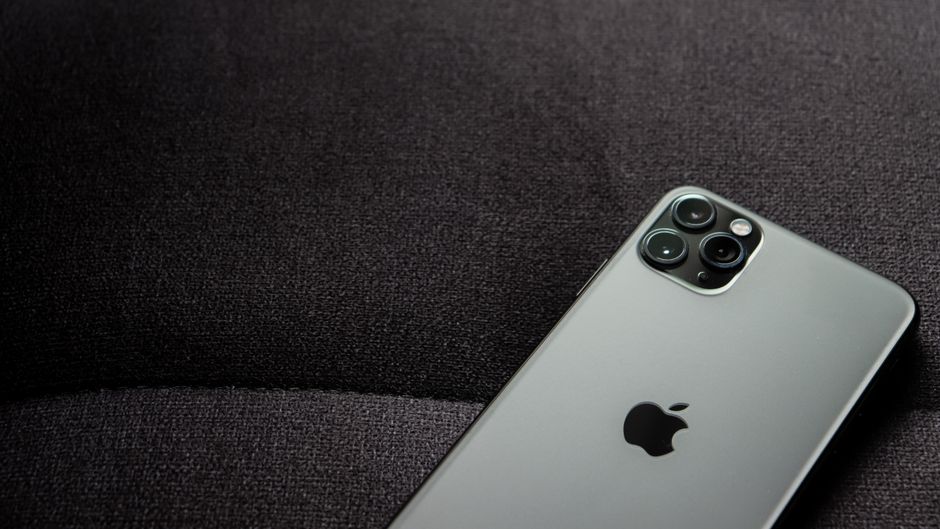
For beginners venturing into video production, discovering the right teleprompter app for iPhone can significantly enhance the quality of your content. This guide explores various options and tips to help you choose the best teleprompter app for iOS.
Understanding Teleprompter Apps
What is a Teleprompter App?
A teleprompter app is a software application designed to help speakers deliver their content smoothly and confidently by displaying their script on a screen. These apps typically provide a scrolling text feature, allowing users to read their lines while maintaining eye contact with the camera or audience. This functionality mimics the traditional teleprompter devices used in television studios, making it accessible for anyone with a smartphone or tablet.
Teleprompter apps have become increasingly popular among content creators, educators, and business professionals. They cater to a wide range of needs, from recording video presentations to delivering speeches at events. By using a teleprompter app, individuals can enhance their delivery, reduce anxiety, and improve their overall presentation skills.
Benefits of Using a Teleprompter App for iPhone
Utilizing a teleprompter app on your iPhone can provide several benefits. First, it allows for improved fluency and coherence in presentations. With the script displayed in real-time, speakers can focus on their delivery rather than memorizing lines. This capability not only increases confidence but also enables a more natural and engaging presentation style.
Additionally, teleprompter apps often come with customizable features such as adjustable font sizes, scrolling speeds, and layouts. This flexibility allows users to tailor the experience to their preferences and ensures that the text is legible from a distance. Furthermore, many apps support remote control options, enabling users to operate the scrolling without needing a second person. Overall, these features make teleprompters a powerful tool for enhancing video production quality.
Is There a Teleprompter App for iPhone? Overview
Popular Teleprompter Apps for iPhone
When searching for a teleprompter app for your iPhone, you will find various options available. Some of the most popular choices include Teleprompter Premium, PromptSmart Pro, and BigVu. Each of these apps offers unique features, making them suitable for different types of users.
For instance, Teleprompter Premium is known for its user-friendly interface and customizable options, making it an excellent choice for beginners. On the other hand, PromptSmart Pro uses voice recognition technology to automatically scroll the script as you speak, which can be particularly helpful for those who may struggle to keep pace with manual scrolling.
How to Choose the Best Teleprompter App for iOS
Choosing the best teleprompter app for iOS involves considering your specific needs and preferences. Start by evaluating the core features offered by each app. Look for adjustable text size, customizable scrolling speed, and remote control capabilities to enhance your experience. Additionally, consider the user interface and overall ease of use, especially if you are new to video production.
Reading user reviews and seeking recommendations from other content creators can also provide valuable insights into the performance and reliability of various teleprompter apps. Remember that experimenting with a few different options may help you find the app that best suits your style and workflow.
Best Free Teleprompter App for iOS: Top Picks
Key Features to Look For
When exploring the best free teleprompter app for iOS, it’s crucial to identify the features that matter most to you. Essential functionalities include the ability to customize text size and color, adjust scrolling speed, and control the direction of the scroll. Some free apps also offer cloud storage integration, allowing you to access your scripts from multiple devices, which can be a significant advantage for frequent users.
Moreover, consider apps that provide a simple interface without excessive ads or distractions. A clean and intuitive design will make it easier for you to focus on your content while using the app, enhancing your overall experience.
Comparing Free Options
There are several free teleprompter apps available for iOS, each with its pros and cons. For example, some popular free options include Teleprompter Lite and Simple Teleprompter. Teleprompter Lite offers basic features, such as adjustable text size and scrolling speed, making it suitable for beginners. However, it may lack some advanced functionalities found in premium versions.
On the other hand, Simple Teleprompter focuses on providing a straightforward experience without unnecessary complexities. However, it may have limited features compared to paid options. By comparing the free options, you can determine which app aligns best with your requirements and helps you get started with teleprompters effectively.
Getting Started with Your Chosen App
Setting Up the App
Once you’ve selected a teleprompter app that fits your needs, the next step is to set it up. Start by downloading the app from the App Store and following the installation instructions. Most teleprompter apps will guide you through the initial setup process, which may include customizing settings, importing scripts, and adjusting the layout to your liking.
It’s essential to explore the app’s features thoroughly during this setup phase. Familiarize yourself with the interface, test the scrolling functionality, and make any necessary adjustments to ensure a smooth experience when you begin using it for your presentations.
Tips for Effective Use
To maximize the benefits of your teleprompter app, consider implementing some best practices. Start by rehearsing your script multiple times before recording or presenting to ensure a natural delivery. If your app supports voice recognition scrolling, practice speaking at a consistent pace for optimal results.
Additionally, maintain eye contact with the camera or audience as much as possible. This connection enhances the viewer’s experience and makes your presentation feel more engaging. Finally, remember to adjust the scrolling speed based on your comfort level, allowing for a fluid reading experience that complements your speaking style.
Enhancing Video Production with Teleprompters
Integrating Teleprompters into Your Workflow
Integrating teleprompters into your video production workflow can significantly elevate the quality of your content. Consider using a teleprompter app for various types of videos, such as tutorials, product reviews, or even live presentations. By incorporating a teleprompter, you can maintain a clear structure in your content while conveying your message effectively.
Furthermore, tools like the Lumi Notch Teleprompter for Windows & Mac can provide additional support for those who prefer working on a desktop environment. This versatility allows you to adapt your workflow based on your specific needs, ensuring that you can produce high-quality videos consistently.
Common Mistakes to Avoid
Even though teleprompters are designed to aid in presentations, there are common mistakes that users should be aware of. One frequent error is reading too quickly, which can disrupt the flow of your delivery. It’s essential to practice pacing yourself to create a more engaging experience for your audience.
Another mistake is failing to rehearse with the teleprompter app before going live or recording. This lack of preparation can lead to awkward pauses or stumbling over words. To avoid this, spend time familiarizing yourself with your script and the app’s functionalities to ensure a smooth delivery.
User Experiences and Feedback
Reviews of Popular Teleprompter Apps
User reviews can provide valuable insights into the effectiveness and usability of teleprompter apps. Many users note the importance of features such as text size customization and ease of use. Apps like PromptSmart Pro often receive praise for their voice recognition technology, which allows for seamless scrolling that adapts to a speaker’s pace.
Conversely, some users may express concerns over limitations in free versions, such as fewer features or intrusive ads. By reading a variety of reviews, you can gain a better understanding of which app might be the most suitable for your needs.
Community Recommendations
Engaging with communities of content creators can also provide helpful recommendations for teleprompter apps. Online forums, social media groups, and video production communities often share experiences and tips regarding different apps. Participating in these discussions can help you discover lesser-known options or gain insights into how others utilize teleprompters effectively in their work.
By leveraging community feedback, you can make a more informed decision and potentially uncover hidden gems that perfectly match your requirements.
Conclusion
Choosing the right teleprompter app for iPhone can make a significant difference in your video production quality. By exploring the available options and following best practices, beginners can enhance their content creation process effectively. Remember to consider your specific needs, test various apps, and incorporate teleprompters into your workflow to improve your presentations.
As you embark on your journey into video production, don’t hesitate to seek out additional resources and community support. The right tools and knowledge can empower you to create engaging and professional content that resonates with your audience.
Frequently asked questions
Are there free teleprompter apps for iPhone?
Yes, there are several free teleprompter apps available for iPhone, such as Teleprompter Premium (which offers a free version with basic features) and PromptSmart Lite. These apps provide core scrolling text functionality, though advanced features like remote control or custom fonts often require a paid upgrade.
Can I use the iPhone’s built-in camera with a teleprompter app?
Most teleprompter apps are designed to work alongside your iPhone’s camera app or a separate video recording app. You simply position the script overlay on your screen while recording with another app. Some apps, like Teleprompter Premium, offer an integrated camera function within the app itself for a more seamless experience.
How do I import my script into an iPhone teleprompter app?
You can typically import scripts by copying and pasting text directly into the app, uploading documents from cloud services like iCloud Drive or Google Drive, or syncing with a notes app. Many apps also support direct file import from email attachments or other apps using the iOS Share Sheet.
What is the best teleprompter app for beginners on iPhone?
For beginners, ‘Teleprompter Premium’ is often recommended due to its intuitive interface and helpful tutorials. Another excellent choice is ‘PromptSmart’, which uses voice recognition to automatically scroll the text as you speak, making it easier to maintain a natural pace without manual control.
Recording with a script? Try Lumi.
Keep your script near the camera and out of your final video. Try free for 3 days.
Learn more


