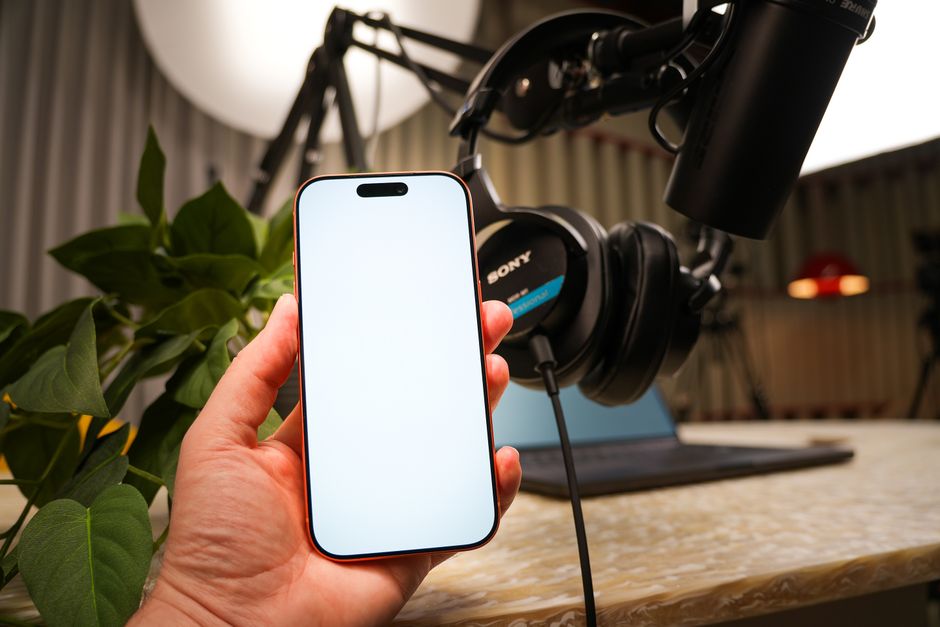
In today’s content-driven world, having a reliable teleprompter app can transform your video production process. This article explores the best practices for using a teleprompter app on iPhone, ensuring smooth delivery and enhanced presentation skills. Is there a teleprompter app for iphone? Absolutely—there are multiple options available that cater to various needs.
Understanding Teleprompter Apps for iPhone
What is a Teleprompter App?
A teleprompter app is a digital tool designed to display text in a way that allows speakers to read their scripts effortlessly while maintaining eye contact with the camera. These apps have become essential for content creators, presenters, and anyone needing to deliver speeches or video content. Unlike traditional teleprompters, which are bulky and expensive, mobile apps provide a portable and cost-effective solution for iPhone users.
Benefits of Using a Teleprompter App on iPhone
Using a teleprompter app on your iPhone offers several benefits. First, the convenience of having all your scripts on a device you already carry makes preparation simpler and more efficient. Second, many apps come with customizable settings, allowing you to adjust text size, speed, and background color for optimal viewing. This customization can significantly reduce the strain on your eyes during long recordings. Lastly, using a teleprompter can enhance your delivery by ensuring you stay on script and maintain a natural flow in your presentation.
Top Features to Look for in a Teleprompter App
User-Friendly Interface
A user-friendly interface is crucial for a smooth experience when using a teleprompter app. The app should provide intuitive navigation, allowing you to quickly access scripts and adjust settings without fumbling during your recording. Look for apps that offer simple commands and clear layouts, which can help you focus more on your delivery rather than on operating the app.
Customizable Text Options
Every presenter has different preferences when it comes to text display. Therefore, a good teleprompter app should offer customizable text options, including font size, style, and color. This customization ensures you can read your script comfortably, regardless of lighting conditions or your personal visual preferences. Additionally, some apps allow you to import scripts from different sources, enhancing your flexibility.
Playback Control Features
A critical feature in any teleprompter app is the playback control. You want to have the ability to adjust the scrolling speed based on your speaking pace. Features like pause, rewind, and fast-forward can also be beneficial during practice sessions or when you need to go back to a specific part of your script. These controls can make your presentations feel much more natural and fluid.
Compatibility with Other Apps
Look for teleprompter apps that can integrate well with other tools you use in your video production process. This might include compatibility with video recording apps or editing software. Having a cohesive workflow can save you time and effort, allowing you to focus on creating quality content. For example, the Lumi Notch Teleprompter for Windows & Mac provides features that complement various video production setups.
Best Free Teleprompter Apps for iPhone
Overview of Free Options
Several free teleprompter apps are available for iPhone users, making it accessible for anyone on a budget. Apps like Teleprompter Lite and BigVu offer essential features that allow users to practice and present their scripts effectively. While free options may have limitations in functionality compared to premium apps, they still serve as excellent tools for beginners or those testing the waters of teleprompting.
Comparative Analysis of Top Free Apps
When evaluating free teleprompter apps, consider factors such as ease of use, available features, and user reviews. Teleprompter Lite, for instance, offers a straightforward interface and basic functionalities, making it perfect for casual use. BigVu, on the other hand, combines teleprompter capabilities with video editing features, providing a more comprehensive toolkit for creators looking to enhance their video production quality.
Best Practices for Using a Teleprompter App
Preparing Your Script Effectively
Proper script preparation is essential for successful teleprompting. Start by formatting your script in a way that is easy to read on your device. Use short paragraphs and clear language, and consider adding cues for pauses or emphasis. This preparation will help you deliver your lines naturally, preventing awkward pauses or stumbling over words.
Adjusting Settings for Optimal Performance
Before recording, take the time to adjust the app’s settings to suit your preferences. This includes configuring the scrolling speed, adjusting the text size, and choosing the right background color. These adjustments can make a significant difference in your comfort level while presenting. Additionally, ensure that your iPhone’s brightness is appropriately set to avoid glare or strain on your eyes.
Practicing with the App Before Recording
Practice makes perfect, especially when using a teleprompter app. Familiarize yourself with the app’s features and practice reading your script multiple times. This practice will help you become comfortable with the scrolling text and allow you to identify any adjustments needed in your settings. The more you practice, the more confident you will feel during your actual recording.
Tips for Enhancing Video Production with Teleprompters
Improving Delivery and Engagement
To enhance your delivery, focus on maintaining eye contact with the camera while reading your script. This connection is crucial for engaging your audience. Avoid reading directly from the screen; rather, try to speak as if you are conversing with someone. Practicing this technique can significantly improve your charisma and delivery.
Setting Up Your Recording Environment
Your recording environment plays a significant role in video quality. Ensure that your background is uncluttered and professional, and that the lighting is adequate. Natural light is often the best option, but soft artificial lights can also work well. Additionally, ensure that your camera is positioned at eye level to create a more immersive viewing experience.
Utilizing Camera Angles and Framing
Experimenting with different camera angles and framing can greatly enhance the visual appeal of your videos. A common practice is to use a medium shot that captures your upper body and face, allowing viewers to connect with you. Additionally, consider using multiple cameras for dynamic shots if your production setup allows it.
Common Mistakes to Avoid with Teleprompter Apps
Ignoring Script Preparation
One of the most significant mistakes you can make is neglecting script preparation. Failing to format your script properly can lead to confusion during your presentation. Always ensure your script is clear, concise, and easy to read by the time you start recording.
Neglecting App Features
Many users overlook the various features available within their teleprompter apps. Spend time exploring the app and understanding how its features can enhance your experience. For example, using the playback controls effectively can help you fine-tune your delivery during the practice sessions.
Poor Camera Setup
Finally, a common mistake is neglecting the camera setup. Ensure that the camera is stable and at eye level for the best results. Using a tripod can help maintain a steady shot and give you a professional look. Remember, a well-set camera can significantly impact how your audience perceives your presentation.
Real User Experiences with Teleprompter Apps
Success Stories from Content Creators
Many content creators have shared success stories about their experiences using teleprompter apps. These stories often highlight how a teleprompter app has helped them enhance their videos, improve their delivery, and even save time during production. Users have reported feeling more confident in their presentations, leading to better viewer engagement and increased audience retention.
Challenges Faced and Overcome
While teleprompter apps provide significant benefits, users also face challenges. Common issues include adjusting to the scrolling speed and managing distractions during recording. However, many creators have successfully overcome these challenges by practicing regularly and fine-tuning their app settings. Sharing these experiences can provide valuable insights for new users and help them navigate the learning curve more effectively.
Conclusion
In conclusion, using a teleprompter app on your iPhone can significantly enhance your video production quality. By following the best practices outlined in this article, you can ensure a smoother and more professional presentation. Embrace the technology available to you, and consider exploring various teleprompter apps to find the one that best suits your needs. For further insights, check out our guide on Best Teleprompter Apps to discover more options that can elevate your video production game.
Frequently asked questions
What are the best teleprompter apps for iPhone?
Top-rated options include PromptSmart (adjusts to your voice speed), Teleprompter Premium (professional features), and Elegant Teleprompter (free and user-friendly). Each offers different strengths depending on whether you need voice-activated scrolling or advanced customization.
How do I use a teleprompter app effectively on my iPhone?
Use a tripod for stability and position the camera lens near the scrolling text to maintain eye contact. Practice with the script beforehand, adjust the scroll speed to match your natural speaking pace, and use a remote control or the app’s voice sync feature for smoother delivery.
Are there free teleprompter apps for iPhone that actually work?
Yes, apps like Elegant Teleprompter and PromptSmart’s basic version offer solid functionality for free. While they may have ads or watermarks, they provide essential features like adjustable scroll speed and script importing, making them suitable for casual users and beginners.
Can I use a teleprompter app for live streaming or video calls on my iPhone?
Many teleprompter apps work alongside live streaming apps like Zoom or Instagram Live by overlaying text on your screen. For best results, use an app that offers a translucent display and ensure the text appears near your front camera to maintain direct eye contact with your audience.
Recording with a script? Try Lumi.
Keep your script near the camera and out of your final video. Try free for 3 days.
Learn more


