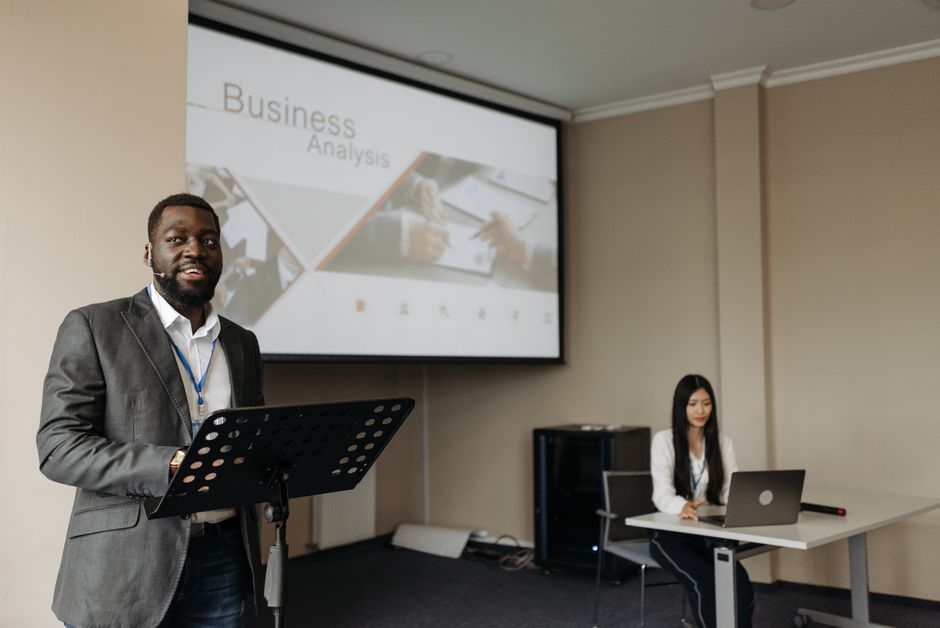
Discover how to effectively use a teleprompter for presentations to enhance your delivery and engage your audience. This guide provides practical insights tailored for content creators, video producers, and educators.
Understanding the Role of a Teleprompter in Presentations
What is a Teleprompter?
A teleprompter is a device that displays text for a speaker to read while maintaining eye contact with the audience. It typically consists of a screen that shows the script and a reflective glass that allows the speaker to see the text without looking away from the camera. This technology has become an essential tool for presenters in various fields, including journalism, broadcasting, and public speaking.
Benefits of Using a Teleprompter for Presentations
There are numerous advantages to utilizing a teleprompter for presentations. Firstly, it enables speakers to deliver their messages more confidently, as they can read from a prepared script while also engaging with their audience. This dual focus helps in maintaining a natural presentation style. Secondly, it aids in reducing the chances of forgetting important points or getting off track, ensuring a smoother flow of information. Furthermore, teleprompters allow presenters to keep their eyes on the camera, making the delivery feel more personal and engaging.
Common Misconceptions About Teleprompters
Many people believe that using a teleprompter is a crutch for inexperienced speakers. However, this is a misconception. In reality, even seasoned presenters can benefit from the structure and guidance a teleprompter provides. Another common myth is that teleprompters are only for professional broadcasters. In truth, anyone who delivers presentations, including educators and content creators, can enhance their performance by using this tool effectively.
Choosing the Right Teleprompter App for Your Needs
Key Features to Look for in a Teleprompter App
When selecting a teleprompter app, consider several key features to ensure it meets your needs. Customizable text size is essential for readability, as is the capability to edit your script easily. Remote control functionality can also be a significant advantage, allowing you to start, stop, and adjust the speed of the scrolling text without being tethered to your device. Additionally, look for apps that offer cloud storage options for easy access to your scripts across different devices.
Top Teleprompter Apps for Presentations
Many teleprompter apps are available, each with unique features. Some popular options include Teleprompter Pro, PromptSmart Pro, and BigVu. These apps cater to different user needs, from simple script display to advanced features like voice recognition and automatic scrolling. For instance, The Ultimate Guide to Teleprompter Apps for iPhone and Android provides an extensive overview of the best options available in the market.
Comparing Free vs Paid Teleprompter Apps
Free teleprompter apps can be a great starting point for beginners, but they often come with limitations such as ads, fewer features, or lack of support. On the other hand, paid apps usually offer a more comprehensive set of tools, better user interfaces, and customer support. It’s essential to weigh the pros and cons based on your presentation needs and budget. Investing in a quality app, such as the Lumi Notch Teleprompter for Windows & Mac, can significantly enhance your presentation experience.
Preparing Your Script for Teleprompter Use
Best Practices for Script Formatting
Formatting your script correctly is crucial for effective teleprompter use. Use short paragraphs and simple language to enhance readability. Incorporate natural pauses and cues to help guide your delivery. Additionally, consider using larger fonts and contrasting colors to make the text stand out, which will aid in quick comprehension during your presentation.
How to Edit Your Script for Clarity
Editing your script for clarity involves more than just correcting grammar and spelling. Aim for concise sentences that effectively convey your message. Remove jargon or complex phrases that may confuse your audience. Reading your script aloud can help you identify awkward phrases and improve the overall flow, making it easier to present confidently.
Timing and Pacing Your Presentation
Timing and pacing are critical when using a teleprompter. Practice reading your script multiple times to gauge how long it takes to deliver each section. Adjust your pacing according to the content’s complexity; complicated ideas may require slower delivery for better understanding. A well-timed presentation not only engages the audience but also enhances your credibility as a speaker.
Setting Up Your Teleprompter for Success
Technical Setup: Hardware and Software Requirements
To use a teleprompter effectively, you need to ensure that both the hardware and software are set up correctly. A reliable computer or tablet is essential to run the teleprompter app. Additionally, consider investing in a good quality microphone and camera to enhance the overall production value of your presentation. Understanding the software requirements for your chosen app is also vital to avoid technical issues during your presentation.
Positioning the Teleprompter for Optimal Visibility
Proper positioning of the teleprompter can significantly impact your presentation. Ideally, the teleprompter should be placed at eye level, directly in front of the camera. This setup allows you to read your script while maintaining eye contact with your audience. If you are using a physical teleprompter, ensure it is securely mounted and stable to avoid distractions during your presentation.
Lighting and Camera Angles for Video Presentations
Good lighting is essential for video presentations. Ensure that your face is well-lit, using soft, diffused light to avoid harsh shadows. Position your camera at an angle that captures your best profile while keeping the teleprompter in focus. Experiment with different camera angles and lighting setups during rehearsals to find the optimal arrangement for your presentation.
Techniques for Delivering a Great Presentation with a Teleprompter
Maintaining Eye Contact with the Camera
Eye contact is crucial for engaging your audience and building rapport. When using a teleprompter, practice looking directly at the camera rather than at the text. This technique may feel unnatural at first, but with practice, you can achieve a balance between reading your script and interacting with your viewers. Remember that your audience is more likely to connect with you when they feel you are speaking directly to them.
Using Natural Gestures and Body Language
Incorporating natural gestures and body language can enhance your presentation significantly. Use hand movements to emphasize key points, and ensure your posture is open and inviting. However, avoid overdoing it, as excessive gestures can be distracting. The key is to appear natural and confident while delivering your message, creating a captivating experience for your audience.
Modulating Your Voice for Impact
Vocal variety is essential for keeping your audience engaged. Practice modulating your voice by changing your pitch, tone, and speed to emphasize important points. Pausing at strategic moments can also help create suspense and highlight key information. A well-modulated voice can make your presentation more dynamic and memorable, leaving a lasting impression on your audience.
Troubleshooting Common Teleprompter Issues
Identifying Technical Glitches
Even the best-prepared presenters may encounter technical glitches while using a teleprompter. Familiarize yourself with common issues, such as scrolling problems or app crashes, to troubleshoot them quickly. Having a backup plan, like a printed script, can also be beneficial in case of unexpected technical difficulties during your presentation.
What to Do if You Lose Your Place
Losing your place while presenting can be disconcerting. Stay calm and take a moment to glance at your script to find your spot. Practicing your presentation multiple times will help you become more comfortable with your material, making it easier to recover from any missteps.
Adjusting on the Fly During Live Presentations
Live presentations can be unpredictable, so being prepared to adjust on the fly is essential. If you notice that your audience is not responding as you expected, consider changing your delivery style or adapting your content to better engage them. Being flexible and responsive to your audience’s needs can greatly enhance the effectiveness of your presentation.
Enhancing Live Streaming with a Teleprompter
Integrating Teleprompters into Live Streams
Using a teleprompter during live streams can greatly enhance your presentation quality. By maintaining eye contact with the camera while reading your script, you can create a more engaging and professional experience for your viewers. Ensure that your streaming setup accommodates the teleprompter, allowing for seamless integration during your broadcast.
Engaging Your Audience with Real-Time Feedback
One of the significant advantages of live streaming is the ability to receive real-time feedback from your audience. Encourage viewers to ask questions or provide comments during your presentation. Integrating these interactions into your script can create a dynamic and engaging experience, fostering a sense of community among your viewers.
Best Practices for Live Presentation Delivery
When delivering a live presentation with a teleprompter, keep a few best practices in mind. Prepare your script ahead of time, rehearse multiple times, and ensure your technology is functioning correctly. Engage with your audience by addressing their comments and questions, and remain adaptable to any changes or challenges that may arise during your broadcast.
Conclusion
Using a teleprompter for presentations can significantly enhance your delivery and audience engagement. By following the tips and techniques outlined in this guide, you’ll be well on your way to mastering the art of teleprompting. Whether you’re a content creator, educator, or professional presenter, investing in the right tools and practicing your skills will ensure you deliver compelling presentations that resonate with your audience. Embrace the power of the teleprompter and watch your presentations transform!
Frequently asked questions
What is the difference between a professional teleprompter and a tablet-based app for presentations?
Professional teleprompters use a beam-splitter glass to reflect text directly in front of the camera lens, allowing you to maintain eye contact with your audience. Tablet-based apps are more affordable and portable but typically require you to look away from the camera or audience to read the screen, breaking the natural connection.
How do you write a script for a teleprompter so it sounds natural?
Write the way you speak, using short sentences and contractions. Mark pauses with ellipses or line breaks, and bold or capitalize key words for emphasis. Practice reading it aloud multiple times to ensure the pacing feels conversational rather than robotic.
Can I use a teleprompter effectively if I’m not a professional speaker?
Absolutely. The key is to use it as a guide, not a script to read verbatim. Adjust the scroll speed to match your natural speaking pace, and practice with the teleprompter beforehand to become comfortable. It will help you deliver your content confidently while maintaining eye contact.
What features should I look for in teleprompter software?
Look for adjustable scroll speed, font size, and mirroring (for physical setups). Other useful features include remote control compatibility via smartphone, the ability to import scripts easily, and a clean, uncluttered display interface to minimize distractions.
Recording with a script? Try Lumi.
Keep your script near the camera and out of your final video. Try free for 3 days.
Learn more


