
Whether you are a content creator, educator, or public speaker, the quality of your teleprompter script determines how natural and persuasive your delivery feels. This roadmap walks you through a practical, step-by-step approach to script writing for teleprompters, covering teleprompter script tips, writing for video, and effective script formats you can apply to your next recording.
Why Script Writing for Teleprompters Is Different
Writing for a teleprompter is a distinct discipline because the reader is simultaneously the performer. On paper you can bury a thought inside a long sentence and trust the audience to absorb it later, but on a scrolling screen every extra clause slows your eyes and steals attention from the camera. The goal shifts from documenting ideas to staging a performance that reads smoothly at a fixed speed.
That shift changes priorities: clarity beats elegance, rhythm beats density, and formatting becomes part of the writing itself. When you treat the page as an interface rather than a document, your delivery stops feeling read and starts feeling spoken.
How reading from a screen changes your pacing
Your eyes track a limited window of text, so long lines force lateral movement that shows up as hesitation. Short, stacked lines let you hold a steady gaze near the top of the prompter, which keeps your tempo even and your delivery calm.
Differences between speechwriting and writing for video
Speechwriting often leans on rhetorical buildup and formal structure, while writing for video rewards immediacy and repetition for clarity. Viewers can rewind, yet most will not, so your opening line must land on the first attempt.
What makes a script ‘prompter-friendly’ versus page-friendly
A page-friendly script can use subordinate clauses, footnotes, and visual hierarchy that only work when scanned. A prompter-friendly script instead uses uniform line lengths, explicit pause marks, and language that sounds identical when spoken aloud as it does when read.
Step 1: Define Your Message and Audience
Before drafting a single line, reduce your entire video to one sentence you could say to a friend across a table. This core message becomes the filter for every paragraph that follows, because teleprompter space is finite and your runtime is unforgiving. If a section does not serve that sentence, it is a candidate for the cutting room.
Audience awareness shapes the same message in different ways: a beginner viewer needs definitions and reassurance, while an expert wants density and precision. Writing for video means choosing vocabulary your listeners already own, so the words never interrupt the flow of the idea.
Writing a one-sentence core message
State what the viewer will know, feel, or do after watching, in plain language and under twenty words. Read it aloud; if it takes a breath and a half, simplify it until it fits comfortably.
Matching vocabulary and tone to your viewers
Use the terms your audience already searches for and avoid jargon that forces a mental translation. A confident, conversational tone reads better on a prompter because it mirrors how you would explain the topic naturally.
Choosing the right content depth for your runtime
Estimate a speaking pace that feels comfortable rather than rushed, then budget roughly that many words per minute. Depth comes from choosing three strong points instead of twelve weak ones, which also keeps your eye movement controlled.
Step 2: Structure With Effective Script Formats
Structure is where most recordings are won or lost, because a clear skeleton keeps you oriented when the scroll starts moving. The format you choose should reflect the type of video, your comfort level on camera, and how much flexibility you need during the take. Beginners often over-commit to full text and then sound stiff, while experienced presenters may prefer looser outlines.
Treat format as a decision, not a habit. Evaluate the options below against your actual production constraints, then standardize the winner as a template your whole team can reuse.
The hook–value–call-to-action format
Open with a question or bold claim, deliver the payoff in the middle, and close with one clear next step. This is the workhorse of short-form writing for video because it maps directly onto retention curves and keeps your read focused.
Bullet-outline scripts for flexible presenters
Bullets give you prompts rather than lines, allowing natural phrasing and spontaneous emphasis. The tradeoff is that you must rehearse more, since the prompter now shows structure instead of exact words.
Full verbatim scripts for scripted productions
A word-for-word script guarantees consistency across multiple takes and makes editing painless. It works best when the delivery must be precise, such as product announcements or scripted narrative segments.
Segmented blocks for multi-camera shoots
Breaking the script into labeled blocks lets an editor cut between cameras without hunting for a sentence. For a deeper look at structuring these blocks, see Mastering Script Writing for Teleprompters: Tips and Formats and Mastering Effective Script Formats for Teleprompters.
Step 3: Write for the Ear, Not the Eye
The most common failure in script writing for teleprompters is drafting sentences that look elegant on a page and tangle on the tongue. Spoken language is short, direct, and repetitive in a helpful way; written language is layered and compressed. Rewrite every paragraph as if you were explaining it to one person, then trim until each sentence can be said in a single breath.
Punctuation is your pacing instrument, not a grammar exercise. Periods create stops, commas create slight hesitations, and line breaks create visible breathing room that your eyes can anticipate before your mouth does.
Teleprompter script tips for short, speakable sentences
Cap sentences at roughly fifteen to twenty words and split anything longer at the conjunction. Short units reduce the chance of tripping mid-line and keep your gaze steady near the top of the screen.
Replacing written constructions with spoken language
Swap phrases like “in order to” for “to,” contractions for their long forms, and passive voice for active verbs. These small swaps add up to a noticeably smoother, more conversational read. For more guidance, explore Script Writing for Teleprompters: Techniques and Insights.
Using punctuation as a pacing tool
Use dashes and ellipses sparingly to signal a beat of silence, and avoid dense commas that create awkward mid-sentence stops. Read the sentence aloud; wherever you naturally pause, place a mark so the prompter matches your rhythm.
Step 4: Format the Script for the Screen
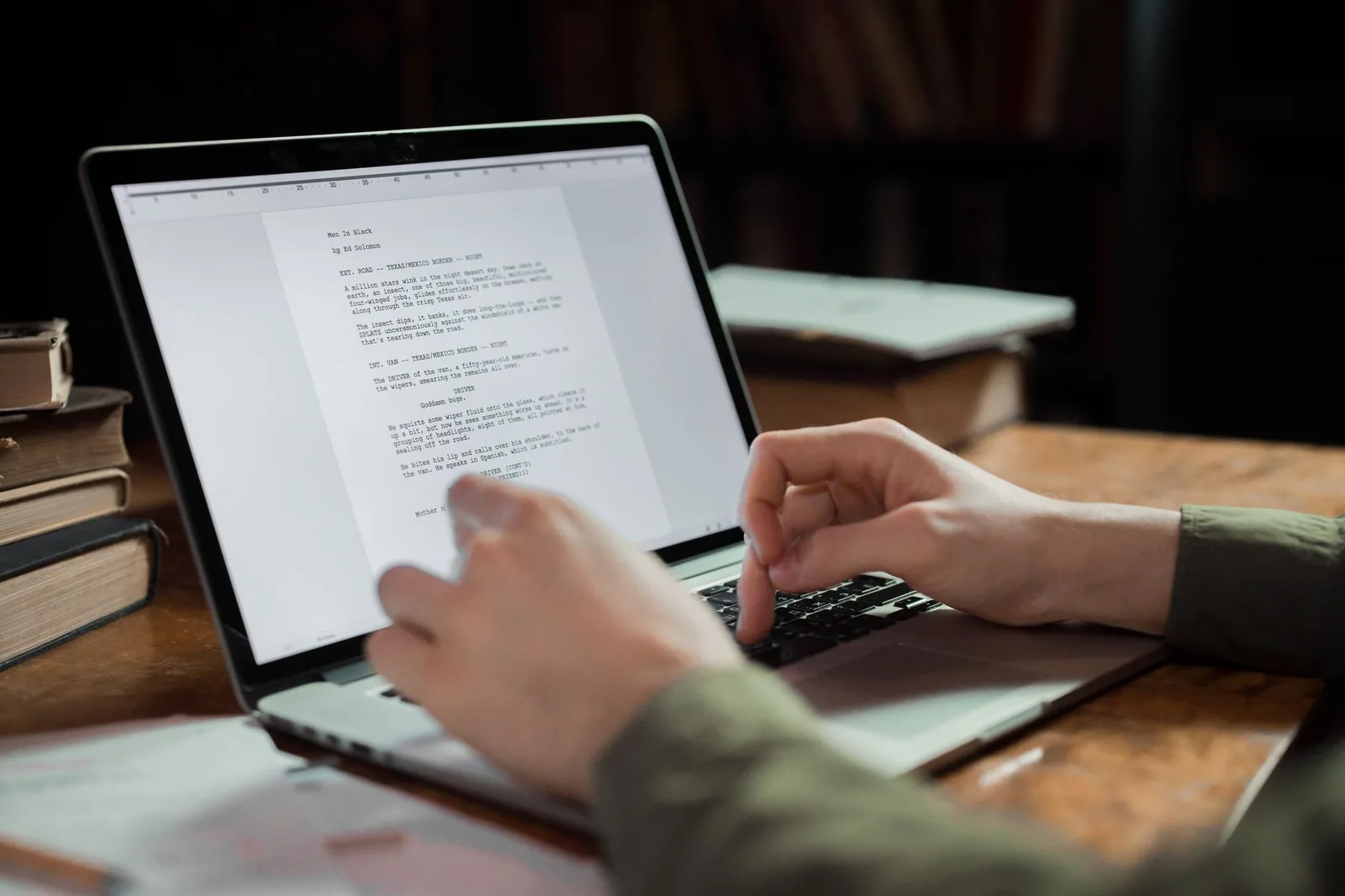
Formatting is the difference between reading and performing, and it is the step most creators skip. Comfortable reading depends on line length, type size, and spacing that let your eyes rest in one place while the text scrolls beneath them. Test the layout on the actual device you will record with, because a laptop screen and a mounted prompter behave differently.
Consistency matters more than decoration. Uniform margins, predictable headings, and recurring markers train your eyes to trust the display, which frees your attention for expression rather than searching. Practical guidance on this layout work lives in Practical Tips for Script Writing for Teleprompters in Use.
Line length, font size, and scrolling comfort
Keep lines between twenty-five and forty characters and bump the font large enough that you never lean forward. Adjust scroll speed to a pace you can comfortably out-read, so the words arrive before you need them.
Marking pauses, emphasis, and pronunciation cues
Add slashes for pauses, capitalization or italics for stress, and phonetic spellings for unfamiliar names. These annotations prevent the mid-sentence freeze that breaks eye contact and exposes the fact that you are reading.
Organizing headings so your eyes never search
Label each section with a short heading on its own line so you always know where you are. For complementary techniques, see Essential Teleprompter Script Tips for Effective Presentations.
Step 5: Rehearse, Revise, and Refine
A script is only finished when it survives being read aloud at recording speed, and most drafts need at least two passes before they do. Rehearsal exposes tongue-twisting clusters, overlong clauses, and sections that felt punchy on paper but fall flat in speech. Treat each read-through as a revision session rather than a formality.
Timing is equally revealing: read the draft against a clock and trim until it fits your target runtime with a little breathing room. When trimming, cut the least essential example first, then compress sentences, and only as a last resort remove an entire point.
Reading aloud to catch tongue-twisting phrasing
Say every sentence out loud at full energy and note any spot where you stumble or run out of breath. Rewrite that spot immediately, because a stumble in rehearsal becomes a stumble on camera.
Timing your read and trimming without losing meaning
Log your spoken word count per minute, then cut sections proportionally rather than at random. Preserve the core message from Step 1 and let supporting examples absorb the reductions.
Incorporating feedback from a test recording
Record one take and watch it with the sound off first, noticing where your eyes drift, then watch again with sound to judge flow. Apply the fixes and record a second take, since Better Videos Start with Script Writing for Teleprompters is really a loop of small improvements.
Common Mistakes in Script Writing for Teleprompters
Most teleprompter problems trace back to a handful of predictable writing habits rather than equipment issues. Dense paragraphs, unfiltered data, and untested scroll settings each chip away at eye contact and confidence. Spotting these patterns early saves you from burning takes on fixes you could have made in the draft.
The remedy is procedural: build checks into your workflow instead of relying on memory. A quick pre-record review against this list catches the errors that most often derail otherwise solid recordings.
Writing dense paragraphs that break eye contact
Wall-of-text blocks force your eyes to scan, and scanning looks like distraction on camera. Keep paragraphs to two or three short lines with visible white space between them.
Overloading a script with data and statistics
Numbers stacked together are hard to say and harder to remember, so present one figure and frame it plainly rather than reciting a list. If supporting evidence is essential, summarize the takeaway instead of quoting the full dataset.
Ignoring how the prompter scrolls at different speeds
Scroll speed interacts with line length, so a script that works at one setting can falter at another. Always test your final draft at the exact speed you will use, and review more pitfalls in Script Writing for Teleprompters: Mistakes You Should Avoid.
Applying These Practices Across Your Content
The same discipline scales across formats once you stop treating each video as a one-off. Live streams need simpler structures and visible cue marks for interaction, while recorded videos can carry denser information and tighter phrasing. Decide the format first, then let the platform constraints shape the wording rather than the reverse.
Efficiency compounds when you reuse what already works. A single well-structured script can be adapted for several channels with modest edits, and a shared template library keeps your team consistent across projects.
Adapting your workflow for live streaming and recorded video
For live work, insert explicit markers for chat questions, ad reads, and transitions so you never lose your place in real time. Recorded work allows denser blocks because you can reshoot and trim.
Repurposing one script across multiple platforms
Extract the hook for a short clip, expand the middle for a newsletter, and reformat the whole for a podcast transcript. Each adaptation keeps the core message intact while adjusting length and tone.
Building a reusable template library for your team
Save your best-formatted scripts as blank templates with headings, pause marks, and spacing already set. New members then inherit your standards immediately; see Essential Tips for Writing for Video: Enhance Your Script Skills and Creating Engaging Content with Teleprompters for more on building that system.
Conclusion
Effective script writing for teleprompters is a repeatable process: define your message, choose an appropriate script format, write in short spoken sentences, format the text for comfortable reading, and rehearse until the words feel natural. Apply these teleprompter script tips consistently and your writing for video will translate into steadier pacing, stronger eye contact, and more confident delivery on camera.
Start with your next project by drafting the one-sentence core message, picking a format from Step 2, and running a timed read-through before you touch any equipment. Small, disciplined improvements repeated across videos will do more for your on-camera presence than any single piece of gear.
Frequently asked questions
How is writing for a teleprompter different from writing for the page?
Prompter copy has to be spoken, so it needs short sentences, contractions, and plain words a reader can parse at a glance without losing their place. Numbers, dates, and proper names should be written the way you would say them out loud ("twenty twenty-five" instead of "2025" if the speaker might stumble). Anything that works only when read twice gets rewritten or cut.
How fast should the script scroll, and how many words should it be?
A comfortable delivery pace is about 120 to 150 words per minute for most presenters, so a five-minute segment runs 600 to 750 words. Set the scroll speed to match the speaker’s natural pace during rehearsal, not the other way around, and give the operator room to slow down or pause. When in doubt, write less — silence and pauses read as confidence on camera.
What font size and formatting work best on a teleprompter?
Use a clean sans-serif font, generally 28 to 44 point depending on the distance between the speaker and the glass, with high contrast and no decorative styling. Keep lines short (roughly 30 to 40 characters), leave them left-aligned with generous line spacing, and use ALL CAPS sparingly for names or emphasis cues. Avoid hyphenating words across lines, since the split distracts the speaker mid-thought.
How do I keep the delivery from sounding robotic or read-aloud?
Write the way the speaker actually talks: shorten sentences, use "you" and "I," and break long thoughts into beats marked by line breaks or slash marks for breathing. Add stage directions in brackets (pause, smile, look to camera) rather than relying on the speaker to remember them. Rehearse aloud at least twice and edit any phrase that feels stiff to say.
Should I include cue words or section headers in the script?
Yes, but mark them clearly in a different color, brackets, or ALL CAPS so the speaker knows not to read them aloud. Headers such as [B-ROLL], [SLOWER], or [CHECK NEXT SLIDE] help the operator and talent stay in sync, especially in longer shoots. Keep them sparse so they do not clutter the reading line.
What is the best way to handle names, quotes, and technical terms?
Spell phonetically right in the running text (for example, "Kwee-zuh" for quinoa) and put the correct spelling in a bracketed note above it, which the prompter can hide if needed. For quotes, decide in advance whether the speaker reads them verbatim or paraphrases; mark the distinction so the delivery stays natural. Practice any term that trips the speaker up and consider rewriting around it if it keeps failing in rehearsal.
Recording with a script? Try Lumi.
Keep your script near the camera and out of your final video. Try free for 3 days.
Learn more


