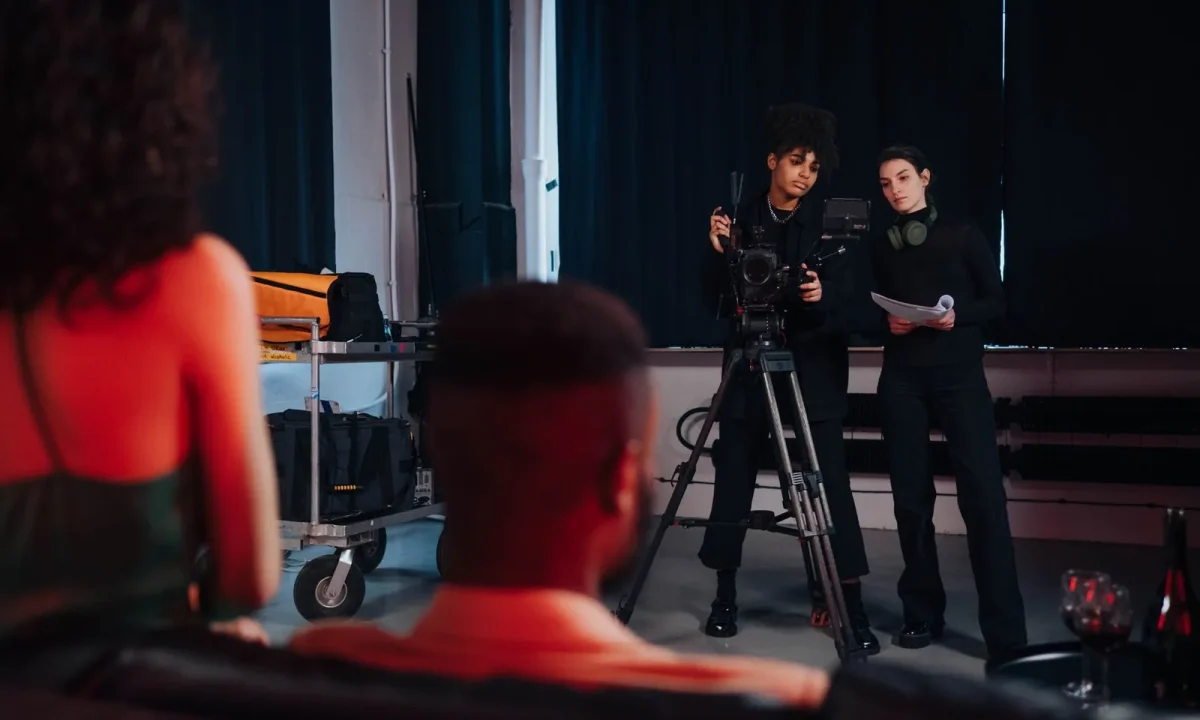
Even experienced creators and speakers run into avoidable pitfalls when using a teleprompter. This guide breaks down the most common mistakes around teleprompter best practices, teleprompter tips for beginners, and teleprompter efficiency techniques, so you can spot the problems early and fix them before your next take. None of the issues below require talent, expensive gear, or a studio renovation to solve — they are habits, and habits can be rewritten in a single afternoon of deliberate practice.
Why Common Teleprompter Mistakes Derail Your Delivery
Delivery problems rarely announce themselves as big failures. They accumulate. A sentence that is three words too long forces you to breathe mid-clause; the missed breath pushes you to speed up; the speed-up makes you arrive at your key point out of breath; your eyes drop to chase the text, and the viewer registers something as “off” without being able to name it. That cascade is why the strongest teleprompter best practices focus on prevention rather than rescue. When the script, the hardware, and the rehearsal are aligned, most on-camera nerves disappear because the mechanics stop competing for your attention.
How small setup errors compound during a take
Consider a prompter mounted slightly too low. During the first thirty seconds, you compensate almost unconsciously by tilting your chin down a degree or two. By the third minute, your neck is tense, your shoulders have crept up, and your voice has flattened into a reading register. No single choice caused the problem — the setup error simply taxed you continuously until fatigue showed on screen. The same pattern applies to scroll speed, font size, and contrast. Each one is a tiny tax, and the taxes are paid simultaneously. Fixing placement alone often fixes delivery, which is why placement audits belong in every pre-shoot routine.
The hidden cost of ignoring teleprompter tips for beginners
Beginners who skip foundational guidance tend to blame themselves instead of the workflow. They conclude they are “not camera people,” when in reality they were handed an unformatted script, an off-axis prompter, and no practice run. That story matters because self-blame stops iteration. If you frame mistakes as fixable habits, you keep adjusting; if you frame them as talent gaps, you stop trying. A useful next step is comparing your process with a structured resource such as Essential Teleprompter Tips for Beginners to Enhance Presentations, which rebuilds the basics in a sequence that is realistic to practice.
Mistake 1: Writing Scripts That Fight the Prompter
A teleprompter script is not an article. Prose that reads beautifully on a page often sounds breathless and convoluted when spoken, because written language relies on nested clauses the voice cannot carry. The fix starts before any recording session: read every sentence aloud during drafting, and listen for the places where you run out of air or lose the listener. Anything that makes you hesitate on paper will make you hesitate on camera, and hesitation is the single most visible symptom of a script that fights the tool.
Sentence length and pacing traps
Long sentences are the classic trap. When a clause stretches past what one breath supports, speakers either inhale awkwardly mid-thought or rush the ending, and both outcomes sound unscripted in the wrong way. Break complex ideas into two or three shorter spoken units, each carrying one complete thought. Punctuation should also reflect speech: periods create deliberate pauses, commas invite brief ones, and dashes give you a natural place to reset. These choices are not arbitrary stylistic preferences — they are the breathing instructions embedded in your text.
Formatting habits that break eye contact
Layout matters as much as wording. Narrow, centered columns with generous line spacing let your eyes scan comfortably without drifting off the lens; dense justified blocks force your gaze downward and widen the visible eye movement. Keep lines short, avoid hyphenated breaks mid-phrase, and mark emphasis with bold or caps sparingly so your visual system does not become noise. If you want a deeper breakdown of layout standards, the guidance in Mastering Teleprompter Best Practices for Effective Presentations is a reliable reference point.

Mistake 2: Placing the Prompter in the Wrong Spot
Placement is the most consequential piece of hardware setup, and it is also the most frequently mishandled. The prompter needs to sit as close to the camera lens as your rig allows and at eye level, because the entire illusion of direct address depends on the audience believing your gaze is fixed on them. Even a modest offset — a prompter placed on a table beside the camera, for example — produces a visible eyeline shift that reads as distracted or shifty. Audiences may not consciously identify the cause, but they reliably sense that the speaker is not looking at them.
Camera line-of-sight issues that show on screen
Once the shot is framed, check playback rather than trusting the viewfinder. Look specifically at whether your eyes track left, right, or downward, and whether the drift increases as the take progresses. A useful test is to record thirty seconds and then freeze-frame a moment mid-sentence; if your pupils are clearly aimed away from the lens center, the offset will only look worse in a tighter crop. Adjust the prompter inward, raise the camera, or reduce the text width until your gaze holds steady for the full read.
Distance, height, and glare adjustments
Distance and height interact with room lighting in ways that are easy to overlook. Placing the prompter too far from the lens exaggerates any eye movement, while mounting it too low causes the chin-down posture that hollows out your voice. Glare is the third variable: a bright window or overhead fixture reflecting on the glass can make you squint or, worse, make the text unreadable on camera. Small corrections — a flag, a repositioned lamp, a tilt of the glass — often restore both comfort and legibility in seconds.
Mistake 3: Skipping a Rehearsal Run-Through
Recording cold is the shortcut that costs the most time. When you have never spoken a script aloud, you discover its rhythm, its tongue-twisters, and its breath demands only while the camera is rolling, which means every problem discovered on take one forces a retake of everything that follows. A single practice read before you hit record typically surfaces the majority of those issues and turns a chaotic session into a smooth one. This is the single highest-return habit in any list of teleprompter tips for beginners.
Why cold reads ruin confidence tips for presenters
Confidence on camera is largely familiarity with your own words. A cold read removes that familiarity, so your cognitive load spikes: you are simultaneously decoding text, managing breath, controlling expression, and remembering camera awareness. Under that load, small stumbles become self-reinforcing, because each stumble triggers anxiety about the next line. Familiarity short-circuits the loop. Once the wording lives in muscle memory, your attention frees up for expression, timing, and connection — the parts of performance the audience actually experiences.
A quick warm-up routine before recording
A practical warm-up takes under five minutes. Read the script aloud once at natural pace while standing, marking any line that trips you. Rewrite those lines, then do a second pass focusing only on breath placement — pausing deliberately at every period rather than hurrying through it. Finish with two or three seconds of silent deep breathing before the take begins, so your first words arrive calm rather than hurried. For a fuller practice sequence, Essential Tips, Step by Step, for Teleprompter Success lays out a repeatable routine.
Mistake 4: Ignoring Efficiency Techniques While Recording
Efficiency during recording is not about working faster; it is about removing everything that competes with your delivery. Two habits account for most of the drag: scroll speed that does not match your speech, and attention split across multiple tasks. Both break flow, and flow is what makes a take feel effortless on playback. Treating these as engineering problems rather than discipline problems makes them far easier to solve consistently.
Scrolling speed that rushes or drags your speech
When the text moves too quickly, you compensate by speaking faster, which flattens your emphasis and makes transitions sound clipped. When it moves too slowly, you begin to anticipate and rush ahead of the text, creating pauses that feel forced. The goal is matched speed: text that arrives at your natural pace so you never chase it or wait on it. Set the speed during rehearsal rather than mid-take, and use a remote or a trained operator so adjustment never requires your hands or your attention.
Multitasking habits that break flow
p>The other efficiency leak is divided focus: checking a phone, glancing at a monitor, adjusting notes, or reaching for a control while speaking. Each interruption costs a beat of presence, and those beats are visible. Single-task focus — script, camera, delivery, nothing else — produces measurably smoother takes in practice, because your expression and your timing finally move together. A deeper treatment of this discipline appears in Boost Your Presentations with Effective Teleprompter Techniques, and Teleprompter Efficiency: Essential Tips You Can Apply Now offers shortcuts you can adopt today.
Mistake 5: Over-Editing Around Prompter Errors
Editing is a powerful tool, but it becomes a liability when it is used to disguise problems that a thirty-second reset would have solved. Many creators reshoot entire sections because a single word stumbled, which multiplies session length and multiplies fatigue. A more efficient approach is surgical: identify the exact sentence that failed, record a clean pickup for that sentence, and stitch it in. The result is usually identical on screen, at a fraction of the time and stress.
Reshooting everything instead of targeted pickups
Full reshoots also hide the real lesson. If the same section fails twice in a row, the problem is probably the script or the setup, not your performance — and a reshoot will reproduce it a third time. Pickups force you to diagnose: was the line too long, was the scroll too fast, was your eyeline drifting? Once you name the cause, you correct the cause instead of performing the same scene repeatedly in the hope that a better take appears.
When to stop, reset, and continue
Know your reset signals: a broken eyeline for more than two seconds, a breathless or rushed delivery, a stumble that alters meaning, or any moment where you visibly lose your place. When one of those appears, stop calmly, mark the timestamp, breathe, and restart from the last clean sentence rather than from the top of the section. Calm resets preserve consistency of energy across takes, and consistency is what makes an edited video feel like one continuous, confident performance. Related guidance on Why Essential Tips Fail: Common Teleprompter Mistakes expands on these recovery habits.
Mistake 6: Neglecting Equipment and App Setup Checks
Technical failure mid-session is less about bad luck than about skipped verification. Apps update, permissions change, batteries drain, mounts loosen, and lighting shifts as the sun moves — all of which can interrupt a take you had prepared well. A brief pre-flight check converts these surprises into non-events, and it costs only a few minutes. Public guidance from manufacturers and accessibility-focused organizations consistently emphasizes the same principle: verify your equipment before you depend on it, not after it fails.
Pre-flight checks for apps, mounts, and lighting
Run a short verification pass: confirm the app launches with your current script loaded, check that scroll controls respond, test the mount for wobble, verify battery levels on every powered device, and record a ten-second test clip to inspect focus, exposure, and text legibility on the actual recording. Check that the glass is clean, because fingerprints scatter light and reduce contrast. This routine also surfaces small annoyances — a laggy remote, a buzzing light — while they are still trivially fixable.
Backup plans when technology fails mid-session
Every setup deserves a fallback. Keep a printed copy of the script within arm’s reach, or a marked PDF on a second screen, so a dead tablet or a crashed app does not end the session. Some presenters keep a phone version as a third layer. The point is not paranoia; it is continuity. A backup lets you pause, swap, and resume in under a minute, which protects both your schedule and your composure. For a fuller framework, the step-by-step approach in Practical Application of Essential Tips for Teleprompter Use integrates these checks into a repeatable workflow.
A Simple Checklist to Keep Your Best Practices on Track
The value of a checklist is consistency: it removes the need to remember, so you can spend your energy performing. Keep it short enough that you will actually use it, and run it at the same point in every session so it becomes automatic rather than optional.
Before the shoot: script, placement, and rehearsal
- Script read aloud once, long sentences split, emphasis marked sparingly
- Layout set with short lines, generous spacing, and readable contrast
- Prompter aligned with the camera lens at eye level; playback checked for eyeline drift
- Glare, lighting, and background verified on a recorded test clip
- At least one full rehearsal run-through completed at natural pace
During and after: pacing, focus, and review notes
- Scroll speed matched to your natural speaking pace before the first take
- Single-task focus maintained — no phone, no multitasking, remote operated out of frame
- Reset called immediately on any broken eyeline, rush, or meaning-altering stumble
- Targeted pickups recorded instead of full-section reshoots
- Post-session notes written while memory is fresh: what tripped, what to rewrite
- Backup script and charged devices confirmed before packing up
Reusable and quick to run, this audit also gives you comparable data across sessions, so you can see which mistake keeps recurring and target it specifically. Additional checklists and pacing drills are collected in Essential Tips for Effective Teleprompter Best Practices, and Essential Tips for Mastering Teleprompter Usage Effectively covers session-by-session refinement.
Conclusion
Most teleprompter best practices failures come from a handful of repeatable mistakes: script formatting, camera placement, skipped rehearsals, mismatched scrolling speed, over-editing, and unchecked equipment. None of these signal a lack of talent, and all of them are correctable with adjustments small enough to complete in a single session. The creators who improve fastest are the ones who treat each take as feedback rather than as a verdict, and who change one variable at a time so they can actually tell what worked. For a broader map of the craft, the consolidated guide Mastering Teleprompter Usage connects these ideas into a complete system.
Treat the mistake list above as a pre-shoot audit, apply the teleprompter tips for beginners that fit your current level, and lean on teleprompter efficiency techniques to keep every take focused and unhurried. Start with one correction per session — script length, then placement, then scroll speed — and let the compounding do the rest. Small corrections made consistently will noticeably improve how confident and polished your presentations feel, and that consistency is what separates a read from a delivery. If you want to keep building on this foundation, Essential Tips for Effective Teleprompter Usage Explained is a natural next read.
Frequently asked questions
Why do I still sound like I’m reading even when I follow teleprompter best practices?
The problem is usually the script, not the gear. Text written for the eye reads as stiff and formal when spoken aloud, so convert copy into short, conversational sentences with contractions, pauses, and the words you’d naturally use. Reading that aloud feels like talking, which removes the ‘announcer’ tone.
What scroll speed should a teleprompter be set to?
Aim for roughly 130-150 words per minute, which matches a comfortable speaking pace, and set it slightly slower than feels natural so you never have to rush. Test the full script once at that speed and adjust before recording rather than mid-take. A live operator who can nudge the pace beats any fixed auto-scroll setting.
How close should the teleprompter glass be to the camera lens?
As close as physically possible, ideally mounted directly in front of the lens so your eye line appears to be looking straight at the viewer. The wider the gap, the more obvious the sideways glance becomes on camera. If you can’t close the gap, shrink the text block and keep it centered on the glass so your eyes barely move.
Should I use full sentences or an outline on a teleprompter?
Full sentences work best for beginners and for scripted material that must be word-perfect, such as ads or legal disclaimers. Experienced presenters do better with a keyword outline, which invites natural phrasing and prevents the monotone delivery that verbatim text encourages. Pick one style per project and stick with it so your practice matches the final take.
What font size should teleprompter text be?
Choose the largest size that lets the script fit comfortably on the screen without forcing fast scrolling, typically large enough that you can read it without leaning forward or squinting. Bigger text also reduces small eye movements, which reads as more natural on camera. If the script doesn’t fit, shorten the copy rather than shrinking the font.
Does reading a teleprompter look obvious to viewers?
It does when the presenter reads word for word with a flat cadence and never breaks eye contact with the lens. Viewers mainly notice monotone rhythm and an unnatural pace, not the eye movement itself, so varying your tone and breathing normally is what hides the teleprompter. Rehearsing the script aloud two or three times before recording is the single most effective fix.
Recording with a script? Try Lumi.
Keep your script near the camera and out of your final video. Try free for 3 days.
Learn more


