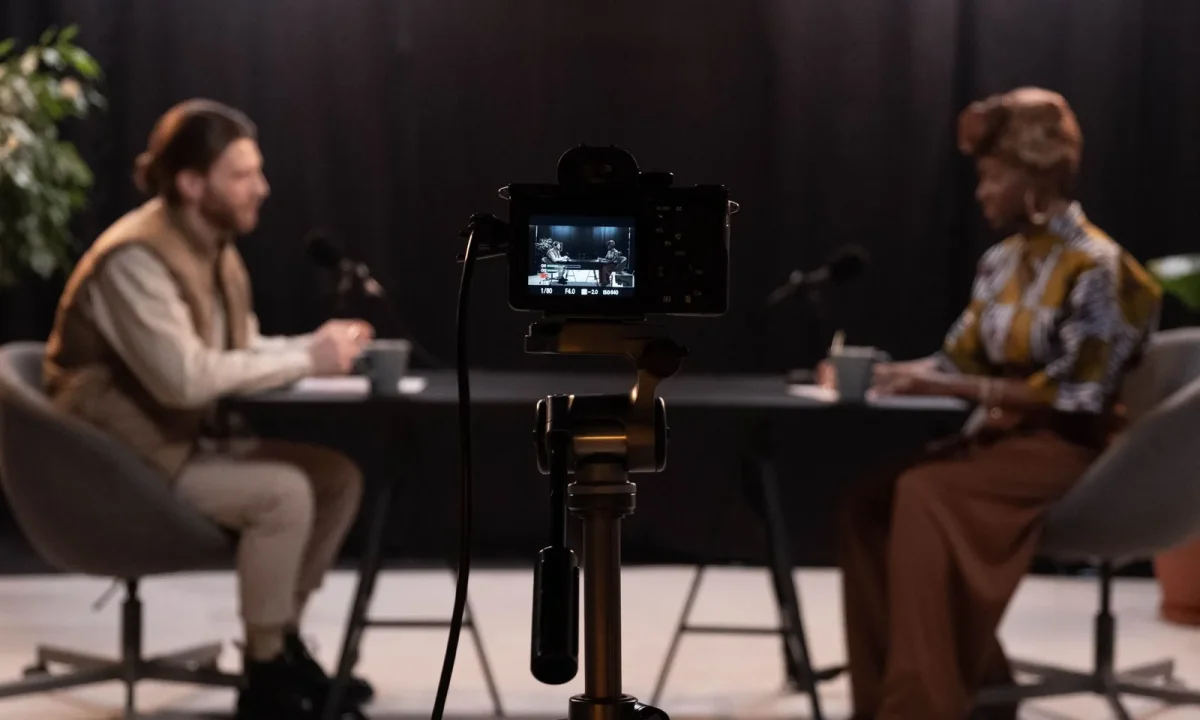
A teleprompter for interviews keeps your answers sharp, your eye line steady, and your nerves under control, whether you are recording a podcast-style chat or going live with a remote guest. This guide covers everything content creators, video producers, public speakers, and educators need: how interview prompting differs from teleprompter for presentations and teleprompter for vlogging workflows, how to write a script that reads like conversation, how to set up your gear, and which delivery habits make every take feel natural.
Why a Teleprompter for Interviews Changes Your Delivery
The biggest shift a prompter creates is not technical, it is psychological. When you know exactly what comes next, you stop spending cognitive energy on recall and start spending it on tone, timing, and reaction. That extra headroom is what separates a polished interview from one where the host looks slightly lost between questions.
Interview hosts carry unusual pressure: they must guide a conversation, watch a clock, monitor a guest’s energy, and still deliver required wording accurately. A prompter quietly absorbs one of those burdens so the others can get your full attention, which is why experienced producers treat it as a planning tool rather than a cheat sheet.
Keeps answers on track without sounding rehearsed
Scripted anchors for your opening, sponsor mentions, and key talking points keep the message consistent across takes without forcing a word-for-word performance. When only the critical lines are scripted, your delivery stays flexible and the conversation still sounds spontaneous, because everything in between is generated in the moment rather than read aloud.
Frees mental bandwidth for active listening
Guests can tell when a host is mentally assembling the next question instead of absorbing the current answer. Because the structure is already on screen, you can track the guest’s cues, notice an interesting thread, and decide to follow it, confident that your planned transitions and closing are still waiting for you a few lines down.
Works for pre-recorded, live, and remote formats
The same script approach scales from a studio recording to a livestream with a remote guest over video call software. Pre-recorded sessions let you retake a line, live formats reward tight wording you cannot fumble, and remote interviews benefit from having a shared rundown so both sides know where the segment is heading.
Supports educators and speakers delivering long-form content
In educational or conference settings, interviews often require precise terminology, citations, or disclosures that must be stated correctly the first time. A prompter protects that accuracy while leaving room for follow-up questions, which matters when a five-minute answer turns into a twelve-minute teaching moment you still need to land on schedule.
How Interview Prompting Differs From Other Teleprompter Uses
Most hosts inherit habits from another format and then wonder why their interview feels stiff. The script, the scroll, and even the eye line all behave differently depending on the content type, so recognizing which workflow you are actually in will save you hours of trial and error.
Use this section to self-identify: if your text moves in long blocks, you are probably prompting a presentation; if it jumps between one-liners, you are vlogging; if it alternates between a question and a short answer, you are running an interview. Matching the script to the format is the single biggest quality upgrade available to you.
Teleprompter for presentations: structured beats and long paragraphs
Presentation scripts follow a planned sequence of beats with longer paragraphs, transitions, and slide cues embedded in the flow. Delivery is one-directional: you speak to an audience with little interruption, so the prompter can afford denser text and a steadier scroll because nothing is going to derail your next sentence.
Teleprompter for vlogging: casual asides and short segments
Vlogging scripts are looser, built from short segments, punchy hooks, and casual asides that you may deliver standing in a kitchen or walking outdoors. For that style, see The Ultimate Guide to Using a Teleprompter for Vlogging, where brevity and camera mobility matter more than structured sequencing.
Interview scripts: conversational Q&A rhythm
Interview scripts read as a back-and-forth exchange: a short setup question, a concise answer prompt, then room to react. That rhythm is fundamentally different from monologue formats, because the text must accommodate pauses, guest interruptions, and redirection without ever making you look like you are waiting for a line to arrive.
Matching script density to your format
Density is the practical lever: presentations tolerate high word counts, vlogs need sparse cues, and interviews sit in between with bullet-style answers rather than paragraphs. If your text scrolls faster than you can react, you are either scripting too densely or running the wrong speed for a conversational format, and both problems show up on camera.
Writing a Script Your Prompter Can Actually Read
Most interview failures happen before the camera turns on, in the document itself. A script written for publication rather than for speech forces you to translate in real time, which produces hesitations, clipped phrases, and a delivery that never quite matches the tone of the conversation you are trying to create.
The goal is text that disappears: short lines, natural phrasing, and clear markers that tell you where to breathe. Before you finalize anything, review our broader guidance on Mastering Teleprompter Usage, since the fundamentals of script formatting and scroll behavior apply across every format you will ever record.
Format questions and answers in the order they appear
Keep the sequence exactly as the conversation will unfold, with your question labeled clearly above the guest’s prompt and your follow-ups directly beneath. Anything out of order forces you to scroll backward on camera or lose your place, and a confused host is far more obvious to viewers than a slightly imperfect answer.
Write the way you speak, not the way you publish
Read every line aloud and cut anything you would never say to a friend. Written sentences tend to be longer, more formal, and more abstract than spoken ones, so replacing them with plain phrasing removes about half of the hesitation you would otherwise feel while reading under pressure.
Break lines short for natural eye movement
Short lines reduce the distance your eyes travel between phrases, which keeps your gaze stable near the lens and prevents the sideways darting viewers notice immediately. A useful rule of thumb is to break at natural breath points rather than at the edge of the screen, since your pause will then align with the line break.
Add pause and emphasis markers you will recognize on camera
Simple symbols like slashes for pauses, capitalization for emphasis, or bracketed cues for b-roll keep your own shorthand legible at a glance. These markers matter most in interviews, where a well-timed pause after a question makes space for the guest and signals confidence rather than dependence on the text.
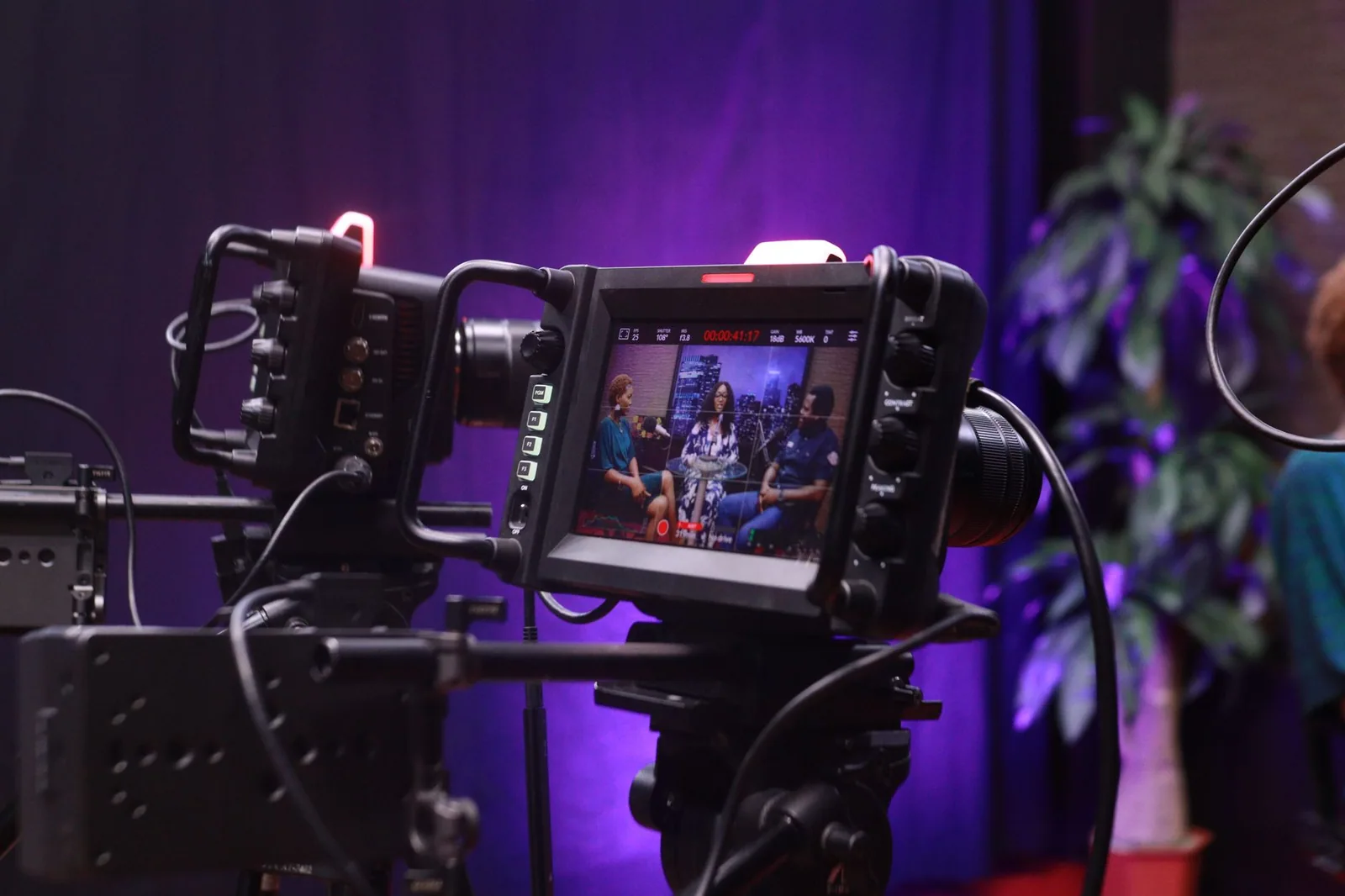
Setting Up Gear and Apps Before the Guest Joins
Setup is where hosts lose confidence fastest, because a misaligned rig creates a false eye line and a badly tuned scroll creates a rushed delivery. The good news is that the physical requirements of an interview are modest: stable placement, readable text, and a control you can operate without looking away.
Decide your configuration early, ideally the day before, so that the only variable on recording day is your guest. When you compare hardware and software options, our breakdown of Which Teleprompter for Video Formats Fits Your Project? covers the trade-offs in plain language.
Choosing between hardware rigs and software prompters
Hardware rigs mount glass in front of the lens for the most natural eye line, while software prompters run on a tablet or laptop placed behind or beside the camera. Both work for interviews; the hardware route looks more polished on a two-camera setup, and the software route is faster to deploy when you are recording in the field.
Placement that keeps your eye line near the lens
Position the text as close to the camera lens as your setup allows so your gaze stays convincingly close to the viewer’s eye. If the screen sits off to one side, your eye line drifts and the audience reads it as distraction, which is the most common setup error in remote and single-camera interviews alike.
Scroll speed, font size, and remote control options
Set a scroll speed you can match at a comfortable speaking pace, then confirm the font size is legible from your seated position without squinting. A handheld remote or foot pedal lets you pause and resume without breaking eye contact, a small upgrade that pays off every time a guest speaks longer than expected.
Testing audio, lighting, and framing in a dry run
Run a full dry run with the final framing, lighting, and audio before anyone joins, because problems compound silently under time pressure. Confirm levels, check the background, verify your eye line on the recorded footage, and confirm connectivity for remote sessions, using a checklist like Teleprompter for Video Formats: A Step-by-Step Workflow to keep the sequence consistent.
Delivery Habits That Keep Interviews Feeling Human
The script and the gear only buy you a window; what happens inside it is still performance. Interview delivery is closer to hosting than to presenting, and the habits that work on a keynote stage often need adjustment when another person is in the room responding to you in real time.
Treat the prompter as infrastructure rather than as the main event. For a broader look at how on-camera presence develops over time, our guide to Maximizing Your Teleprompter for Video Formats: Best Practices connects scripting discipline with presentation confidence.
Pausing instead of rushing to fill silence
Hosts often speed up when a prompter is scrolling, filling silence with filler words because the next line feels like it is approaching. Deliberate pauses do the opposite: they give the guest room to elaborate, they make your next point land harder, and they signal to the audience that you are in control of the pace.
Using the prompter as a safety net, not a crutch
Read the prompter for orientation, not for recitation, and let the words on screen remind you of structure rather than dictate every syllable. When you internalize the beats beforehand, a glance becomes enough, and your delivery retains the micro-variations in pitch and rhythm that make speech sound human.
Staying present with your guest between scripted beats
The most valuable moment in an interview is often an unplanned follow-up, and you will only notice it if you are watching your guest rather than your text. Keep scripted sections short, let your eyes return to the conversation immediately afterward, and treat the prompter as the map you consult between landmarks.
Breathing and pacing for long recordings
Long-form interviews drain energy, and a dropped breath turns into a rushed, flat answer by the second half. Anchor your breathing at marked pauses, take deliberate breaths between segments, and moderate your pace early, because pacing problems compound over a forty-minute recording far faster than most hosts expect.
Common Mistakes That Break Interview Flow
Interview-specific failures are subtler than the generic prompter mistakes covered in Avoiding Common Mistakes with Teleprompters for Video Formats, because they show up as social friction rather than technical errors. A slightly misaligned eye line is forgivable; a host who clearly ignores a guest’s answer is not.
Most of these mistakes share one root: the script was built for the host’s comfort instead of for the conversation. Auditing for that bias before recording will catch nearly every problem on this list, and it takes only a few minutes with the script open in front of you.
Reading full answers word for word
Verbatim answers strip the exchange of energy and make the guest’s response feel like a setup for a recitation. Instead, script the answer as three or four short anchors and speak them naturally, which keeps the meaning accurate while preserving the conversational texture viewers came for.
Scripting too much for the time slot
An overloaded script guarantees you will either rush or overrun, and rushing visibly damages credibility. Time your script aloud during a dry run and cut anything that does not serve the viewer, because a shorter plan you can actually deliver always outperforms a complete plan you sprint through.
Ignoring your guest because you are watching text
When your gaze stays on the screen, guests lower their energy and viewers perceive disengagement. Alternate deliberately: read your setup, look at your guest for their answer, then glance back for the transition, so the prompter supports the conversation instead of competing with it.
Skipping the pre-interview tech check
Skipping the tech check is the most expensive shortcut in the list, since a failed scroll or dropped connection discovered mid-interview costs the take entirely. A quick five-minute verification of script version, speed, framing, and connectivity prevents the majority of day-of problems, and it doubles as a confidence ritual before you go live.
A Pre-Record Checklist for Your Next Interview
Consistency comes from repetition, and a fixed checklist turns a stressful setup into a routine you can run on autopilot. Work through the same sequence every time, ideally the day before and again thirty minutes before your guest arrives, so that nothing important depends on memory under pressure.
Screenshot this section and keep it beside your station. If you want the full sequence expanded with timing notes, the workflow article at How to Use a Teleprompter for Various Video Formats Effectively maps each step to a recording window.
Script approved and loaded into the prompter
Confirm that the final version, with all corrections and disclosures, is the one loaded in the app, and delete older drafts to avoid loading the wrong file. Note the version or date on your checklist, because an out-of-date script is the single most common source of on-air errors in sponsored or regulated interviews.
Test run at final resolution and framing
Record a sixty-second test at your final resolution, framing, and scroll speed, then watch it back rather than trusting your impression in the moment. Check that your eye line sits near the lens, that the text is legible from your seat, and that your pacing matches the scroll without any visible effort.
Backup recording and connectivity confirmed
Confirm your primary recording path and at least one backup, whether that is a second camera, an independent audio recorder, or a local file alongside a cloud stream. For remote sessions, verify bandwidth, headphones, and a backup communication channel so a dropped call does not end the interview prematurely.
Guest briefed on the format and timing
Send your guest a short rundown covering segment length, question areas, whether answers will be recorded in one take, and where they should look. A briefed guest asks better questions, worries less about timing, and gives you the relaxed energy that makes your own delivery feel natural in return.
Conclusion
A teleprompter for interviews works best when it disappears into your workflow: a well-written conversational script, a setup that keeps your eyes near the lens, and delivery habits that let you stay present with your guest. Apply these steps once and your next interview will feel prepared without sounding scripted, whether you are producing videos, presenting to a class, or streaming live.
Start with one concrete change this week: rewrite your next script in short spoken lines, run a sixty-second test at your final framing, and brief your guest on the rundown before you meet. When those three pieces are in place, the prompter stops being equipment you manage and becomes the quiet confidence that carries the whole conversation. For the next step in your practice, explore How to Use a Teleprompter for Interviews: A Complete Guide.
Frequently asked questions
How can I use a teleprompter during an interview without looking like I’m reading?
Mount the prompter as close to the camera lens as possible so your eye line stays near the lens, and keep the text pane small so your gaze doesn’t drift. Break the script into short, natural phrases and use light conversational phrasing instead of full sentences, which makes it easier to glance at the words and still sound spontaneous. Rehearsing out loud until the cadence feels improvised is what sells the illusion.
Should interview answers be scripted word-for-word on a teleprompter?
Usually no. Verbatim scripts tend to produce flat, recited-sounding answers, especially under the pressure of a live interviewer. Most interviewers get better results from a structured outline of key points, transition phrases, and the exact wording for numbers or legal lines they must get right, letting the connective language come out naturally.
Where exactly should the teleprompter be positioned for an interview setup?
Place the reflective glass or text display directly in front of the lens, so the reflected words sit as close to the optical axis as possible; even a few inches of offset becomes a visible sideways glance on camera. If you’re seated, mount it at your natural eye height to avoid an unnatural up or down gaze. For two-person interviews, use separate prompters for each camera rather than trying to share one.
What reading speed works best for an interview?
Aim for roughly 120-150 words per minute, which matches a relaxed conversational pace rather than a news broadcast. Set the scroll speed slightly slower than your comfortable reading rate so you can breathe and emphasize, and give yourself extra space around answers you expect the interviewer to interrupt.
Can I use a teleprompter for remote or video-call interviews?
Yes, but a physical prompter that wraps around your webcam is far more convincing than sliding a document window next to the call window, which produces an obvious sideways glance. Software prompters that overlay text near the camera can work for short segments, and a tablet propped directly under or behind the webcam is the simplest low-tech option.
Recording with a script? Try Lumi.
Keep your script near the camera and out of your final video. Try free for 3 days.
Learn more


