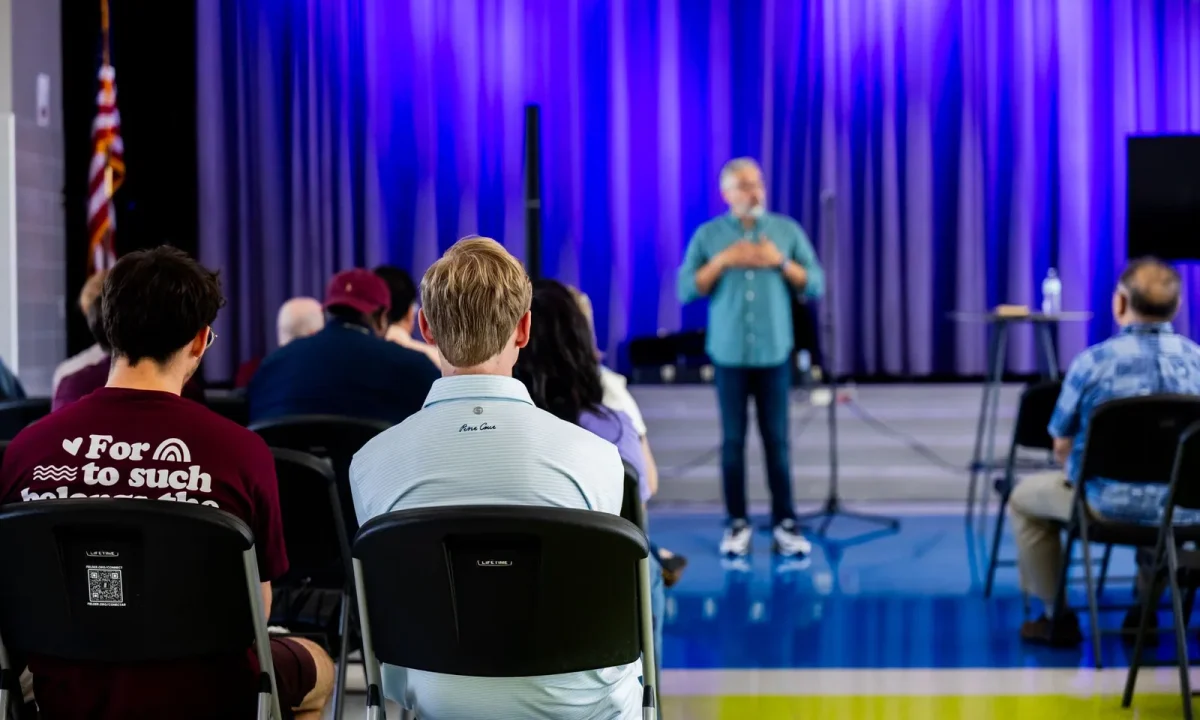
A teleprompter for live events lets speakers, hosts, and presenters deliver scripted or semi-scripted content while maintaining eye contact with the audience. This guide explains what it is, how the technology works behind the scenes, and how to use it effectively during real-time presentations, streams, and conferences — whether you are stepping on stage for the first time or refining a proven keynote routine.
What Is a Teleprompter for Live Events?
Definition and core purpose of a teleprompter for live events
A live-event teleprompter is any device that displays your script in real time at a position where you can read it while facing your audience. Its core purpose is continuity: it removes the risk of losing your place, forgetting a key figure, or drifting off message when adrenaline is high. Unlike a stack of notes, it keeps your hands free and your delivery flowing, so attention stays on the content rather than on what you might miss next.
How it differs from studio and recorded-video setups
Studio prompters are typically mounted on the camera lens and built for controlled, stop-and-start recording sessions where mistakes can simply be retaken. Live-event units have to survive stage lighting, long sightlines, ambient noise, and no second take. That changes everything from the glass size and text contrast to the fact that a human operator usually drives the scroll, adjusting speed to your natural pauses instead of a fixed timeline.
Who typically uses a teleprompter for live events: speakers, hosts, and educators
Keynote speakers and corporate presenters rely on them for precise language — numbers, disclosures, and product claims that must be exact. Conference hosts and panel moderators use them for introductions, transitions, and sponsor reads that would otherwise sound stiff from memory. Educators and trainers adopt them for long-form lessons where consistency matters across multiple sessions, and livestream creators use them to stay on script without breaking the illusion of a conversational, off-the-cuff delivery.
How a Live-Event Teleprompter Actually Works
The glass and beam-splitter setup explained
The classic setup uses a sheet of beam-splitter glass angled at 45 degrees in front of a camera lens or along the stage front. The special coating reflects a portion of the light from a monitor below while still allowing the camera — or your own eyes — to see through it. The result is text that appears to float in front of the lens or at eye level, readable without any visible hardware appearing in the broadcast feed.
Scrolling software and operator control
Behind the glass sits prompter software that renders your script in large, high-contrast type and scrolls it line by line. In professional settings a dedicated operator controls that scroll with a controller, speeding up during energetic passages and pausing while you ad-lib or wait for applause. The software also supports marker lines, section labels, and font sizing, which let operator and speaker recover a shared reference point in seconds if the reading drifts off pace.
Prompter placement: confidence monitors vs. lens-mounted units
A lens-mounted unit sits directly on the camera, giving a tight eye line that reads as direct address to the viewer at home. Confidence monitors, by contrast, are floor screens placed at the front of the stage or beside the camera, giving you a wider field of view and a more relaxed stance. Many hybrid events use both: a lens unit for broadcast close-ups and a floor monitor so you never lose your place when you glance away from the camera.
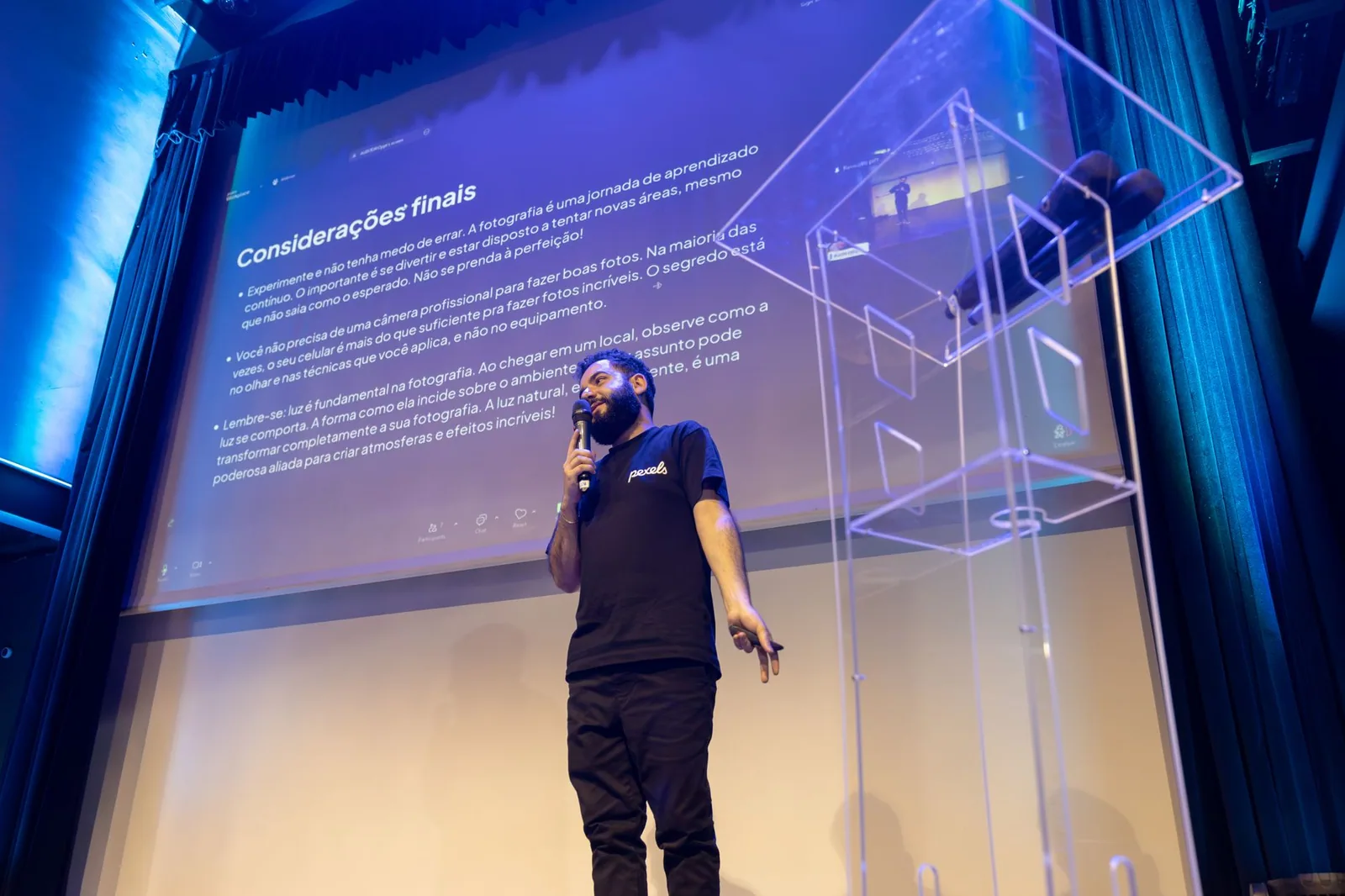
Types of Teleprompters Used at Live Events
Freestanding presidential prompters
Those two glass panels on angled stands you see at press conferences are freestanding presidential prompters. They are positioned at the far left and right of the lectern so the speaker can shift weight, look toward different sections of the room, and still catch the text with a natural glance. They require floor space, careful cable routing, and an operator, but they deliver the most authoritative stage presence for long addresses.
Stage-mounted and podium units
Podium units clamp directly to a lectern and put the glass right behind the speaker’s notes or laptop line of sight. They are ideal for awards shows, product launches, and legislative sessions where the speaker stays in one place and content must be delivered verbatim. Because the glass sits close, line length and font size need extra attention to avoid visible eye scanning across wide lines.
Tablet-based and app-driven portable options
For smaller venues, workshops, and solo livestreams, a tablet mounted in a compact beam-splitter hood offers most of the benefit at a fraction of the logistics. App-driven options let you control scroll with a foot pedal, a Bluetooth clicker, or a phone remote, which suits self-shot sessions where hiring an operator is not realistic. They work best when the script is short, the room is dim, and the screen is close enough to read comfortably.
Remote or confidence monitor setups
A remote setup puts the script on a large screen you face directly, with no glass at all, which is common for streamed panels and virtual events. It is the simplest configuration to rig and the easiest to troubleshoot, though your eye line sits slightly away from the camera. Placement matters: keep the monitor as close to the lens as possible so remote viewers still feel like you are speaking to them.
Setting Up Your Teleprompter Before the Event
Script formatting for real-time reading
Format the script the way you speak, not the way you write. Use short lines that break at natural breathing points, generous line spacing, generous margins, and a font large enough to read from your actual standing position. Label sections with short headers so you and the operator can call out “section four” if you lose your place. Avoid long paragraphs: a wall of text forces your eyes to hunt, and hunting shows on camera as hesitation.
Practicing pace, pauses, and engaging audience with teleprompters
Once the script is formatted, read it aloud at speaking pace with a stopwatch, then mark every place you naturally pause for breath or emphasis. Those marks become cues for the operator and reminders that the prompter is a guide, not a metronome. Practicing aloud also reveals sentences that look fine on paper but collapse when spoken, letting you rewrite them before the event rather than during it.
Rehearsing with the actual equipment and sightlines
Nothing substitutes for standing on the real stage, or a taped approximation of it, and reading from the real glass. Check that your eye line feels natural, that the text is legible from your mark, and that stage lighting does not wash out the monitor. Rehearse transitions — walking from lectern to center stage, turning to a panel, gesturing — because those are the moments when readers most often lose their place. If you are working within a broader live production, resources like Mastering Teleprompter Usage cover the fundamentals in depth.
Live Streaming Tips for a Smooth Prompter Experience
Coordinating scroll speed with a dedicated operator
The single biggest quality upgrade for a stream is a trained operator who watches you rather than the screen. Agree on hand signals and verbal cues for “speed up,” “hold,” and “skip ahead,” and confirm what happens if you paraphrase a line. A good operator will pause during unexpected interruptions, hold at technical hiccups, and keep the script aligned so your delivery never sounds like you are chasing text. For more on hardware and workflow, see Live Streaming Teleprompter: Everything You Need to Know.
Backup plans when technology fails mid-stream
Assume something will drop: an app crashes, a tablet dies, or the network stutters. Keep a printed script at the lectern, a second device loaded with the same file, and a short improvised bridge you can deliver while the issue is fixed. Brief the producer on your recovery line so the cut away from you feels intentional rather than panicked. Redundancy is the quiet backbone behind every calm-looking broadcast.
Lighting and camera placement considerations
Bright wash lights aimed at the stage can turn beam-splitter glass into a mirror of glare, so test the lighting with prompter text on screen before doors open. Camera placement determines your eye line: a camera slightly below the glass usually reads more naturally than one far above it. Balance the monitor brightness against your key light so text stays legible without blowing out your face on stream, and confirm colors render correctly on the program feed.
Engaging the Audience While Reading from a Prompter
Techniques for engaging audience with teleprompters
Engagement comes from treating the script as a map rather than a recitation. Break the fourth wall deliberately: address sections of the room, ask a rhetorical question, or pause for a show of hands at a planned beat. When you look away from the screen at those moments, the prompter disappears from the audience’s attention and what remains is you. The same principles apply to camera-based audiences, as covered in Engaging Your Audience with Teleprompters: A Complete Guide.
Using vocal variety and pauses instead of fixed eye contact
Monotone reading is the giveaway that someone is prompting, and no amount of eye contact fixes it. Vary pitch, volume, and speed: slow down for the key claim, speed through the setup, drop your voice before the punchline. Deliberate silence is equally powerful — a two-second pause after a statistic lets it land and gives you a natural moment to glance back at the glass without it feeling abrupt.
When to look away from the prompter on purpose
Look away at transitions, at emotional beats, and whenever you are reacting to the room — laughter, applause, a question from the floor. Looking away signals confidence and gives the operator a chance to reposition the text during your pause. The goal is not perfect eye contact but believable presence: a speaker who reads continuously feels distant, while one who glances, reacts, and returns feels present with the people in front of them.
Common Mistakes and How to Avoid Them
Reading too fast or word-for-word
When speakers treat the prompter as a contract, they start racing, because the text keeps moving and silence feels like failure. Counter this by building pauses into the script and agreeing with your operator that stopping is always allowed. Rewrite filler-heavy sentences into shorter ones, which naturally slows delivery and leaves room for emphasis. If you catch yourself reciting, drop your eyes, say the next idea in your own words, then rejoin the text.
Scripting that is too dense for a live setting
Live audiences absorb far less than readers do, so a page dense with subordinate clauses will lose the room by the second paragraph. Aim for one idea per sentence and one idea per visual beat, then cut thirty percent of what remains. Dense scripts also leave no margin for the unexpected — a cheer, a technical pause, an unscripted question — and those interruptions are precisely where live delivery is won or lost.
Ignoring rehearsal with the physical equipment
Rehearsing from a laptop on your desk teaches you nothing about reading 45-degree glass from twelve feet away under stage lights. Skipped equipment rehearsal is behind most stumbles: text that is too small, eye line that is too high, or a script that breaks at awkward syllables. Schedule at least one full run with the actual units, in the actual room, at the actual pace you intend to use.
Is a Teleprompter Worth It for Your Next Live Event?
Benefits for first-time speakers and seasoned presenters
For first-time speakers, a prompter removes the largest source of anxiety — the fear of freezing and losing the thread. For veterans, it protects precision during long programs where sponsor reads, legal language, or product specifications must be exact after several hours on stage. Both groups gain the same thing: the freedom to focus on expression, timing, and the room instead of on memory. Confidence on stage tends to translate directly into how credible the message sounds.
Cost and logistics trade-offs to consider
The trade-offs are real: equipment rental or purchase, an operator’s fee, extra setup time, and more rehearsal hours. For short, informal talks, a simple confidence monitor or outline cards may deliver most of the benefit at minimal cost. For keynotes, launches, and streamed announcements, the investment usually pays for itself in fewer missed points and a calmer, more consistent delivery across the event.
How to Use a Teleprompter to Engage Your Live Audience
Open with a hook before your eyes reach the screen
Start the first ten seconds from memory, with a question, a startling statement, or a short story beat that pulls the room in before any text appears. An opening delivered without glancing at glass establishes authority and gives the operator time to settle the scroll. Only once the audience is leaning in should you ease onto the prompter for the structured body of the talk.
Break long scripts into conversational beats
Chunk the script into labeled beats of sixty to ninety seconds — hook, context, evidence, example, transition — so both you and the operator always know which unit you are in. This structure mirrors how people actually talk and makes recovery trivial: if you skip a beat, you can name it and move on. It also creates natural seams where you can pause, glance at the crowd, and reset your energy.
Practice live scrolling with a partner as operator
Run the script with a colleague driving the scroll so you learn what it feels like when the pace is slightly wrong. Those rehearsals build the muscle memory to slow down, paraphrase, or signal a hold without breaking delivery. Agree in advance on the recovery phrase you will use if you lose your line, and rehearse that phrase too, so an on-air stumble turns into a smooth aside instead of dead air.
Record a dry run to check timing and eye line
Film a full run-through from the audience’s perspective and watch it back with the sound off first, focusing only on your eyes. You will see instantly whether your gaze reads as natural or as fixed on a moving screen. Then watch with sound to judge pacing, breath control, and whether your pauses feel intentional. One recorded rehearsal usually surfaces more issues than three silent run-throughs combined — and it pairs well with the broader setup checklist in Step by Step: Your Live Streaming Teleprompter Setup.
Conclusion
A teleprompter for live events is a practical tool that combines readable scripting, reliable equipment, and rehearsed delivery to help you stay confident on stage or on stream. By choosing the right setup, formatting your script for real-time reading, and pairing it with genuine audience engagement techniques, you can deliver polished presentations without sacrificing a natural connection with your viewers. The equipment does not make the performance — the preparation behind it does.
To put this into practice, pick your setup early, format the script for real-time reading, book a full rehearsal with the actual gear, assign a scroll operator, and prepare a printed backup. Then run through it once more with a camera rolling and adjust your eye line and pacing before the day of the event. For supporting reading on setup, mistakes, and delivery habits, explore Understanding Live Streaming Teleprompters: Functions and Benefits, Effective Live Streaming Tips for Engaging Your Audience, Avoiding Common Mistakes with Your Live Streaming Teleprompter, Best Practices for Using a Live Streaming Teleprompter Effectively, and Practical Tips for Using a Live Streaming Teleprompter Effectively.
Frequently asked questions
How is a teleprompter used at a live event different from a studio teleprompter?
Studio prompting is usually a fixed camera-mounted unit with one reader at a steady pace. Live event prompting often involves presidential glass panels, confidence monitors on stage, or downstage units, and a dedicated operator who must follow an unpredictable speaker in real time. The bigger variables are stage distance, lighting, sightlines, and last-minute script changes.
Who controls the scroll speed during a live speech, and how do they keep up if the speaker goes off script?
A prompter operator usually controls the scroll, following the speaker’s rhythm rather than running a fixed speed. Trained operators keep the last-read line centered and jump ahead or hold position when the speaker ad-libs, then re-sync when they return to the text. Scripts are often broken into short chunks with large leading so the operator can navigate quickly.
What happens if the teleprompter fails in the middle of a live presentation?
Redundant setup is standard: mirrored or cloned laptops, backup prompter units, printed scripts at the lectern, and an offstage producer feeding lines by IFB or hand signal. Many speakers also rehearse with key cue points so they can recover from memory if the screen goes dark.
How far away can a speaker read a teleprompter at a large event?
Readability depends on screen size, text height, and viewing distance — a common rule is roughly one inch of character height per 10 feet of distance, so a 20-foot reading distance may need text around two inches tall. Glass presidential prompters placed a few feet from the speaker work well for close-range reading, while rear-screen units behind the audience suit larger venues.
Do presenters need to memorize anything if a teleprompter is provided?
Most presenters still memorize their opening lines, transitions, and closing, since those are the moments when they are most likely to lose the script or the operator. The prompter then carries the body of the talk, reducing cognitive load while preserving a natural delivery.
Can a teleprompter operator follow a speaker during a live panel or unscripted Q&A?
Yes, but the prompter is usually set up with a running order, names, facts, and prepared answers rather than verbatim prose. Operators use hotkeys or sectional markers so they can pull up a specific talking point on demand and hide it again the moment the conversation shifts.
Recording with a script? Try Lumi.
Keep your script near the camera and out of your final video. Try free for 3 days.
Learn more


