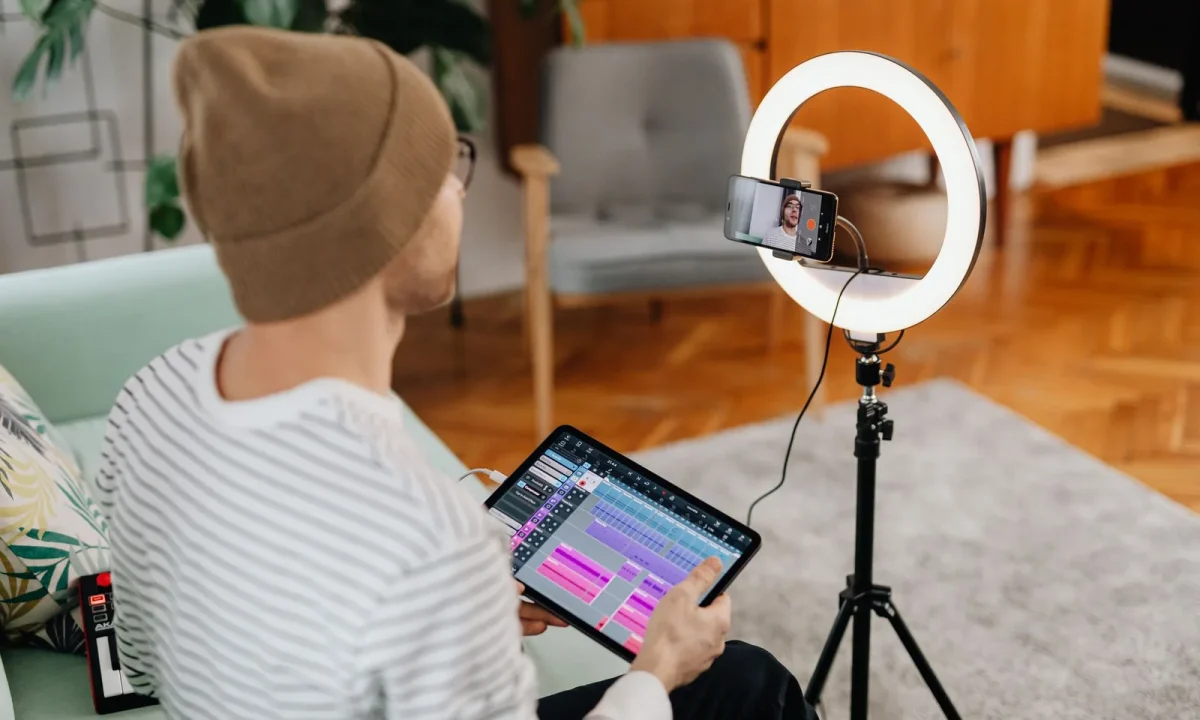
Discover how a teleprompter can revolutionize your vlogging experience. This guide provides essential tips and techniques for content creators to enhance their videos with confidence and clarity.
Understanding the Teleprompter: What You Need to Know
Definition and Purpose of a Teleprompter
A teleprompter is a device that displays a scrolling script in front of the camera lens, allowing presenters to read their lines while maintaining eye contact with the audience. This technology has been widely adopted in various fields, including news broadcasting, public speaking, and, importantly, vlogging. By eliminating the need to memorize lines or glance at notes, a teleprompter enhances the delivery and flow of content, allowing vloggers to focus on their performance without distraction.
Benefits of Using a Teleprompter for Vlogging
Incorporating a teleprompter for vlogging can lead to several significant benefits. Firstly, it can improve your video quality by ensuring that your message is delivered clearly and succinctly. This clarity is crucial when trying to keep viewers engaged in a fast-paced media environment. Secondly, using a teleprompter can boost your confidence as a vlogger, knowing that your script is right in front of you. Lastly, it helps in reducing the time spent on editing since the chances of mistakes and awkward pauses are minimized.
Types of Teleprompters Available
When selecting a teleprompter for vlogging, you’ll find various types available on the market. These can range from professional-grade teleprompters that attach to cameras and come with high-end features, to simpler tablet-based teleprompters that can be more budget-friendly. Each type has its own set of advantages, and the choice often depends on your specific needs, such as portability, budget, and the level of professionalism required for your content.
Choosing the Right Teleprompter for Your Vlogging Needs
Factors to Consider When Selecting a Teleprompter
Choosing the right teleprompter requires careful consideration of several factors. First, think about the size and weight of the device. If you travel frequently for your vlogs, a lightweight and compact model may be more suitable. Next, consider the compatibility with your camera setup; ensure that the teleprompter can easily integrate with your existing equipment. Additionally, look at the teleprompter’s display quality, as a clear, bright screen is essential for comfortable reading.
Best Teleprompters for Vloggers
For vloggers, some of the best teleprompters include options like the Parrot Teleprompter, which is compact and easy to set up with a smartphone, and the Glide Gear TMP100, which is ideal for more professional setups. Both offer excellent readability and flexibility, enabling you to produce high-quality videos effortlessly. Researching user reviews and comparisons can also help in making an informed choice suited to your vlogging style.
Budget-Friendly Options
If you’re starting with a tighter budget, there are affordable teleprompters available that still provide quality performance. Options such as using a smartphone or tablet with a teleprompter app can serve as excellent budget-friendly alternatives. Several apps are designed specifically for vlogging, allowing you to control the scroll speed and font size, which can significantly enhance your experience without breaking the bank.
Setting Up Your Teleprompter for Optimal Use
Equipment Needed for Setup
Setting up your teleprompter requires a few essential pieces of equipment. Besides the teleprompter itself, you will need a camera, a tripod, and a suitable reading device, like a tablet or smartphone. Investing in a sturdy tripod is crucial as it provides stability and allows you to adjust the height for comfortable reading. Additionally, you may want to use a microphone for better audio quality, enhancing the overall professionalism of your vlogs.
Positioning Your Teleprompter
Correct positioning of your teleprompter is vital for effective use. Ideally, it should be placed directly in line with your camera lens. This alignment allows you to maintain eye contact with your audience, creating a more engaging presentation. Experimenting with the height and angle will help you find the most comfortable setup, reducing neck strain and improving your overall delivery.
Connecting with Your Camera
Connecting your teleprompter with your camera involves placing the teleprompter in front of the camera lens and ensuring that it’s securely mounted. Most teleprompters come with a mounting bracket that fits standard camera sizes. Ensuring a tight connection will prevent any wobbling during your shoot, thus contributing to a smoother video experience. Additionally, check the visibility of the script from the reading device to ensure you can read it clearly while filming.
Crafting Your Script for Vlogging Success
How to Write an Engaging Script
Writing a script for vlogging should focus on engaging your audience right from the start. Begin with a hook that sparks interest, followed by a clear outline of the points you will cover. Use conversational language to make your delivery feel natural, as if you’re having a chat with a friend. Including anecdotes or personal stories can enhance relatability, making your content more engaging for viewers.
Adapting Your Script for Teleprompter Use
When adapting your script for teleprompter use, consider formatting. Break down longer paragraphs into shorter, digestible sections to make reading easier. Use simple language and avoid jargon that may confuse viewers. Additionally, mark pauses or emphasis points in your script to guide your delivery, helping you maintain a natural and engaging rhythm while speaking.
Timing and Pacing Your Delivery
Timing and pacing are crucial elements in delivering a compelling vlog. Practice reading your script aloud several times to find a comfortable pace that allows for clarity and comprehension. Pay attention to your intonation and rhythm; varying these elements can make your delivery more dynamic. Incorporating pauses at significant points can also give your audience time to absorb the information, making your message more impactful.
Tips for Delivering with Confidence Using a Teleprompter
Practicing Your Delivery
Regular practice is essential for mastering the use of a teleprompter. Familiarize yourself with your script and practice until your delivery feels natural. This practice will help you build confidence and reduce reliance on the teleprompter. Consider rehearsing in front of a camera to review your performance and identify areas for improvement.
Maintaining Eye Contact with the Camera
Maintaining eye contact with the camera is vital for connecting with your audience. To achieve this, position the teleprompter at eye level and practice looking directly into the lens while reading. This approach creates a more personal experience for your viewers and helps build trust and engagement. Avoid staring at the script; instead, focus on the camera to convey authenticity.
Using Body Language Effectively
Body language plays a significant role in your delivery when using a teleprompter. Ensure that your gestures and facial expressions complement your script. Using natural movements can enhance your presentation, making it more engaging. Avoid crossing your arms or fidgeting, as these behaviors can detract from your message. Instead, use open gestures and maintain a relaxed posture, allowing your personality to shine through.
Common Mistakes to Avoid When Using a Teleprompter
Over-reliance on the Teleprompter
One of the most common mistakes vloggers make is becoming overly reliant on the teleprompter. While it’s a valuable tool, it’s essential to remain flexible and adaptable during your delivery. Practice improvising and adding spontaneous comments to keep your content fresh and engaging. Remember, a teleprompter should assist you, not dictate your entire performance.
Ignoring Natural Delivery
Failing to maintain a natural delivery can make your presentation feel robotic and disengaged. It’s important to infuse your personal style into your delivery. Allow your personality to shine through by using anecdotes, humor, or insights that resonate with your audience. This connection is what makes vlogging enjoyable, both for you and your viewers.
Neglecting to Edit Your Script
Editing your script is crucial for clarity and engagement. Avoid long, complex sentences that are hard to read on a teleprompter. Instead, focus on brevity and clarity. After drafting your script, review it to ensure it flows naturally and makes sense for spoken delivery. This effort will enhance your overall vlogging experience and improve audience retention.
Teleprompter Applications Beyond Vlogging
Using a Teleprompter for Interviews
Teleprompters are not just for vlogging; they can also be incredibly useful in interviews. They help maintain a smooth flow of conversation, allowing the interviewer to stay focused on the subject rather than scrambling to remember questions. This application enhances the overall professionalism of the interview, making it more enjoyable for both the interviewee and the audience.
Teleprompters in Presentations
In the context of presentations, teleprompters can significantly improve delivery. They allow speakers to maintain eye contact with their audience while referring to their notes. This connection is essential for engaging the audience and conveying confidence. Whether it’s for a business presentation or a public speaking event, a teleprompter can elevate the quality of your delivery.
Educational Uses of Teleprompters
Educational content creators can also benefit from using teleprompters. They facilitate clear and coherent delivery of lessons, lectures, or instructional videos. This clarity is particularly important in educational settings, where precise communication is key to effective learning. By incorporating a teleprompter, educators can focus on teaching rather than worrying about what to say next.
Conclusion
With the right teleprompter and effective techniques, you can significantly enhance your vlogging experience. Embrace the power of scripting and delivery to connect better with your audience and deliver your message with clarity. Whether you are just starting or looking to improve your skills, integrating a teleprompter into your vlogging toolkit can be a game-changer. For more in-depth guidance on using a teleprompter, consider checking out Mastering Teleprompter Usage to refine your skills further.
Frequently asked questions
What is the best free teleprompter app for vlogging?
For free options, PromptSmart (with voice tracking) and BigVu (with a free tier) are popular choices. However, free apps often have limitations like watermarks or limited script length. Many vloggers find the investment in a paid app like Teleprompter Premium worthwhile for professional features and reliability.
How do I set up a teleprompter at eye level with my camera?
You need a teleprompter rig that mounts directly in front of your camera lens, using a beam-splitter glass to reflect the script text while allowing the camera to see through it. For a DIY approach, you can use a tablet holder clamped to a tripod with the tablet positioned just above or below your lens, but this won’t achieve perfect eye contact. For true eye-level reading, a dedicated hardware teleprompter is necessary.
Can I use a teleprompter without looking like I’m reading?
Yes, by adjusting the scroll speed to match your natural speaking pace and using large, easy-to-read text to minimize eye movement. Practice is crucial—you should rehearse the script several times before recording to make your delivery conversational. Marking pauses and emphasis points in the text also helps you sound more natural.
What features should I look for in a teleprompter app for vlogging?
Key features include adjustable scroll speed and font size, voice-activated scrolling (to follow your pace), and the ability to import scripts from various formats (like .txt or .docx). Also look for a mirror mode for use with physical teleprompter rigs, and a clean interface without distracting on-screen controls during recording.
How long should my script be for a 10-minute vlog?
A common guideline is that 1,500 words roughly equals 10 minutes of speaking time at a moderate pace. However, this varies significantly by speaking style; a faster speaker might need 1,800 words, while a slower, more deliberate speaker might only need 1,200. Always do a timed reading test with your script before finalizing.
Recording with a script? Try Lumi.
Keep your script near the camera and out of your final video. Try free for 3 days.
Learn more


