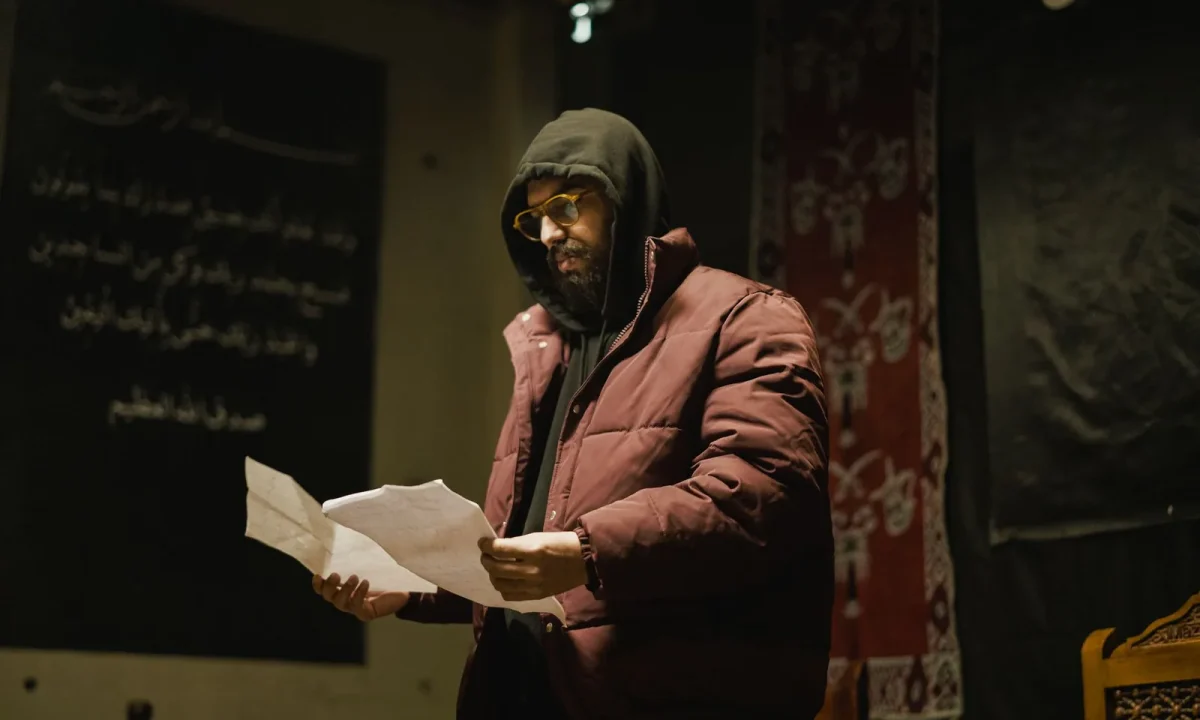
A teleprompter only works as well as the script behind it, which is why these teleprompter script tips matter more than any camera upgrade. For beginners, the hardest part is rarely the hardware — it is writing words that sound natural when read aloud, move at a comfortable pace, and keep viewers engaged. This guide brings together practical teleprompter script tips, proven writing for video techniques, and effective script formats you can apply to your very next recording.
Why the Script Deserves More Attention Than the Gear
Beginners tend to over-invest in equipment and under-invest in wording. A better ring light or a sharper lens will not rescue a script that rambles, and no microphone makes a stiff, bookish paragraph sound conversational. When viewers scroll past within seconds, the deciding factor is usually what you say and how it flows, not which brand of prompter you mounted. Treat the script as a production asset rather than a pre-show formality, and your recording sessions become dramatically easier.
How a teleprompter reveals weak writing instantly
A teleprompter is an unforgiving editor because it forces every word into real time. If a sentence is too long, you run out of breath before reaching the period; if a phrase is convoluted, your eyes stall and your delivery stumbles on the spot. Weak transitions become obvious the moment you have to pause and search for the next thought while the camera keeps rolling. This instant feedback loop is actually a gift: you learn to identify dense wording far faster than you would by re-reading a document on a screen.
Reading aloud as your first quality check
The single most reliable test of a script is hearing it in your own voice, at your own pace, in a quiet room. Read the draft aloud before you touch any formatting tools, and mark every sentence that makes you pause, repeat yourself, or take a breath in an awkward place. Those marked lines are your editing list, and they usually point to the same problems: overly formal wording, buried clauses, and transitions that exist only in writing. Make this pass a habit and you will catch most problems before a single frame is recorded.
The difference between a written document and a spoken script
Articles and reports are designed to be studied silently, so they can afford subordinate clauses, technical phrasing, and paragraphs that build an argument over several sentences. A spoken script is consumed once, at the speed of your voice, and the listener cannot rewind without effort. That means the writing must be front-loaded with meaning, repetitive only where repetition aids retention, and structured in short bursts that the ear can hold. Recognizing this distinction is the foundation of every other skill in this guide, and it connects directly to the principles in our pillar resource, Creating Engaging Content with Teleprompters.
Writing for Video: Words That Sound Natural Out Loud
Video scripts are heard once, not studied like a blog post, so every sentence has to earn its place in the ear. Natural speech has a rhythm of its own — it contracts, it emphasizes, it circles back to a point for clarity — and your writing should mirror that rhythm rather than fight it. When a line reads beautifully on paper but feels heavy when spoken, the paper version loses. Always privilege the version that sounds like a person talking to a friend.
Conversational language versus formal prose
Formal prose signals authority in print, but on camera it often signals distance. Words like “furthermore,” “subsequently,” and “it is important to note” slow the cadence and make you sound like you are reading a memo instead of speaking to an audience. Swap them for everyday connectors — “so,” “and here’s the thing,” “that means” — and the delivery immediately loosens up. The goal is not to sound careless; it is to sound like the most articulate version of your normal speaking self.
Short sentences, active voice, and everyday vocabulary
Short sentences give your lungs room and your audience time to process. Active voice keeps the subject doing the action, which tracks naturally in speech, while passive constructions force listeners to wait for the payoff. Everyday vocabulary also reduces cognitive load: a plain word your viewer already knows will always beat a precise word they have to decode mid-sentence. If a phrase would feel out of place in a conversation with a colleague, it probably does not belong in your prompter.
How to test whether a phrase is speakable
Run the phrase aloud twice. If you stumble on the second reading, the wording is the problem, not your delivery. Then try shortening it: if you can cut three words without losing meaning, cut them, because brevity almost always improves both clarity and pace. Finally, ask whether a viewer who heard only that one sentence would understand the point — if not, restructure so the key idea arrives early. For a deeper look at this skill, see Script Writing for Teleprompters: Techniques and Insights.
Effective Script Formats That Work on Camera
No single format wins for every creator; the right choice depends on how scripted you want to be and how much room you need to improvise. Effective script formats exist on a spectrum from fully written narration to loose outlines, and most seasoned presenters blend two or more. The practical goal is consistency: once you pick a structure for a given series, your rehearsals get faster and your scroll behavior becomes predictable. Compare the options below, then commit to one for your next three videos so you can judge it fairly.
Straight narrative scripts for solo presenters
A straight narrative script is a continuous written-out flow, sentence by sentence, designed to be read in order from start to finish. It suits solo presenters who want identical wording across takes, who record product walkthroughs or educational content, or who are still building on-camera confidence. Because the text is complete, you spend less energy deciding what to say next and more on expression and eye contact. The tradeoff is that delivery can sound slightly rehearsed if you do not vary your emphasis.
Segmented scripts with cues and topic breaks
Segmented scripts divide the recording into labeled blocks — intro, three main points, recap — each with its own short written passage and optional stage directions like “hold up product” or “pause for demo.” This format shines for tutorials and multi-part videos where you may record sections out of order or need clean edit points. Cues also act as mental anchors, so if you lose your place, the next heading tells you exactly where you are. Many creators find this structure easiest to re-record section by section without redoing the whole video.
Bullet-driven scripts for unscripted hybrid delivery
Bullet-driven scripts give you key phrases and supporting points instead of full sentences, leaving the connective language to you in the moment. This suits presenters who speak well off the cuff but need guardrails to stay on topic and on time. The risk is that a thin outline can lead to rambling, so each bullet should carry a clear idea plus one concrete example to anchor it. If you want to explore this hybrid approach further, our guide on Better Videos Start with Script Writing for Teleprompters walks through the tradeoffs.
Teleprompter-friendly formatting conventions
Whichever format you choose, apply consistent formatting rules: line lengths that stay within a readable window, short paragraphs of two to three lines, and generous spacing between sections so transitions are visually obvious. Use punctuation marks like em dashes or ellipses to signal deliberate pauses, and capitalize a single word only when you intend heavy emphasis. Number your sections so you can quickly find your place after an interruption. These conventions are covered in depth in Mastering Effective Script Formats for Teleprompters.
Structuring Your Opening, Middle, and Close
Structure drives retention on camera because viewers decide within seconds whether to keep watching, and they need signposts to follow a longer argument. A clear arc — hook, body, takeaway — reduces the mental effort required to stay with you, which in turn makes your delivery look more confident. When the shape of the script is obvious to you, it becomes obvious to the audience too.
Hooking viewers in the first few lines
The opening lines should state a problem, a promise, or a surprising claim before any greeting or channel introduction. Viewers rarely tolerate a long wind-up, so place the reason to keep watching in the first breath of the script. A practical pattern is: name the pain, promise the solution, preview the steps — all within three or four short sentences. Save housekeeping details for after the hook, once you have earned attention.
Signposting transitions so the flow stays clear
Transitions are the joints of your script, and vague ones cause viewers to lose track of where they are. Use explicit signposts such as “here’s the second mistake,” “now let’s look at the fix,” or “before we wrap up” to mark each shift. These phrases also give you a natural breath and a moment to reset your expression between sections. If you find yourself relying on “anyway” or “so yeah” as transitions, that is a sign the script needs clearer section boundaries.
Ending with a clear takeaway or call to action
Close by restating the single most useful idea in one sentence, then give the viewer one specific next step — try a technique, download a template, watch a related video. Avoid stacking multiple requests, because a crowded ending dilutes the impact of each one. A strong close also mirrors the opening, which makes the video feel complete rather than abruptly cut off. If you need models for endings, Script Writing for Teleprompters: A Creator’s Roadmap includes several templates.
Pacing, Paragraph Length, and Scroll Behavior
Pacing is where script design meets physics: the prompter scrolls at a speed, and your voice must keep up with it. Dense paragraphs force you to read faster than is comfortable, which drains breath and flattens expression. Formatting that respects natural breathing keeps the scroll steady and your delivery relaxed.
Why long paragraphs make the prompter feel fast
When a paragraph fills the entire viewing window, your eyes travel a longer horizontal distance per line and you lose the visual cue that tells you where you are. You also read continuously, without natural stopping points, so the pace creeps upward even if the scroll speed never changes. The result is a presentation that feels rushed to you and slightly frantic to viewers. Break long blocks into two or three shorter ones, and the same scroll speed will suddenly feel calm.
Using line breaks and white space intentionally
White space is not decoration; it is pacing control. A blank line before a key point tells your eyes to slow down and signals a beat where you can pause for emphasis. Short lines of roughly equal length also make the text easier to track, since your gaze does not have to hunt for the start of each new line. Experiment during rehearsal and keep whatever spacing helps you maintain steady eye contact with the lens.
Matching sentence rhythm to natural breathing pauses
Sentences should end where you would naturally exhale, which usually means cutting them in half when they start to sprawl. Read your script while placing a hand on your diaphragm: if you feel strain before the sentence closes, split it. Punctuation becomes a pacing tool here — commas for brief pauses, periods for full stops, em dashes for a quick aside. The right rhythm is the one you can sustain for a full take without gasping, and personal testing matters more than any fixed pace; when you want a reference point, check public sources on spoken delivery and adjust to your own voice. For pacing-specific advice, see Better Writing for Teleprompters: Script Tips for Video.
Editing Your Script for Clarity Before Recording
Editing deserves its own dedicated pass, separate from drafting, because the mindset of writing and the mindset of trimming are different. Drafting is generative and forgiving; editing is ruthless and precise. When you combine them in a single session, you tend to protect your own sentences instead of questioning them. Set the draft aside for a few hours, return with fresh eyes, and cut without sentiment.
Cutting filler, redundancy, and throat-clearing phrases
Most first drafts open with throat-clearing: “So in this video I’m going to be talking about…” — a sentence that says nothing a viewer does not already know from the title. Redundancy also creeps in as you restate the same point twice in slightly different words, which eats seconds and weakens emphasis. Read each paragraph and ask what single idea it delivers; if the answer is “none,” delete it. If two paragraphs deliver the same idea, merge them into one sharper version.
Replacing written-only vocabulary with spoken alternatives
Written vocabulary often slips in unnoticed — “utilize” instead of “use,” “individuals” instead of “people,” “purchase” instead of “buy.” These words are not wrong, but they add syllables and create a subtle formality that works against an on-camera connection. Do a targeted pass hunting for long Latinate words and swap them for shorter Germanic equivalents wherever the meaning holds. The sentence becomes easier to say and easier to hear, which is exactly what a prompter demands.
Marking emphasis, pauses, and pronunciation notes
Add lightweight marks directly in the text: underlines or capitals for words you want to stress, slashes or ellipses for pauses, and phonetic respellings for names or technical terms you historically stumble over. These annotations turn the script into a performance score rather than a plain transcript. Keep the system simple and consistent so you can read the marks at a glance without breaking eye contact. If you want a structured approach, Script Writing for Teleprompters: A Creator’s Roadmap and Mastering Script Writing for Teleprompters: Tips and Formats both cover annotation conventions.
Common Beginner Mistakes and How to Fix Them
Every creator starts with the same handful of missteps, so noticing them early is a sign of progress, not failure. The fixes are usually simple once the pattern is visible.
Copying blog posts straight into the prompter
An article written for silent reading is full of constructions the voice cannot carry gracefully: nested clauses, parenthetical asides, and paragraphs six sentences long. Pasting it into a prompter guarantees a stiff, breathless delivery. Instead, treat the article as an outline — keep the ideas, discard the sentences, and rewrite from scratch in spoken language. If you have a post that performed well, consider a companion piece built natively for video.
Writing at a pace you cannot maintain
Beginners often write dense scripts because dense writing feels more substantive, then discover mid-take that they cannot speak that fast without sounding breathless. The fix happens during rehearsal: record one read, note where you rushed, and shorten those passages. It is far easier to fix pacing on the page than in the edit room. Remember that you can always add a sentence back if a section feels too thin after trimming.
Ignoring the first and last take of a session
The first take is usually stiff because you are still warming up, and the last is often flat because fatigue has set in. Many creators assume the middle take is automatically the best, which is not always true — sometimes the final run has the most natural delivery because you finally stopped overthinking. Review all usable takes before discarding any, and keep the one where your expression matched the meaning. To see how other creators handle this workflow, read Script Writing for Teleprompters: Mistakes You Should Avoid.
Building a Repeatable Pre-Recording Checklist
A checklist removes decision-making from recording day, which frees your attention for performance. Keep it short enough to finish in ten minutes and specific enough that nothing important slips through.
Draft, read aloud, edit, format, rehearse
Follow the same sequence every time: draft the full script, read it aloud once without stopping to mark trouble spots, edit those spots in a separate pass, apply your formatting conventions, then rehearse at real speed while watching the prompter. Skipping the read-aloud step is the most common shortcut, and it is the one that costs the most later. Treat each stage as non-negotiable and your takes will require fewer retakes. For a longer treatment of this sequence, see Essential Tips for Writing for Video: Enhance Your Script Skills.
Saving reusable templates for future videos
Once a structure works — your hook pattern, your segment headings, your closing call to action — save it as a blank template. Future scripts then start from a proven skeleton instead of a blank page, which shortens drafting time considerably. Keep templates for the formats you actually use: one for tutorials, one for list videos, one for announcements. Update them whenever you notice a structural improvement in a published video.
Reviewing your own recordings to improve the next script
Watch your finished videos with a notepad and log every moment where you stumbled, paused awkwardly, or sounded flat. Patterns emerge quickly: a recurring struggle with a certain transition points to a wording problem, while repeated rushing points to paragraph length. Feed those observations back into the next draft so each script addresses the specific weaknesses of the last. This feedback loop is the fastest improvement engine available to a solo creator, and it pairs naturally with the advice in Essential Teleprompter Script Tips for Effective Presentations.
Conclusion
Strong teleprompter script tips come down to writing the way you speak, choosing a format that matches your delivery style, and formatting your text so scrolling never interrupts your flow. The gear matters less than you think: a clear hook, short sentences, deliberate white space, and a ruthless editing pass will improve your videos more than any upgrade. Treat your script as part of the production rather than a last-minute task, and each recording will feel smoother, more confident, and more engaging for your audience.
Start with your very next video: draft it, read it aloud, cut it down, format it with short paragraphs and clear section breaks, and rehearse once at real speed before you hit record. Keep your checklist beside your setup, reuse the structures that work, and review your own recordings to sharpen the next draft. Consistency in this process — not perfection on any single take — is what turns a beginner presenter into a dependable one. For a broader look at building engaging video content around these habits, return to Creating Engaging Content with Teleprompters whenever you want to level up your approach.
Frequently asked questions
How fast should a teleprompter scroll for a beginner?
Start around 130–150 words per minute, which matches a natural speaking pace for most presenters. Beginners often set the speed too fast to avoid "dead air," then stumble trying to keep up. It is easier to nudge the speed up mid-take than to recover from rushed, breathless delivery.
What font size and line length should my teleprompter script use?
Use a large, clean sans-serif font and keep lines short — roughly 30 to 40 characters per line — so your eyes never lose their place. Long, full-width lines force you to scan and jump, which causes stumbles and visible eye movement. If the screen is farther from you, scale the font up until the text is readable without leaning forward.
Should I write teleprompter scripts as full sentences or short bullet points?
Write in short, spoken-style phrases rather than polished prose, because formal sentences read as stiff and robotic on camera. Full scripts work best for beginners who need the safety net of exact wording, but break them into one idea per line. Once you are comfortable, drop to key phrases plus a few exact lines you must get right, such as stats or product names.
Why do I sound like I’m reading, and how do I fix it?
It usually comes from reading word-by-word instead of phrase-by-phrase, combined with text that was written for the page rather than the ear. Rewrite in contractions and conversational rhythm, mark pauses and emphasis with slashes or capitalization, and practice out loud until the phrasing feels like your own. Record a test take and listen for flat intonation before you shoot the final version.
How do I keep natural eye contact with the camera while using a teleprompter?
Place the prompter as close to the camera lens as possible and position the text block near the top of the glass so your eyes drift only slightly. Add deliberate blinks and short pauses at line breaks, because a perfectly unbroken stare reads as unnatural even when the eyes are aimed correctly. If the setup keeps your gaze noticeably off-lens, use the teleprompter only for sections with hard facts and talk freely to camera for the rest.
How much should I rehearse before recording with a teleprompter?
Do at least two full read-throughs at the actual scroll speed, including one recorded on the real device, because practicing on paper does not reproduce the pacing pressure. Adjust the script mid-rehearsal whenever you trip over a phrase — the stumble almost always signals writing that is too formal or too long. Budget 20 to 30 minutes of warm-up so the first take is not your practice run.
Recording with a script? Try Lumi.
Keep your script near the camera and out of your final video. Try free for 3 days.
Learn more


