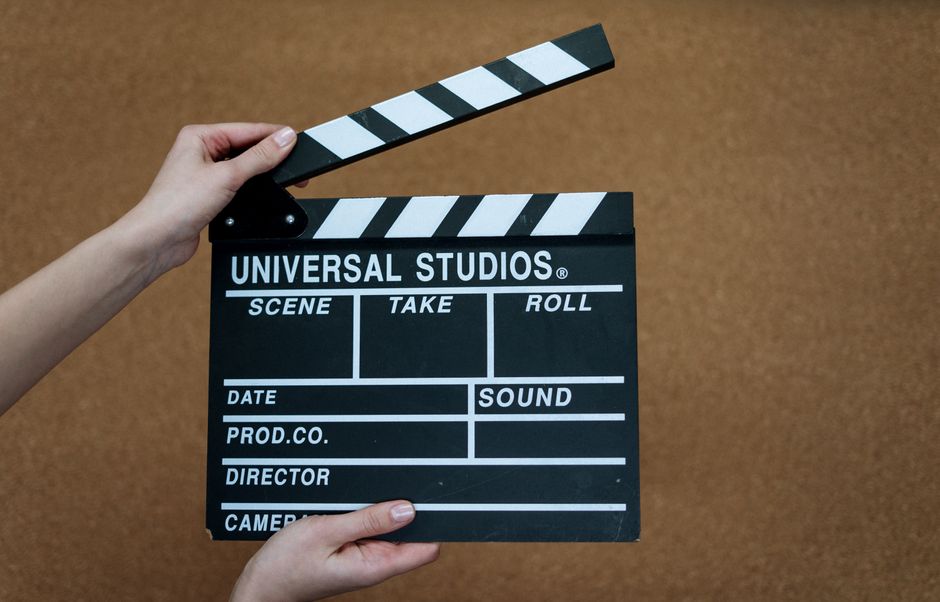
Discover how to enhance your video production quality with the right teleprompter for various formats. This guide provides insights and practical tips for content creators, educators, and marketers who want to elevate their video presentations. A teleprompter for video formats can significantly improve clarity and confidence in delivery, making it an essential tool for anyone looking to create professional-quality content.
Understanding Teleprompters for Video Formats
What is a Teleprompter?
A teleprompter is a device that displays a script in front of a camera lens, allowing the presenter to read the text while maintaining eye contact. Typically composed of a screen and a reflective glass, teleprompters can be found in various settings, from news studios to corporate presentations. This technology enables a seamless flow of dialogue without the interruptions that come with memorization or script handling. In essence, it allows speakers to deliver their message more naturally and confidently.
Modern teleprompters can be software-based, operating through apps on smartphones or tablets, making them accessible to a broader audience. This versatility is particularly useful for content creators who may not have access to expensive hardware but still wish to achieve a professional look in their videos. Moreover, understanding the functionality of teleprompters is crucial for tailoring their use to specific video formats, making it an invaluable skill for anyone involved in media production.
Benefits of Using a Teleprompter for Video
The benefits of using a teleprompter for video formats are numerous. Firstly, it helps in maintaining a steady flow of speech, allowing presenters to stay on script without losing their train of thought. This is particularly important during live broadcasts or presentations where time is limited, and clarity is paramount. Additionally, teleprompters reduce the anxiety often associated with public speaking, as the speaker can focus on delivering their message rather than worrying about memorizing lines or stumbling over words.
Furthermore, teleprompters enhance the overall production quality of videos. They allow for better pacing and articulation, resulting in a more engaging viewing experience for the audience. By using a teleprompter, presenters can also ensure that key points are highlighted and conveyed effectively, making their content more impactful. Overall, the strategic use of a teleprompter can transform ordinary presentations into compelling narratives that resonate with viewers.
Choosing the Right Teleprompter App
Top Features to Look for in a Teleprompter App
When selecting a teleprompter app, several features can significantly enhance the user experience. One essential feature is customizable text scrolling speed, which allows users to adjust the pace according to their reading comfort. This is crucial for maintaining a natural rhythm in delivery, especially for beginners or those who may not be accustomed to using teleprompters. Additionally, the ability to change font sizes and styles can improve readability, ensuring that text is easily digestible during recordings.
Another valuable feature is script import capabilities. A good teleprompter app should allow users to import scripts from various sources, such as cloud storage or email, streamlining the preparation process. Integration with video recording software can also be beneficial, enabling a smooth workflow for content creators. Features like mirror mode, which flips the text for use in physical teleprompters, and remote control functionality can further enhance the app’s usability.
Comparing Popular Teleprompter Apps for Different Formats
There are numerous teleprompter apps available, each catering to different needs and formats. For instance, apps like PromptSmart Pro are well-regarded for their voice recognition capabilities, automatically scrolling text based on the user’s speech. This feature is particularly advantageous for interviews or presentations where maintaining a natural flow is critical. On the other hand, apps such as Teleprompter Premium offer robust customization options, making them suitable for live streaming and professional presentations.
Before settling on a teleprompter app, it’s essential to evaluate your specific needs. Consider the video formats you will be working with and choose an app that aligns with those requirements. For example, if you plan to use a teleprompter for live streaming, look for apps that integrate seamlessly with platforms like OBS or Zoom. By comparing the functionalities of various teleprompter apps, you can find the one that best supports your video production goals.
Using Teleprompters for Different Video Formats
Teleprompter for Live Streaming: Best Practices
Live streaming presents unique challenges, and using a teleprompter can help create a polished presentation. One of the best practices for teleprompter use in live streaming is to ensure that the text is large enough to read comfortably from a distance. This often requires testing the setup in advance to find the optimal font size and scrolling speed. Additionally, positioning the teleprompter close to the camera lens helps maintain eye contact with the audience, which is crucial for engagement during live broadcasts.
Another important consideration is rehearsing with the teleprompter before going live. Familiarity with the script and the flow of content will reduce the likelihood of stumbling over words or losing your place. Testing the connection between the teleprompter app and the streaming software is also essential to avoid technical issues during the presentation. By following these best practices, you can leverage the advantages of a teleprompter to create a more professional and engaging live streaming experience.
Teleprompter for Presentations: Engaging Your Audience
Incorporating a teleprompter into presentations can significantly enhance audience engagement. To effectively use a teleprompter for presentations, it’s vital to practice maintaining eye contact with the audience while reading. This can be achieved by positioning the teleprompter at eye level and ensuring that the text is visible without straining the eyes. Engaging your audience involves not just delivering the content but also conveying enthusiasm and passion, which can be more easily achieved when you are not focused on memorization.
Additionally, varying your vocal tone and pacing while delivering the script can help keep the audience’s attention. Using a teleprompter allows for these variations, as you can focus on expression rather than text management. Incorporating pauses and emphasizing key points will create a more dynamic presentation and encourage audience interaction. Overall, a teleprompter can transform delivery from a monotonous recitation of facts into an engaging and interactive experience.
Teleprompter App for Interviews: Tips for Success
When using a teleprompter app for interviews, several tips can enhance the effectiveness of the setup. First, ensure that the teleprompter is positioned at eye level, allowing both interviewers and guests to maintain eye contact. This is critical for fostering a natural conversation and making the interview feel more interactive. Additionally, setting the scrolling speed to match the speaker’s natural rhythm is essential for a seamless dialogue exchange.
Practicing with the teleprompter before the interview can help both parties feel more comfortable with the technology. Familiarity with the script and knowing when to pause for questions or comments can enhance the fluidity of the conversation. Using teleprompter apps like The Ultimate Guide to Teleprompter Apps for iPhone and Android can provide insights into the best tools available for this purpose. By applying these tips, interviews can become more engaging and less scripted, allowing for genuine interaction and connection.
Setting Up Your Teleprompter
Optimal Setup for Various Video Formats
Setting up your teleprompter properly is crucial for achieving the best results. The optimal setup often depends on the specific video format being produced. For instance, when recording a scripted video, ensure that the teleprompter is positioned directly in front of the camera to create the illusion of eye contact. For live streaming, consider using a physical teleprompter that mounts in front of the camera, ensuring that the text is visible without obstructing the lens.
In contrast, during presentations, a more flexible setup might be necessary. You can use a tablet or smartphone with a teleprompter app placed on a stand that can be adjusted for visibility. Additionally, testing the setup in advance allows you to make adjustments for lighting and camera angles, ensuring that the teleprompter does not create glare or distractions. This attention to detail will significantly improve the professionalism of your final product.
Adjusting Settings for Clarity and Readability
Adjusting settings for clarity and readability is essential when preparing a teleprompter for use. Start by selecting an appropriate font type and size that is easy to read from a distance. Sans-serif fonts are often recommended for their clean lines, which enhance readability on screens. Additionally, consider the color contrast between the text and background; a high contrast will make the text stand out, reducing strain on the eyes.
Furthermore, the scrolling speed of the text should be set to a comfortable pace, allowing for natural reading without feeling rushed. Many teleprompter apps offer customization options, enabling users to fine-tune these settings to their preferences. Taking the time to optimize these elements can prevent distractions during the presentation and allow for a smoother delivery.
Tips for Effective Delivery
Practicing with Your Teleprompter
Practice is key to mastering the use of a teleprompter. Familiarizing yourself with the text and the flow of your presentation will not only improve confidence but also enhance the overall delivery. Start by reading through the script multiple times without the teleprompter to understand the material fully. Once comfortable, begin using the teleprompter, focusing on maintaining a steady pace and expressive delivery.
Recording practice sessions can be invaluable, as it allows you to review your performance and identify areas for improvement. Pay attention to your body language, vocal tone, and pacing. Adjust as necessary to ensure that you appear relaxed and engaging on camera. By consistently practicing with the teleprompter, you will build the necessary skills to deliver your content effectively and persuasively.
Maintaining Eye Contact and Natural Delivery
Maintaining eye contact while using a teleprompter is essential for creating a connection with your audience. This can be achieved by placing the teleprompter as close to the camera lens as possible, allowing you to read the text while still appearing to look directly at the viewers. It’s also important to focus on your delivery style; aim for a conversational tone, as this helps to foster engagement and relatability.
Additionally, using natural gestures and facial expressions will enhance your delivery and make the presentation more dynamic. Avoid overly rigid movements, as they can detract from the authenticity of your message. Remember that the teleprompter is a tool designed to assist you, not replace your personality. Strive to appear genuine and enthusiastic, as this will resonate more strongly with your audience and keep them engaged throughout your presentation.
Common Mistakes to Avoid
Over-Reliance on the Teleprompter
One of the most common mistakes when using a teleprompter is becoming overly reliant on it. While teleprompters are fantastic tools for maintaining a smooth delivery, they should not completely replace a speaker’s natural ability to communicate. Over-reliance can lead to a robotic or disengaged presentation, as the speaker may focus too much on the text rather than connecting with the audience. It is crucial to find a balance between using the teleprompter and allowing one’s personality to shine through.
To avoid this pitfall, practice incorporating spontaneity into your delivery. Familiarize yourself with the content well enough that you can occasionally glance away from the teleprompter to make eye contact or connect with your audience. This approach will help maintain authenticity and create a more dynamic presentation that resonates with viewers.
Ignoring Audience Engagement
Another mistake to avoid is neglecting audience engagement while using a teleprompter. Just because you have a script does not mean you should ignore the audience’s reactions or feedback. Engaging with the audience, whether through questions, facial expressions, or acknowledging their presence, can significantly enhance the overall experience. Failing to do so can make the presentation feel one-sided and less impactful.
To promote audience engagement, consider incorporating interactive elements into your presentation. This might include asking questions, inviting comments, or even adjusting your delivery based on audience reactions. By prioritizing engagement, you can transform your presentation from a mere recitation of information into a lively and interactive experience that captivates your audience.
Conclusion and Final Thoughts
Using a teleprompter for video formats can significantly enhance your production quality. By understanding the unique requirements of each format and practicing effectively, you can deliver engaging and professional content that resonates with viewers. Whether you are presenting in front of a live audience, recording a video for social media, or conducting interviews, the strategic use of a teleprompter can streamline your delivery and boost your confidence.
As you explore teleprompter apps and features, consider trying tools like the Lumi Notch Teleprompter for Windows & Mac to find the best fit for your needs. Remember that practice makes perfect; the more you familiarize yourself with your teleprompter, the more natural your delivery will become. By experimenting with different teleprompter apps and techniques, you can find the combination that works best for you, ultimately enhancing your video production skills.
Frequently asked questions
What is the best video format for using a teleprompter app?
MP4 with H.264 encoding is the most universally compatible and reliable format for teleprompter apps, offering a good balance of quality and file size. MOV and AVI are also widely supported but may have larger file sizes. Most modern teleprompter software is optimized to handle these common formats without playback issues.
How do I sync my teleprompter script with the correct video format on my phone or tablet?
First, ensure your device supports the video file’s codec. Convert the video to MP4 (H.264) using free software like HandBrake if needed. Then, import both the script and video file into your teleprompter app—most apps like PromptSmart or BigVu will allow you to load the video and overlay the scrolling text directly.
Can I use a teleprompter with live video streaming formats?
Yes, many teleprompter apps and hardware setups are designed for live streaming. They typically work by overlaying text on your live camera feed via HDMI output or software integration with platforms like OBS Studio, Zoom, or StreamYard. The video format in this case is the stream’s output format (e.g., 1080p H.264), which is handled by the streaming software.
Why does my teleprompter video look choppy or out of sync after export?
This is often due to a frame rate mismatch between your script’s scroll speed and the video’s frame rate, or using a non-optimized video format. Ensure your video is in MP4 (H.264) with a consistent frame rate (e.g., 30fps). Also, check your teleprompter app’s export settings—some require you to render the video with the script overlay separately for a smooth final output.
Recording with a script? Try Lumi.
Keep your script near the camera and out of your final video. Try free for 3 days.
Learn more


